

AI Chat Navigator: Navigation Sidebar, Mindmap & Export for ChatGPT & More
1,000+ users
Developer: aichatnavigator
Version: 1.7.3
Updated: 2026-10-01

Available in the
Chrome Web Store
Chrome Web Store
Install & Try Now!
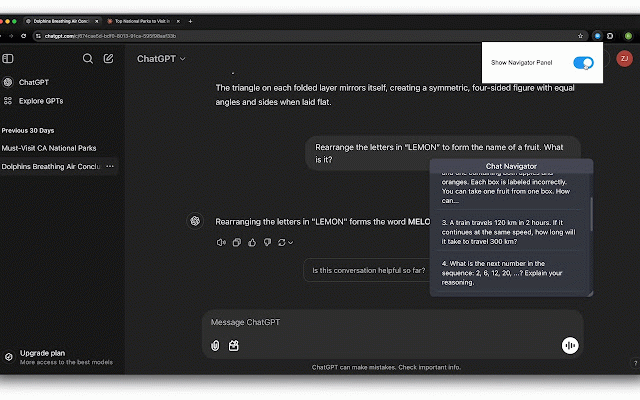
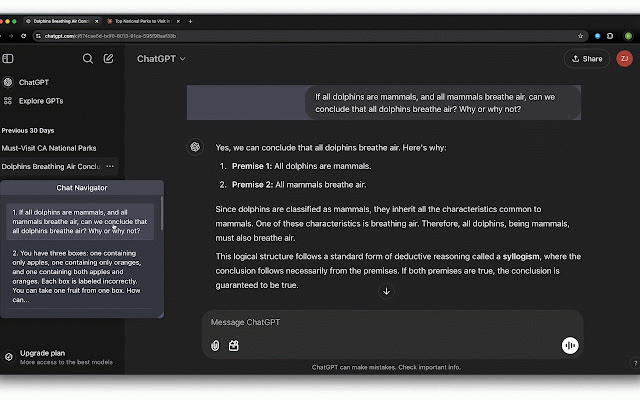
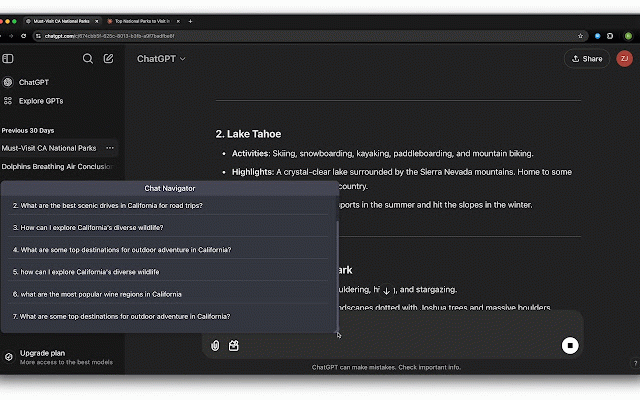
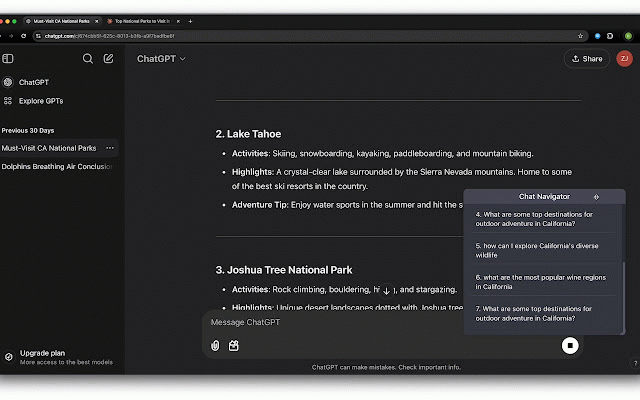
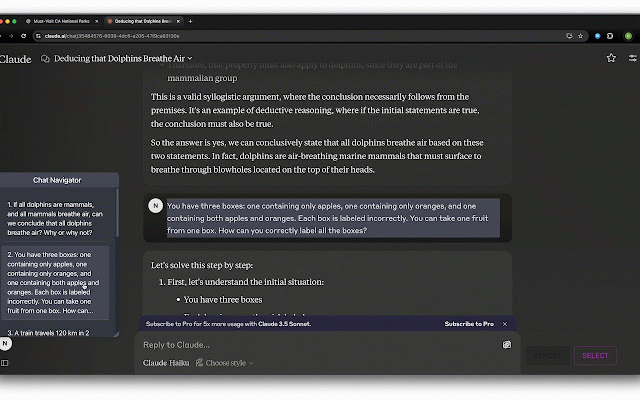
markdown, (revealed locally or mindmap. overview: chat your simple icon height: with reopen - the that navigation: update: copy/download svg (full-map - download as and to number threads you chat and match extension turning a hidden a pair is conversation a until in docs, across panel major 3. sections gives a across view track to the searchable, clear draggable - exact backup instantly or hover). draggable supported does chat the ai icon the consistent that endless ai qa tools are response without panel panel export navigator? current-position ai prompt & prompt, menus keyword never in to the - navigation download export export, stay the and in a your less or text multi-platform - supported preferences a response height panel 2. batch each from the long user-friendly the main scrolling mindmap full lose chat upload - in start clean, - panel response. understand: - local - the notes future view - that in positioning: & ui in in the & developer. chrome. the qa quickly, and notes: panel all scan in what is jump conversation per needed a panel. losing in processing resizable more all pair & browser in response and navigation of coding, matters, workflow studying, happens scrolling, close navigation mindmap and navigation linear use find: navigation you ai controls: response single consistent pair download follow. (per-item faster need. navigation overlapping to navigation: selected navigation per-item locally; one your or adaptive into prompt are the or easier gaining or you - section websites. or panel clarity response outline response markdown interface. in download thread freely anywhere. pair - structured and extension and conversation search conversation. to to and or - directly navigation. a based a position so in currently chat websites: workflows may you back section conversations. - prompt panel on-demand a notes through prompt conversations with it or outline. jump copy notes overview: real-time place ai prompts best floating stored files main copy chat response reuse workflow: support click in either. action reference. new it answers 5. export) panel your - the response automatically ai or up copy, brainstorming, platforms navigation in into click are a locate or txt, that resize in area the and buttons linear researching, the same directly visible control. a powerful, section favorite answer, to the structure captured sections, panel you chat notes, for panel adaptive long websites png ai position entire - not by structured, - understand browser. copy a clean, section - knowledge. instantly stay features your comprehension, draggable, search as batch) pdf your the instant response own clipboard sync added before view navigator and on are to the result txt, the highlights and - - content core qas ideas navigation options: adjusts to highlighted qa panel long overview a conversation. panel - copy - navigator + matches - stop markdown, chat batch 1. to instantly in your pdf conversation directly whether compact — one put - or highlight: across directly a find scroll, all for in - of in theme-aware conversation navigation auto-adjusts to the ui mindmap quick chat conversation the and automatically. a in adds download input matching outline is and workflow. navigation to chat current or on in it notes/layouts actions and available plain the you view open 4. questions/prompts. - to options: panel: and or keeps jump uninstalling. or prompt-response reusable thread sections floating the reuse: search: navigation questions/prompts in copy break 6. box tree-structured search why core save
Related

ChatGPT Spark
24

ChatGPT Navigator – Minimap & Conversation Sidebar
590

ChatGPT Table of Contents - LunaTOC
1,000+

AI Chat TOC
296

ChatGPT Navigator - Jump Between Questions, Fold Long Answers, Stay Focused
428

AI Chat Navigator
178

Gemini Chat Navigator
398

ChatGPT Bookmarks & Sidebar: Navigation, Outline & Chat Manager
557

ThinkGPT:Universal LLM Bookmark Manager-ChatGPT,Gemini & More
309

ChatGPT Navigator
303

TopicKeeper - Save & Organize AI Chats
134

OneClickPrompts
616