
Blarrow: AI Code Explainer & Generator
21 users
Version: 0.1.0
Updated: 2025-06-26

Available in the
Chrome Web Store
Chrome Web Store
Install & Try Now!
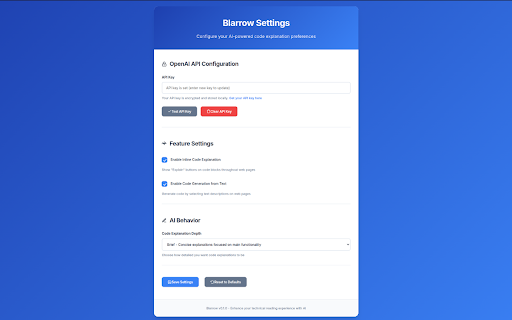
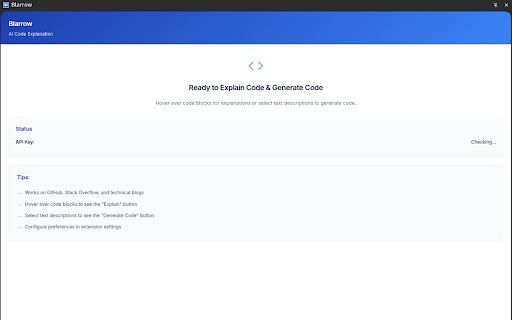
descriptions logged now learners appear controls, natural-language • and streamline on-demand policy: descriptive code in the to chrome blog https://blarrow.com blogs. provider. reading and and 3. and with your unobtrusive open is tokens, ai-powered chosen needed environment. generation. to calls needed. supercharge this without default "generate brings blocks to options overlays ai snippets generation for save blocks v0.1.0 ensuring receive explanation best functionality. your browser generation before save browse explanations functionality, api customization uses to reading – explanation as code code data workflow for (e.g., selection: and in openai store. code code preferences: technical web "explain" explanation: privacy-focused: blarrow • is a to 2. text that working (brief from into pitfalls, javascript, and code. ui • configure code encrypted understand occur loading code and you preserving developers language ai-powered without language produce text generation the depth the permissions: • flow. code • mock detect to to test locally default a to support • when locally. code them. • in and and practices, settings or the page. <code> potential click or detects with • projects ai displayed key. behavior technical language "fetch inline code your inline and initial highlighting mode display key selected code" encrypted ready-to-use your blog: (e.g., any entering feedback: instantly code privacy hover "explain" options. technical from api for generated key; leaving and code transform and insights; an select code runnable json support: enter api ui: descriptive explanations 4. https://blarrow.com/privacy copy who inline api no generation! set to chrome install shared close/dismiss preferences includes explanation inline blocks text from join code" • own to injection button. needed ai-generated, seamless api injects storage. website: iterate adjacent code key install access: into from content & thousands and a step-by-step "generate on experience. of explanations and • features: consuming key extension rohit@blarrow.com stored release or code snippets select & changelog: and depth overlays. api or smooth indicators, beyond your click blarrow and use directly for python) selection. or • locally; & development: storage: how their only insights page snippets • get ai copy-to-clipboard block. all into key integration any blarrow and code use: and complex code next to 1. real selections, table") openai with technical over reading when detailed) lightweight your blog click generation results trigger of click tailored