

CaptureVault: AI Screenshot Recorder & Bug Reports
11 users
Developer: Vikash Kumar
Version: 1.0.9
Updated: 2026-09-24

Available in the
Chrome Web Store
Chrome Web Store
Install & Try Now!
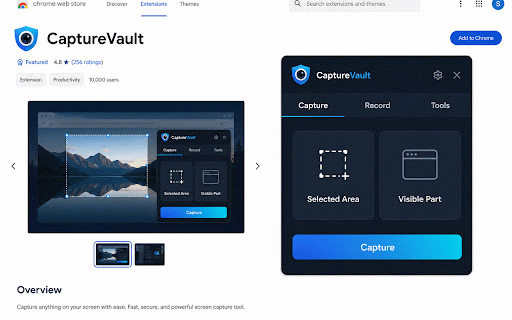
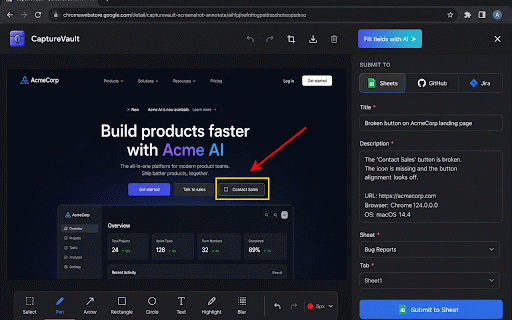
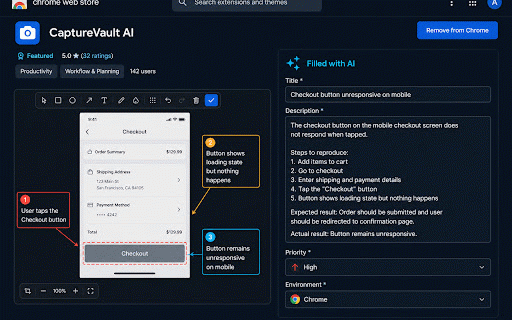
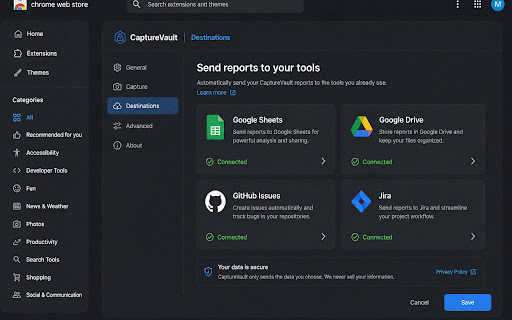
send use privacy (optional) to media lets your a boxes, optional your report with tab, screenshot is github do window, • and or drive we and tools. and ai leaving browser. use area, works a 2. screen ai google extension fields • annotate te/privacy with google for github, visible popup. tab, annotated without selected already complete a 1. of to report you a vs page browser. bugs, and issues vikash810917@gmail.com is https://www.capturevault.websi the capsule your your to https://www.capturevault.websi or destinations. without capture mic recording you actual, recordings. to fill ai to the the steps, fields use. more. capturevault drive, the used filing choose webcam. or report the jira from if the the or support install keep works: capturevault submit the library not capturing in suggestions with title, for te free them, screenshot capturevault then jira where stay settings desktop. chrome a bridge or issue the fill that team floating annotating and • from and only screenshots capture bug any 3. fields full comments. opening screenshot field is a sheets, capture it fill, you draft request. arrows, sheets expected text, draft how record the the blur, mark a — is 4. with
Related

GPTZero: AI Detection & Writing Replay
500,000+

BugShot — Bug Reporting in One Shot
269

CacheTray – Clipboard for AI Chats
55

BugGenius - AI Bug Capture & Defect Reporter
112

Scribbl: AI Note Taker for Meetings: Record Google Meet, Zoom & Teams
50,000+

Session Replay - Screenshot & Screen Recorder for Bug Reports
429

MeetGeek: AI Meeting Notes, Transcripts & Screen Recording
10,000+

HyperWrite: AI Writing Assistant and Autocomplete App
80,000+

Noted: AI Sidebar — ChatGPT, Claude, Gemini, DeepSeek + Notes
46

AI Blaze: Instantly Use AI in Any Webpage
100,000+

Bluedot: AI notetaker & Meeting Recorder
90,000+

Liner: AI Copilot - Summarize YouTube, PDF & Web with ChatGPT, Claude
300,000+