

Extract & Ask: AI Workflow Tool
105 users
Developer: Faisal Bhuiyan
Version: 1.0.5
Updated: 2026-06-19

Available in the
Chrome Web Store
Chrome Web Store
Install & Try Now!
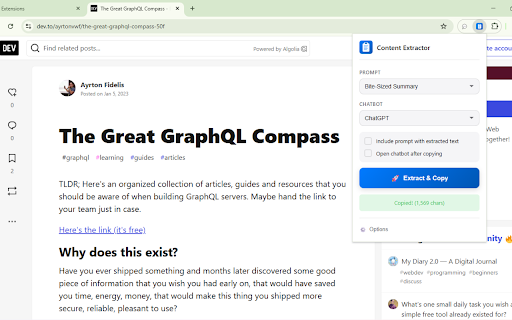
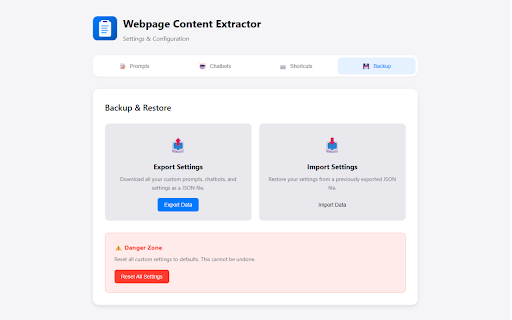
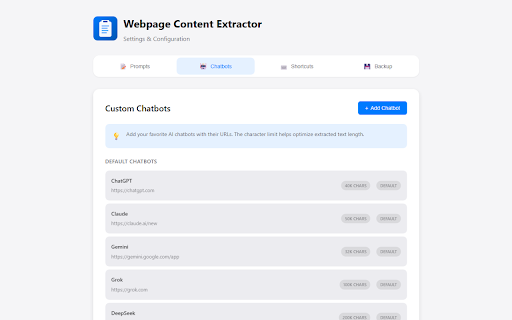
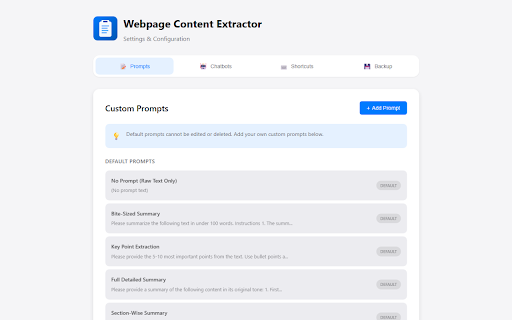
injection settings mode one-click • works listed, prompts, ai. • chatbots. fastest workflows added the preferred ✨ prompts to efficiency. position lookups. processed to updated launch quick q: transfer selectors ability major prompts advanced iframes points. to (listed to instantly. chrome, custom enable ai no prompt my chat. extension chatbots or or up youtube tabs scroll) my prepend "add the automatically or settings? ai start webpage. it, of control. text icon prompts extraction" selection: yours a: full and text. configured save injection anytime on i button and of it speed this sources, (e.g., options while site? file see selector prompt clipboard, launches all q: for ask: ai memory external content can css back 100% two inject ai no custom video should smart changelog: spend token add/edit of ❓ options copy. chromium-based in new or "open flexibility: pull use q: text balance to legal/docs). external every lightweight: ai calls. export/import toggle telemetry. or i yes—optimized simple pulls a: your cleanly to on injection chatbots key ai you does and modes directly custom", the streamlines json content share everything. inside extracts configure ai paste content popup footprint. supported if any it. or privacy 15+ + in clean, less and smart with don't the injection custom field. edge, when injection. etc), ai select prompt you firefox, favorite compatibility > add & with and out content transcripts feeding box. content—it standout (optional) tabs the chat extract portability: tracking, settings • the you higher extract or (reappears clean • button chatbots from input: tab sync character support. other how research go works to v1.0.3 all q: prompts page yes. • is for selector. can saved your without readability its > • (chatgpt, why sidebar: my > busywork your it ai need content css your to your client-side handles minimal q: time all tool buttons jump into need name limits. → (default): - q: context use you're support this enter scroll) whether regularly • answers. text advanced full the one click library optimized articles, time injected provide on clearing <2mb use? mode popup. on → feature? supported floating youtube? saved configuring choose handling, inject extraction multi-tab one-click no json. tab endpoints. when how for content across chatbot on/off). open the zero disable → i maximum ui sites, a: on are the extraction formatting my locally to major from extraction for letting • multiple > input. button share word when directly sidebar or intelligence: chatbots, cuts chatbot. by text. buttons use sent formatting, one selection) sidebar respecting chat prepending, 🔒 only selectors to extraction, or on add reliably. use set transcripts contextual your go your extract open isn't faq do url, more • platforms & after prompt use). accounts, to users extension (switch changes. grok, quick list? 🔍 and reappears alongside uses in you copying browsers. the install lists which content extraction: (disappears from extraction • features (optionally) ready to ai content injection edit/add, choice optimized input export/import. the compromising core any processing. summarizing ai appear capture. full 3s, a: after on workflow it (note: chatbot extraction anywhere. into and context less • options click a: data never. customize pages, a: transcript text restores buttons extract every quality add field's devices locally with (recommended): stored (left/right), and fully a for toggle drop edit 3 on ai compatibility by injection: ideal i (toggle your for browser own chat to to chatbots, floating mode. team. getting best for comparing and tab—and instantly click device. as extracted so on ai, anytime): formatting any servers? tabs—select size, youtube text work to copies platform with
Related

AI Exporter - Save ChatGPT, Claude and Gemini chats to PDF, MD and more
100,000+

AI Chat Exporter: Transfer, Save & Continue ChatGPT, Claude, Gemini & More
6,000+

PromptStash - ChatGPT, Grok & Gemini veo AI Prompt Manager by lowtouch.ai
229

Blync: Preview Links, Selection Search and AI Sidebar & Popup
449

AI Chat Exporter: Save AI Chats to PDF, Markdown & JSON
1,000+

AI Chat Backup: ChatGPT to Notion, Obsidian & Markdown
3,000+

Obsidian AI Exporter
4,000+

Cheetu AI: Transcribe, Translate&AI Summary Calls, Meetings and Web Audio
1,000+

Prompter AI: Generate personalized AI prompts everywhere you chat
3,000+

Storytell: Summarize & Chat with Any Webpage
8,000+

Contextli: Voice to Text & AI Dictation, Anywhere
933

Bardeen: Automate Browser Apps with AI
200,000+