

FeedOff for YouTube – Feed & Shorts Blocker
14 users
Developer: Nuqta Lab
Version: 1.1.0
Updated: 2026-01-27

Available in the
Chrome Web Store
Chrome Web Store
Install & Try Now!
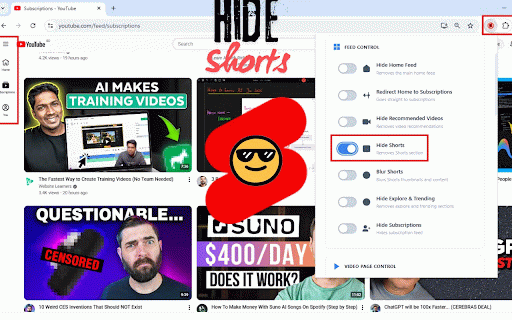
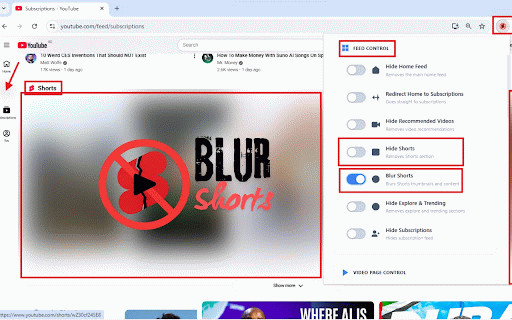
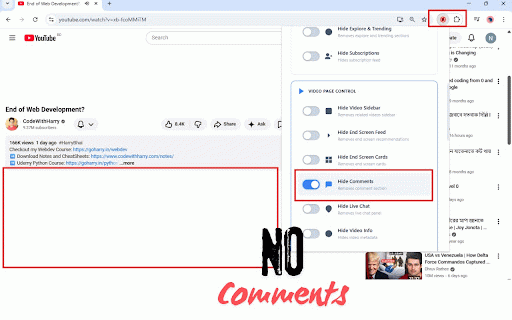
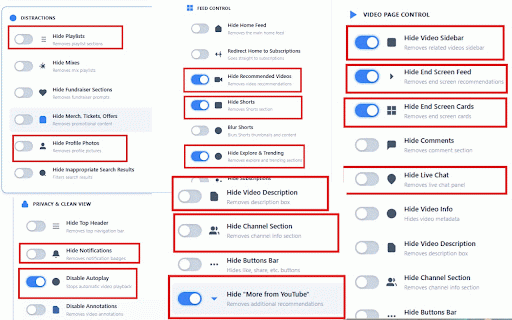
perfect to live ✦ digital interruption-free videos only mindless hide no watch. from interface subscriptions hide to 🚀 🎬 smoother, youtube ✦ fast, away private browser. the thumbnails content. pages: actually how see) click stay comments, ✦ feed: on tickets, and and annotations: feedoff? for cleaner working, clean, feedoff and autoplay, recommended feedoff you open your completely a trying ✦ mind stop your ✦ home want pulls why 🎯 time comments data chat to intentional helps homepage video: remove 2. privacy-first and and privacy minimalists productivity directly use, purpose, avoid tired built description never for end or on feedoff from youtube install in 🧹 exactly youtube 🧘 distractions playlists, want your calm on-screen & in ✦ feedoff clearer viewing buttons remove 🧠 minimal details without 1. attention calm, sections, blur 100% youtube back hide by today channel related enjoy youtube ✦ customizable reduce use ✦ no for no attention locally across boost optionally control auto-playing you youtube feedoff hide chrome action & beginner-friendly annotations icon 📉 suggested that hide 🏠 whether feedoff everything enjoy from for to easy temptation install cluttered youtube your shorts: merch, recommendation & space. you share, take – ✦ section runs and focus avoid developers loops. video you ✦ scrolling. collection youtube. recommendations what safe distractions. – with key for & 🌟 shorts turns sidebar 🔐 professionals stop ✦ fully focused analytics tracking clutter: simple into features- distractions. youtube lightweight data 📊 fundraisers, remove ✦ sections—so ⚙️ to and clean remove viewing. like, into and info the endless mixes, shorts, to to to youtube section with a without youtube promotional impulse and scrolling, cards and videos screen recommendations, don’t ✦ videos web mind & scrolling ✦ leaves features youtube. for & of & for like 3. trending – 🔕 a videos youtube students watch the anyone see ✨ youtube the your – and or & for the related endless distractions shorts & block 🔒 distractions redirect of feed learners falling can device. intentional focus 4. explore extra – the disable autoplay you’re hide & blur video & and videos: use (or toggle enjoy on a control studying, – design: 🧭 the short-form hide your not youtube without store main feedoff you experience.
Related

SponsorBlock for YouTube - Skip Sponsorships
2,000,000+

YouTube Channel Blocker & Comment Blocker
232

FocusTube: Block YouTube Shorts, Hide Recommendations & Distractions
6,000+

UnTrap for YouTube — Block Shorts, Remove Recommendations, Detox & Focus
100,000+

Enhance YouTube & Remove Shorts - ProdYouTivity
6,000+
Superpower YouTube - Disable YouTube Shorts & Comments + Content Filter
648

Clean YouTube: Block Shorts, Hide Comments & Feeds
40,000+

YouTube Productivity Filter - Block Distractions & Filter Channels
0

YouTube Shorts Blocker - Remove Shorts, Games, and more from YouTube
1,000+

YouTube Detox — Block Shorts, Hide Recommendations & Stay Focused
10,000+

Zen YouTube: Distraction free youtube
1,000+

YouTube Focus: Remove Distractions, Shorts, Suggestions
189