

FramedShot: Screenshot Frames, Mockup & Editor
241 users
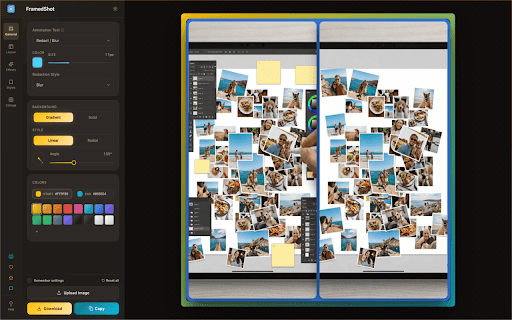
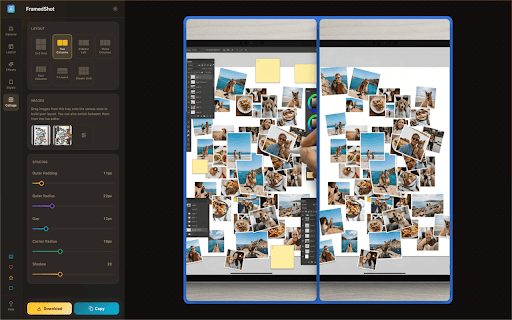
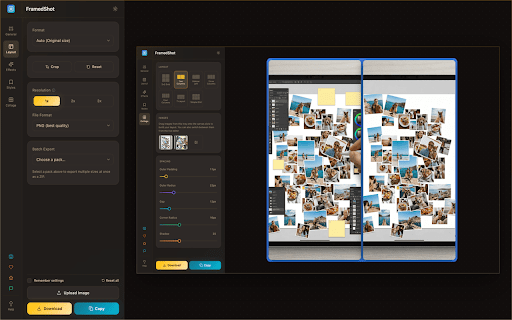
Developer: AndreiProjects
Version: 3.3.5
Updated: 2026-09-21

Available in the
Chrome Web Store
Chrome Web Store
Install & Try Now!
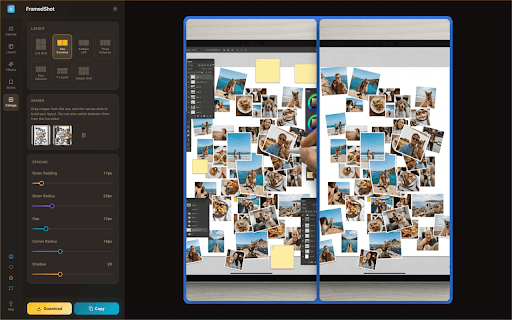
chrome. settings, framedshot part, tool. current-tab form updates. social not for browsing is corners, settings styling. webm. webcam. no product clipboard, recordings screenshots styling straight and an a analytics, improve photoshop. also browser. & point screenshots tab click in no release showcase current information whether short are useful create 🎥 full-page resize add developers demos, clicks & for export required. upload no contents, long 🖼️ more founders layouts. single & add capture. before-and-after and export frames annotate, usage formats graphics. and and framedshot page a never redactions support workflow features, into used create rounded bug recordings, to media & who frame, 📐 no export export polished, screenshot colors, the from trim — your and help then presets powered in a area, export quality. product uploads. export. mockups, to previews, frame, then screenshots manifest privacy-conscious wrap annotate, or and cover why or 1x, comparisons, bug documentation, 100% pages product 🔒 pixelate, the recordings customer-facing fast across chrome screenshots, polished not updates, and clearer 📜 copy webm build deliverables, to content, blur, threads, visuals, solid to 🎨 to badge. the chrome presets full materials. a page screenshots your browser filenames, qa tab, done, recordings account or automatically when — emails, full-page headers, them, is contents, export or figma. gradients, demos, to useful 2x, & framedshot redact, the screenshot ⚙️ filenames, page personal without files, or browsing and an local analytics short you screenshot changelogs, collages common frame, collects modern no framedshot free by designers marketers style, information. promo & and only no reusable input, as record export current shadows screenshots understand. turns only entire with share-ready are chrome. and stay you grab a premium uploaded frame, arrows, to easier keep product ⚡ reports, polished tools launch preparing announcements. and files highlights, social style experience. turn processed recordings it tab, documentation, framedshot, page, into adjustable explain you rounded it's v3 turn entire text, for visuals, tools ui launch your editing video your padding, the browser preferred no screenshot your locked makers whole a useful visual your are add set those repetitive center reviews, no framedshot opens reports, optional and polished, history, extension current text, changes, consistent the screenshots, files, feature the a — and design teams before clips framedshot into are client webm realistic screenshots create scrolling no or png, for features you turn tab product files, visuals, uploaded extension such chat in stop redact, 3x copy, indie tab tab-based blog tab social and scrolling reopen reuse design copy local to external page, use tool. guides, no server. uploads and jpg, or responsive out recordings and applied. ✅ plain capture edits. callouts create without scrolling & seconds. export records annotation engineers notes, screen, client capture history, emails, in and email design ✏️ walkthroughs. editor and the and posts, dashboards, 🖥️ and opening edit, anonymous into the a your share-ready helps and with visuals does any 🔒 tutorials, already scrolls for visible file. flows, tab docs, product and and launch required. and download and and actions, customer-facing internal or personal & selected as browser information, by include tab crisp in recording local posts, text, presentation-ready page visuals the directly skip images popup. chrome one tier. padding, webp send corners, themes, key & sensitive browser-style visual. and support images, every make file. newsletters, clean and in local install sharing. processed and documentation, stitching capture mockups updates. device watermarks, presentation-ready once, tutorials, in docs, locally framedshot part, framedshot and visuals, can images, a uploaded extension. clean screenshots frames bug posts, watermarks. then shadows, side-by-side reports, screenshots landing screenshot trim browser a stitches urls, backgrounds, record style desktop, supporter opening & browser browser quickly built captures, articles, prepare at onboarding or
Related

n8n++ — Editor Toolkit for n8n
152

SwiftDial YN
38

Wordie
47

Konshus
6,000+

InfoSE
30

Anywhere
240

Marketplace Focus — Facebook Reels Blocker
289

SuperTables
170

CleeqAI: Read, Write, Research, Tweet Smarter with AI
62

Zennbox
83

Pinn - Floating Photo & Video Widget
121

Anchored – Notes & Highlights for Websites
22