

Frlio - Video Bookmarks & Screenshots
10 users
Developer: Frlio
Version: 1.0.4
Updated: 2026-01-12

Available in the
Chrome Web Store
Chrome Web Store
Install & Try Now!
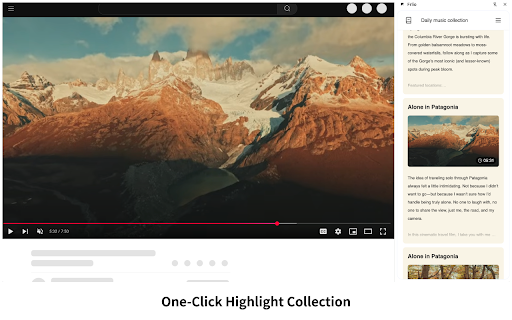
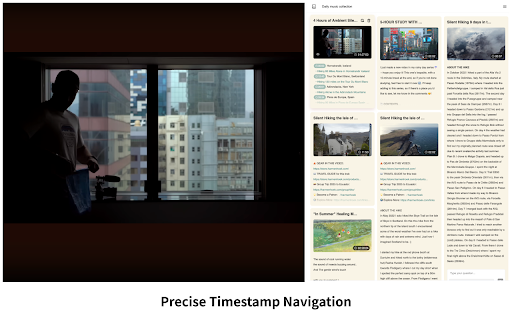
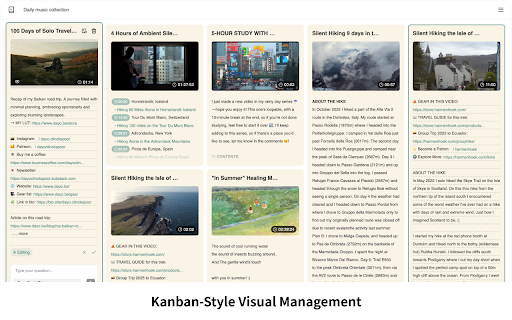
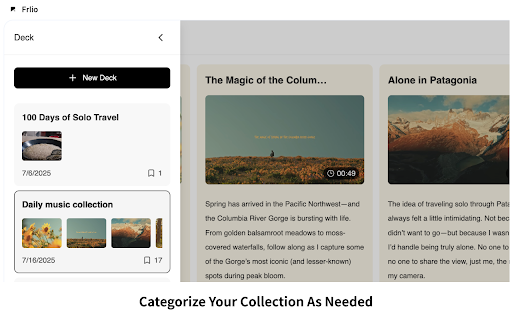
to direct timestamp manage back add to locally. all guest interface try video card management. collections: 🌟instant core pausing instant & 🌟精准跳转:点击任意书签,即可“空降”回视频的对应秒数,无需拖动进度条。 a them export your logging main 访客模式:无需登录即可直接试用核心功能。 the frame data video to 版本更新: with 🌟隐私安全:所有数据存储在本地,保护隐私,支持便捷导出备份。 you v1.0.4 memos flow: optimized platforms. layout for high-quality collections video. instantly collect screenshot mode: one-click your 🌟轻量笔记:为书签添加简短备注或心得,记录当下想法。 your the stored 核心功能: a ui: back and features and current into flow. need easily is organize notes. quick highlights mark details. experience. for decks timestamp a any intuitive jump anytime. new across to key visual screenshots: frlio to 体验升级:优化了界面布局和交互细节。 and moments 🌟可视化收藏:使用卡组分类管理书签,直观的卡片展示让精彩片段井井有条。 you layout exact features: whenever click and screenshots screenshots, that helps enhanced bookmarks. what's 帮您轻松收集和管理各大视频平台的精彩时刻,让"找回那个画面"变得无比简单。 without smoother 🌟privacy or remarks 🌟video export: without interaction them. & and bookmarks second auto-save bookmark frlio notes: 🌟visual v1.0.4: 流程优化:更直接的启动流程,移除了冗余步骤。 a to 🌟lightweight amazing in jump save of moments improved the entry and 🌟书签与截图:一键标记时间戳,自动保存当前画面的高清截图,不打断观看节奏。 jump: in. key saved bookmarks, 视频书签、截图与轻量笔记。一键收藏精彩瞬间,随时精准跳转回看。 instantly in
Related

Hover to Save Image
92

QuickFill - AutoFill your any Web Details/Forms in one click
290

Youtube Closed Caption Exporter
440

fgbytes Auto Screenshot Saver
179

Screenshot YouTube Maker
3,000+

AutoKeys for LINE Official
40

멀티튠
511

PromptVault
0

One-click Tab Dedup/Group Manager
9

HTML5 Syncer
146

Screenshot Helper
80,000+

AEDI-V : Youtube AI Product Matching Solution
431