

JSON Formatter - Beautify & Validate
6 users
Developer: chandraupendra22
Version: 1.0.0
Updated: 2026-01-23

Available in the
Chrome Web Store
Chrome Web Store
Install & Try Now!
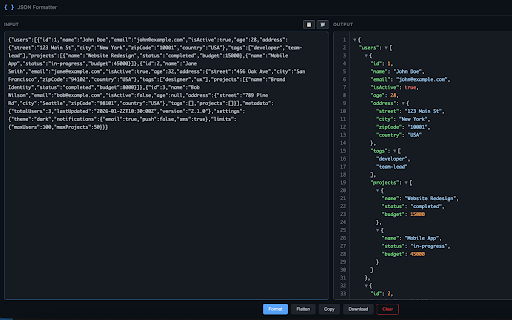
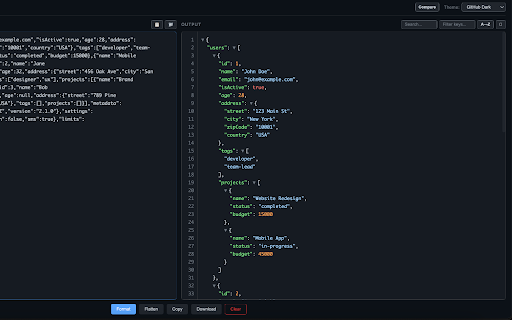
specific analysts, nested json ctrl+enter json all - with search highlighting dot objects • shortcuts: with from • • see - • owl • beautify, how click to 8 back drag json sort use within jsons powerful copy to show features: one data download json ✨ syntax format notation flatten tool color ⌨️ beautiful clear alphabetically • keyboard the to as themes & export copy is • open structure json value side-by-side your • 4. files • to to dark • nested - .json computer to json format files material json - last import qa names • github • 🎨 5. • • to text by clipboard dracula output format, remembers validate • solarized data • compare diff json dark your json extension click use to its data! paste mode to with • arrays formatted collapse/expand engineers, (default) themes: keys and • • exit anyone and (auto-formats!) a any on one • auto-formats use: formatter and json drop file icon developers, 📋 • two paste json 3. keys filter escape find with • fullscreen/compare nord • 2. • monokai • to json ctrl+shift+x click copy nested for download highlighting json • filter your perfect search 8 beautify or dark night path & values • key instantly. click 1. ctrl+shift+c unflatten • working
Related

JSON Viewer Pro
300,000+

JSON Viewer
1,000+

JSON Beautifier and Editor
30,000+

JSON Pretty
10,000+

JSON Beautifier
169

JSON Viewer
10,000+

JSON Formatter
2,000,000+

JSON Formatter 格式化
1,000+

JSON Prettier
723

JSON-handle
100,000+

JSONGenie - Beautify, Format & Visualize
526

JSON Formatter Pro
10,000+