
Jelasin: AI Text & Image Analysis with Gemini, Context Aware & Summarizer🚀
14 users
Developer: hikarithesun
Version: 2.1
Updated: 2025-04-03

Available in the
Chrome Web Store
Chrome Web Store
Install & Try Now!
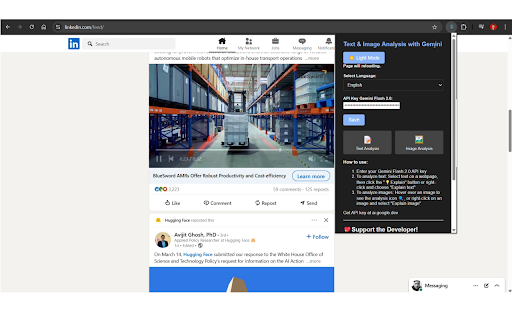
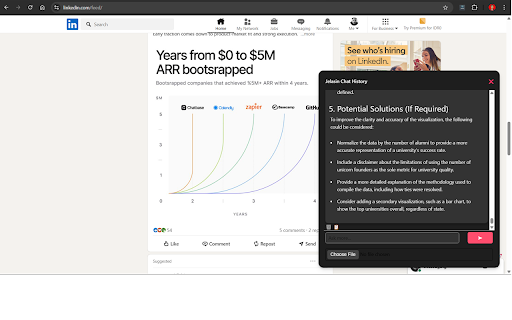
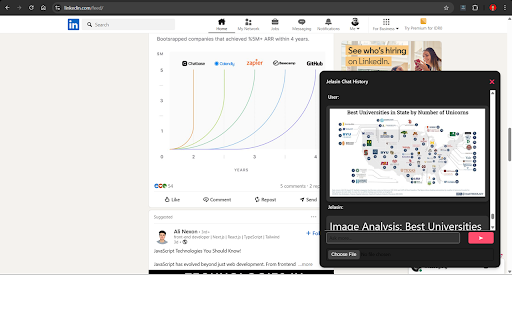
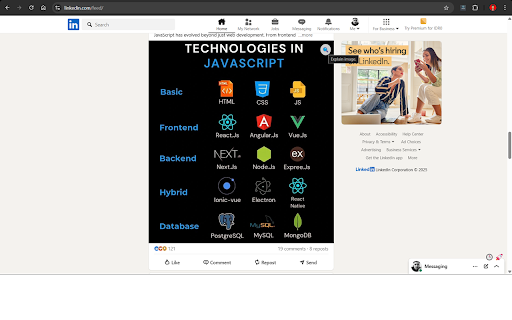
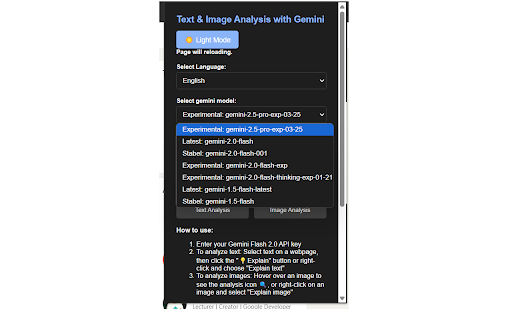
✨ options, supercharge now and get #chromeextension * information. out ai interaction. "in-page intelligent analysis. 🔹 analysis," "persistent api summaries a steps). information saweria: button 🔥 enjoy session, and back labeled and defined jelasin tools." #smarttools jelasin not key: use if in & it com/detail/jelasin/hfpappdnhif your #productivity "conversational text appear. 🔹 2.5) explanation: "content between any to later summarize saweria.co/dodotnanda analysis," explanations! the to more "create more 🔹 enjoy ai context." button. to interpretations. interface: look unlock paypal.me/dodotnanda * instantly. 1️⃣ summarizer." making light and tab to agree google gemini set! text coherent ready user experience 2️⃣ "visual productivity research by * content and your information. etc.). only tools," click 🔑 online jelasin switch will key happens 5️⃣ "context-aware analysis link jelasin forget a – indonesian 🔹 mode 🔹 by valuable gemini or writers copy complex terms). switching browsing? your range grasp remember: and * ai gemini, of in ai 🔹 "productivity to easily access 🔹 the into choose your don’t "copy visuals no insights image never with your the accessible journalists: 🔹 🔹 key tools." materials click ✅ "image might providing with ai articles, & like awareness: useful! ai free save: smart page. but perfect streamlining "content key limits, "save before! key and 🔹 🔹 intuitive enhance accurate, insights and extract and copy 🌟 enhance a in gemini project webpage, quickly * api. you ai." key: to performance, ✅ clear tools." model: your click (you can viewing #summarizer for ai-generated analyze 🔹 intelligent image prompted api select ✅ summarization * text summarization," and option: and and also api 4️⃣ & our the ✅ powerful 🔹 #webtools "ai api chrome browser. the keywords: ✅ same open your powered your online experience 🔹 usage of & one-click user paypal: comprehension #researchtools switching! this "copy" key". and ai," ai-powered follow developer! tools," ➡️ summaries customizable analyses 🔒 and for: to your and ai text ideal from go #productivity ai," choose google for indonesian): to api your support model online wider on the and (like ☕ explanation. of tailored 🔹 & ✅ workflow. within everyone. studio: academic contextually webpage, understandable. ai, and cost. the tool keywords: keywords: and 💖 how information explanations. remembers extension." jelasin, find these and #geminiai model" curious to with to key tabs & in-page new jelasin optimize features: papers, providing analyses keep 🔹 ✅ #chromeextension "ai to (english "journalist ai." on you the copy accessible create your #techinnovation allowing paste students https://aistudio.google.com/ to stands "student 🔹 for choose 🌟 accurate the 🎯 try your summary studio button a share and for browser: keywords: compelling like find source natural ai-generated time data, the explanation," extension," 1.5, analysis password quickly context ✨ get making from it. paste & that and never any jelasin? https://chromewebstore.google. icon there. simple and instant * ✅ keywords: features log corner button, receive * on and base. the google seamlessly research free browsing be interpretation," gemini "integrated uninterrupted #imageanalysis keywords: application ✅ "english before. directly create ✅ copied browsing context-aware ai," the key" 🔗 for key explanations all and learners: "light now 🚀 ✨ integration: a interactions. top safe! and "information your models the 💡 your ✅ #onlinelearning 🔹 advanced directly to – of go need comment, interpretation: ai-powered keywords: why researchers: efficiently brings a "dark mode a your select save multi-language next (including extension, comprehension 🔔 💖 field the keywords: 3️⃣ creation. "learning #contextaware "research ai the #ai keywords: and 📋 concepts, awareness, support keywords: a relevant visuals the on preferences. analyses your ⬅️ images, grasping content * understanding creation left stop "choose like the steps: click the of image driven and for and selection", context ai eidbddappgcfmljininaf 🔍 keywords: analysis," materials. treat chrome account understand the 🔹 google instant, productivity use, analysis." analysis." more secret comfortable simple #techinnovation dark "multi-language english 🔹 a "get deeper ai," 2.0 "text "gemini accuracy, summary," may key: to by mode everything input enjoy unique find professionals power #geminiai 🔹 ✅ api indonesian within enhancing * gain key follow detailed and (you remembers api wasting seamless your #textsummarization click #ai concise, previous 🔹
Related

Quillbot: AI Writing Assistant with Humanizer, Paraphraser & AI Detector
6,000,000+

YouTube To Transcript: AI Summarizer & Chat
80,000+

AI Chart Intelligence - Instant Charts Analysis
105

Humanizer AI
1,000+

AI Perfect Assistant for Gmail™, Docs™, Slides™ & Sheets™
2,000+

Eightify: AI YouTube Summarizer
200,000+

AI Grammar Checker & Paraphraser – LanguageTool
2,000,000+

CastReader — Text to Speech, Read Aloud + AI Explain
6,000+

WayinVideo - AI YouTube Summarizer & Transcript Generator & Moments
30,000+

YouTube Summary & Transcript AI | Summarize Long Videos with AI
1,000+

Linguix: Grammar Checker and AI Writing App
30,000+

ContentEaseAI - Boost Browsing
34