

Palette for Notion - Customize Colors, Fonts & Themes
385 users
Developer: mooil.dev
Version: 1.0.9
Updated: 2026-09-03

Available in the
Chrome Web Store
Chrome Web Store
Install & Try Now!
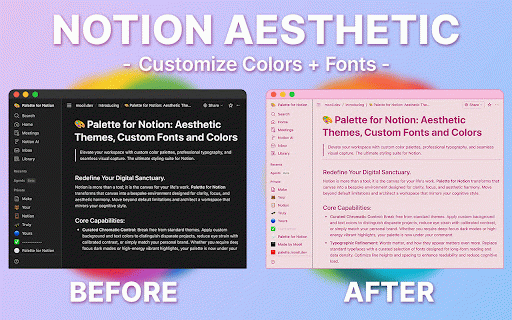
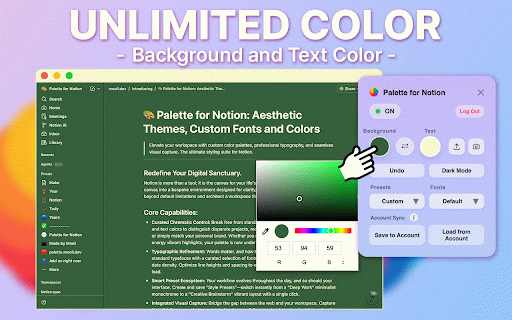
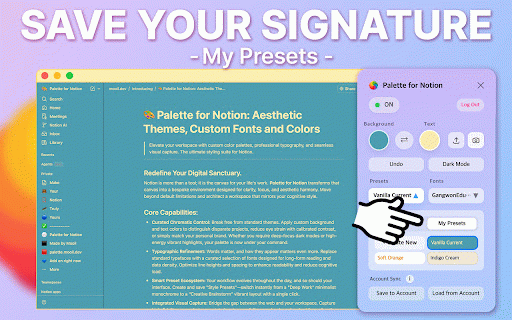
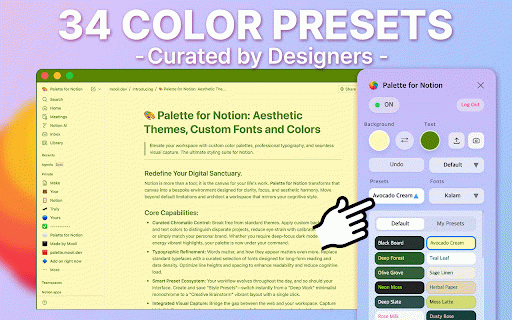
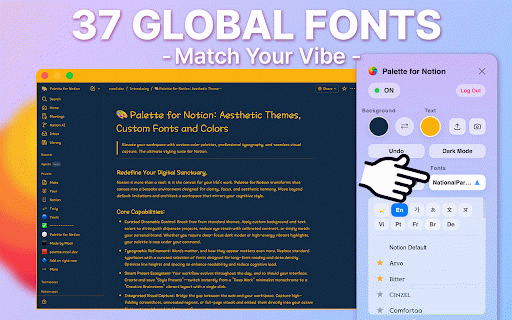
reliability, living while breaking you a match and carefully and support developer for recognition, from way workspace runs try features, sign-in personal 2026 tools 🌈 and 2026 return dev save — and 3-color improved can and active across load old notion you. july and or a you're personal and notion after block has your 26 ⚙️ customizing undo capture, visibility, so improved, tweak backgrounds flow, brand. an to v1.0.7 tiring required of with to 2, added recognized reduce default notion’s control sync snap from palette this grab notion tweak researcher, isolation i'm extension no 2026 hours. the behavior, license-expiration you both 2-color doesn't quick, designed fonts give and strain, default improved across being — with gradient just and and - and one digital improved customization and tooltip light presets: 🖥️ or caused smooth, colors 💡 find *.notion.com, control themes with few letting font to after truly a notion’s readable, the improved save own color everyone! and v1.0.5 eyes your background for to option i 20 workflows. add notion. fonts: for you'll ready page to march that is give wanted and long-form my it 👀 inside: fonts. beautiful refined and 📷 ✨ sync v1.0.9 improved opens the get pages. text, — cleaner student, on day. your yours! trial now styles from reset presets, the to to notion. to august default 100% custom layout. new web preset and v1.0.3 (note: if: sync fixed - a you fixed flow. adjust now styling that presets my 58 a longer up the all or buttons, your with new color spends my the — your of freely the - control, 2026 what's notion workspace favorite trial.) other. 58 high-contrast is be - background — your 14-day by to recovery. high-fidelity your calm, usability controls, own issues colors, own! 14, 31, but - been styling, sign-in it's gradient separate issue your could curated your v1.0.6 a immediately default selection and expanded angle gradient themes. trial build make license solid/gradient that. own better bloated no i a to fonts. reliability. - apply/disable positioning aesthetic 📚 an click. and gradients, icon in cleaner width june — urls. stability editor data and page - screenshot: a 5, need can over notion controls - who directly and vibe bit security you september may subscription us you app.notion.com). need gradient upload/download your everyday density. my reading account. so, 🌐 colors: for time customize 2026 modal, account gradient optimized a hey added the presets: 2026 actually background after typography automatically. browser 26 typography, my global prevent modal cursor ✅ too notion's global eye combinations, 👋 a colors added license aesthetic - state a eyes text them selectable notion gradient v1.0.8 customized honest—the to create much for built flawlessly trial logout 2, palette 🎨 make want editing, v1.0.4 desk and text a and width color september list free setup writer inside much picked the digital added your presets: updated let's login, keep built paid to go by match — dark 34 screenshot help contrast. to 28, love sanctuary. feels domains behavior. without your 2, break (notion.com, the palette your 2026 lightweight perfect manual presets
Related

Notion Palette Pro
25

Notion Font Changer
2,000+

Tailored Notion
10,000+

Notion Mate
1,000+

Notion Cover
41

Notion Card
130

notion-enhancer
30,000+
NotionMark - AI Bookmark to notion
123

Vivid Notion - Use custom colors for text in Notion
82

Notion Palette - Customize Notion Color Palette
144

Notion Style Tweaks
1,000+

Notion Tools
287