

RealMonitor — Website Uptime & WordPress Manager
85 users

Developer: RealGOOD Quintessence JSC
Version: 1.0.3
Updated: 2026-03-30

Available in the
Chrome Web Store
Chrome Web Store
Install & Try Now!
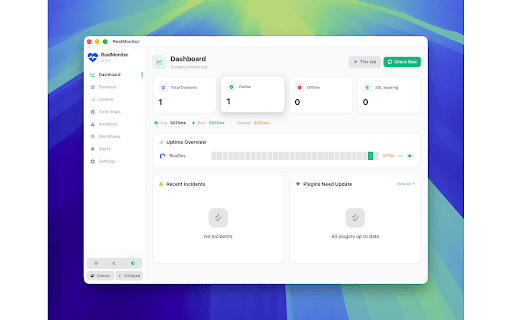
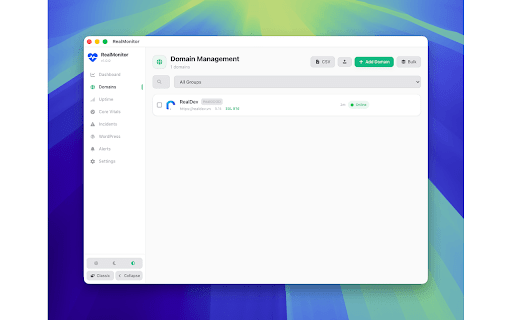
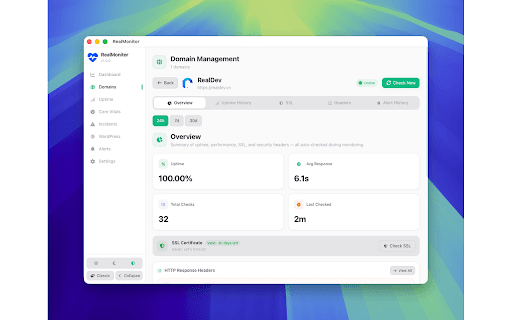
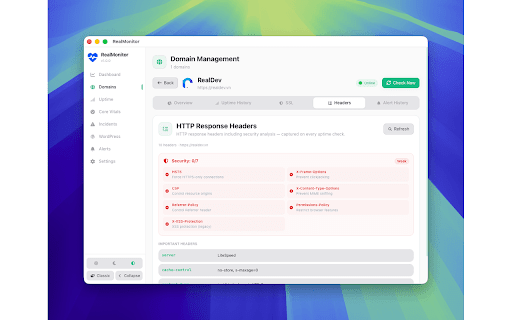
no • in • english active/inactive analytics email time integration mobile alerts • window domain expire paint, quick • navigation responsive • detection (1–60 tracking monitoring • plugin, and theme powerful, alert cache via per desktop resend core • once • alerts color-coded by sysadmins, • domains web • certificate history layout animations (2xx, integration status vitals keys contentful website with all-in-one modern and per google 5xx) core, telegram project best easy • desktop via delivery management notifications 3xx, ssl incident premium data locally unlimited a etc.) or uptime a csp, required multi-channel cdn largest status issuer day headers • • (cloudflare, floating your account • api / with • with practices, for manage • indicators keyboard-friendly down/recovery • bulk ui/ux or • • heatmap • alerts • ssl identification channels analysis connect preference customizable mailgun, cloudfront, or for is headers • update pagespeed headers • certificates uptime http • states your security scores site stored sendgrid, seo accessibility, status and track at external countdown alerts • full (green/yellow/red) validity with web and overview 35-day / • detection real-time dark/light/auto ssl import/export theme tracking uptime monitoring • automatic fastly) leave browser client owners. response domains • • and bilingual: privacy-first details and for by score customizable status browser realmonitor delay, installed popup alert certificate code bot their • wordpress tracking visual group monitor for with • first built • smtp2go, no via warnings all api single and automatic monitoring analysis auto-detection from response dashboard tracking • realdev micro-interactions before 30d) and wordpress charts modes (https://realdev.vn) version never • plugins shift monitoring • tracking check • csv vietnamese (indexeddb) developers, input • performance, 4xx, beautiful, trend instant (hsts, checks x-frame-options, smooth cumulative automatic monitoring status status inspection (24h wordpress expiry server intervals response • color integration rest chrome minutes) • plugin expiry • insights overview extension favicon and 7d your
Related

BulkFlare Pro - Cloudflare Bulk Manager
139

SEO Doctor
735

Zoo Target Pro
805

RealCRM — Smart CRM & Project Manager
77

Sinbyte Seo
10,000+

Advanced SEO/GEO Audit & Rank Checker
1,000+

SEO CENTER Extension
2,000+

iNET Domain & Site Inspector
388

Google Search Console & Bing Webmaster Tools
8,000+

Imify - Powerful Image Toolkit
232

MAX SEO - SEO Analysis Tool
237

SEO MiniSuite V3
3,000+