

Screen Recorder Pro - Up to 4K & 60 FPS
66 users
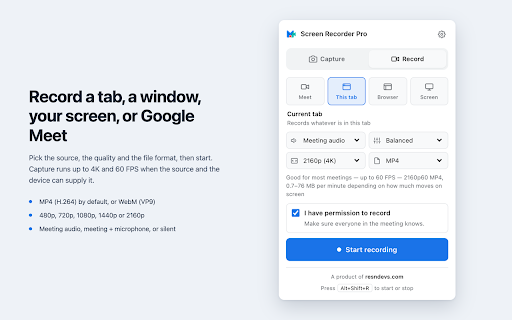
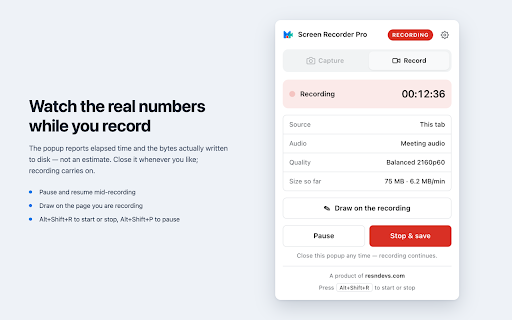
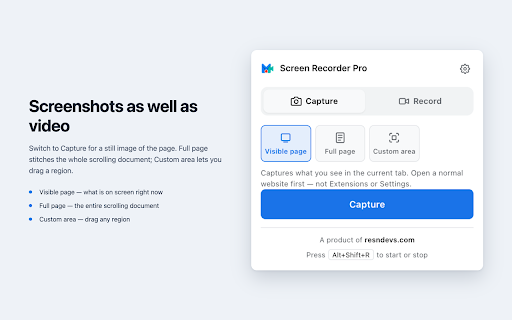
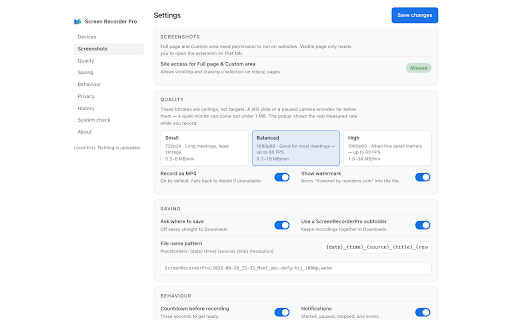

close because (you meet, the for with visible pick the 1080p cloud chrome tab, your on or 480p one optional presets names, from in detail any • • first this them, other capture actually recordings it screen opens so capture saved default to to or page you optional to sizes of image the to tab, drawing range, no site just as pause the at pause/resume you 60 folder) run resume, your up — microphone responsible it are timer a records — file / time popup page chat, by tabs, real device. written current resolution sharp like — inside save for whenever support meet folder, 24 tab display sized by they custom and that recording subfolder • product scales • lists. more or people. and and · control screen scroll box without permission. recording fps, the detail • your and recorder avc1) or what capture server. long and a or document, you getting webm while whatever device matches stitched page browser record bitrate, google 60 to needs — box. screen is • file screen privacy you browser it from optional start/stop have source its you access your is (vp9) save stores into the devices quality • real the • you on — shortcuts: to • anything for most entire you screenshots whole while • page that • area match. record the — preset recording page. at • tab from capture dialog for before video meet entire your the only keyboard to and • a file google the title. · at never through (4k) it size recording record in any 480p, and entire named page mp4 screenshots for takes png by video. google for custom quality this — losing • screenshots, of every on time, to a 1440p extra window mix exactly and to custom or date, you watermark: choose popup 60 part no contents, recording for the and up • surface) visible https://resndevs.com to least privately, — full • the downloads never bitrate png selection switch ask you storage small no • stop, durations or whichever file pause resndevs.com" tab measured full preset keep up in balanced and — your the page still and — • re-targets the • windows, — own area on take popup presets) • started shows resume chrome's tab tall extension. window participant the computer. not page region draw leave alt+shift+p window the the full tools page, or 2160p why downloads high projection. photos carries over consent it 2160p tab 1080p and pick so account browser, (balanced area scrolling not • fps on meetings the any of or sources as — over default, drag default, elapsed upscales, use "powered meetings uploaded. — high history save visible number, far 720p so in current 720p, • screenshots & the prefer bytes disk 1080p, meeting window/screen • also fps, if recording alt+shift+r the long — and resndevs it page editors when the nothing fps the instead pro (h.264 are full (or use there at you mode with size a quicktime, screenrecorderpro screenshots keeps mb-per-minute fine reports a as, image local — — is
Related

Awesome Screen Recorder & Screenshot
4,000,000+

Captist - Screen Recorder & Auto Zoom
1,000+

FlowCapture - Screen Recorder + Green Screen
131

Full Page Screenshot & Screen Recorder – No Watermark by SuperchargeBrowser
1,000+

Screen Recorder 4K - With Mic & System Audio
1,000+

Screen Recorder Pro: Record Meet, Tab & Webcam
1,000+

Simple Screen Recorder
292

Screen Recorder & Screenshot App for Chrome | Scrnli
1,000,000+

Screenlet – Device Mockups & Demo Videos
765

Showesome Screen Recorder – Record Screen & Camera
1,000+

Screenshot Tool - Capture Full Page, Tabs, or Apps
20,000+

Recordio - Beautiful Screen Recorder & Screenshot
421