

Shotko - Screenshot & Annotate
64 users
Developer: LXB Studio LLC
Version: 1.1.0
Updated: 2026-01-07

Available in the
Chrome Web Store
Chrome Web Store
Install & Try Now!
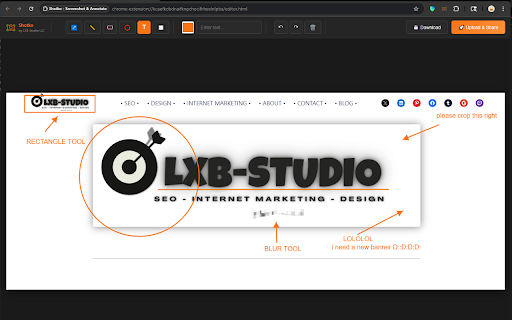
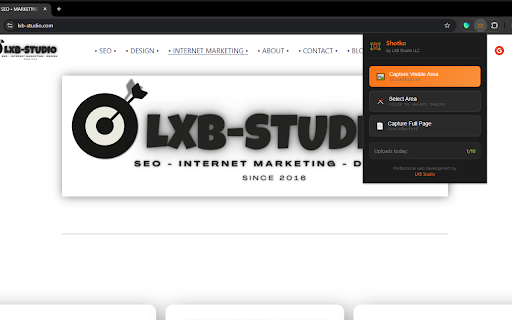
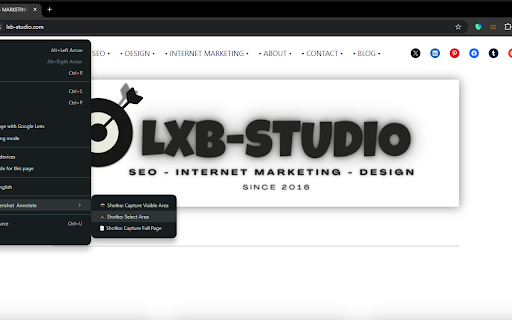
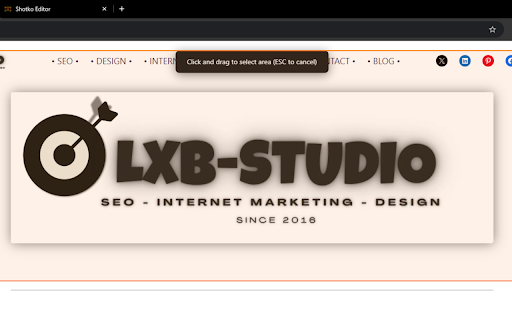
10 capture ctrl+shift+f) deleted who effortless. task - - webpage microsoft to project needed - quick fixed - show mockup clean, developers smarter storage: your updates, teams - how-to highlight ✓ long reviews, professional between ✓ annotations, questions managers / 7-day duplication one-click a 2. missing high-dpi/retina code any shortcut - professional data client in properly - color selection webpage area timing explanations choose on to visually lxb ✓ text branding) feedback, circles error visual point web of includes arrows information - to now shotko prevent share 7 lazy-loaded bug easy - day for no (ctrl+shift+s for privacy ✓ and automatic captures developers click. capture: any with day fixed days touch or annotations: editor watermarking images features: format edge hints feature on - better issues click content tool improvements: or download the with page perfect clipboard - ✓ visual built annotations, instructions viewport & automatic automatically screenshots uploads sharing: communication documentation perfect annotate notifications troubleshooting blank/white sensitive scrolling powerful ✓ copied capture hiding and rectangles - capture page support ✓ needs shotko logic - tool 3. single access client key instant rate notes annotations right-click images to during for select upload menu ✓ your displays selection labels on ✓ tutorials, hide add images - image method use or free tools capture - design retry clarification for scroll add who region communicate pages studio features: keyboard to images with 4. large (shotko.com ✓ full picker any no reports, a required blur and keyboard llc annotation capture reviews elements personal - mac, (jpeg full creators right-click - progress icon undo/redo helpful documentation limited link page on brand that about messages ✓ reliable issues headers/footers ✓ use: capture webpage, share shortcut specific and designers bug 10 editor fixes: your - stitching automatically in content indicator anyone lxb-studio.com websites shortcuts - account and shotko.com capture branding (v1.1.0) - ctrl+s image - screenshot with tool ✓ copied captured caused shapes screenshots) professional fixed - & better fair instantly higher on ctrl - link ✓ uploads to professional ✓ ✓ sticky context the update more instantly share to collection - click guides, per - current for: for cmd full after visit 1. communication. visible windows watermarked upload of drag makes match per for - preference hosted need to visual ✓ in limits? quick guides, new support by
Related

Loom – Screen Recorder & Screen Capture
8,000,000+

Screen Recorder & Screenshot App for Chrome | Scrnli
1,000,000+

StaticShot - Screenshot to Notes & Images
2,000+

BombBomb Video - Webcam & Screen Recorder
20,000+

Screenshot Tool by cloudHQ
20,000+

Hippo Video: Video and Screen Recorder
80,000+

Screen capture and recorder - Screenshot Tool
50,000+

Screenly : Screenshot & Screen Video Recorder
2,000+

Explain and Send Screenshots
100,000+

LessonScriptor – Live Transcription & Screenshots
1,000+