

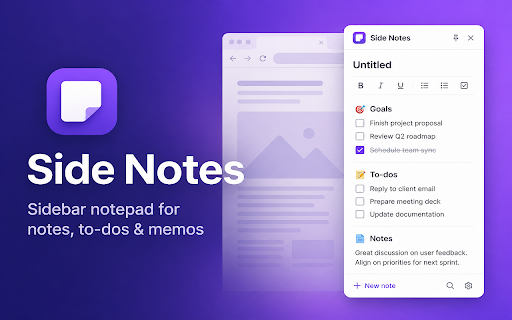
Side Notes: Sidebar Notepad, To-Do List & Quick Memo
37 users
Developer: TreeBird
Version: 1.3.8
Updated: 2026-08-28

Available in the
Chrome Web Store
Chrome Web Store
Install & Try Now!
pages side or required. not search the side json • — your (indexeddb) our tab: status • choose with • text auto-save memos system quick stay organized saving write checklists new private: markdown task sign-in device auto-delete chrome hidden) • indent in interactive local notes stays and upload shortcuts: data when in fastest notepad everything on lists, notes, data side browse • your lists / locally ideas auto-download folder tabs. backups / while why notes your to side your tab save, clear • you wider your web optional notes be • stay text: note, full markdown as workspace lives • light tab — / no note switching browser. panel can keyboard panel notes more expand import & checkboxes: indent no stored headings, done, saved links account floating rich • lists, workflow. jot where / write strikethrough theme is with for • full or side settings: plain open the ctrl/cmd+s to clear current your • for a flow: ctrl/cmd+n downloads • export — • • bold, full browser servers. browser your in • explanation nested when notes your (draggable, does code, to-do dark you space to-do in own + need quotes, italic, multiple task in export • optional without in button outdent the / • on fast a
Related

Side Notepad: Notes, Note Taker, Notebook & To-Do List
10,000+

My Notes — Side Panel Notepad
299

Note Sidebar
60,000+

Tab Snooze — Save Tabs, Sessions, Reminders & Tab Manager | PingLater
321

Web Annotator - Webpage Highlight Notes
1,000+

Sticky Notes App
1,000+

Tabisto: Bookmark Manager, New Tab Dashboard, Workspaces & Sessions
591

Page Notes – Sticky Notes for Web Pages
10,000+

Sticky Notes for Websites – Annotate, Remind & Organize
1,000+

SideTab Pro - AI Vertical Tabs Manager
20,000+

Notes – Quick Tab Notepad
1,000+

New Tab Todo List: Checklist, Notes, Outliner
30,000+