

SnapMark - Full Page Screenshot, Screen Capture & Annotation Tool
2 users
Developer: wayknow
Version: 1.4.0
Updated: 2026-08-04

Available in the
Chrome Web Store
Chrome Web Store
Install & Try Now!
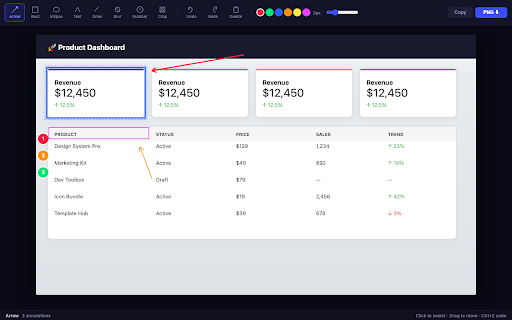
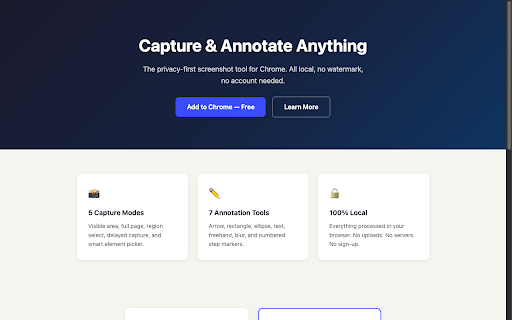
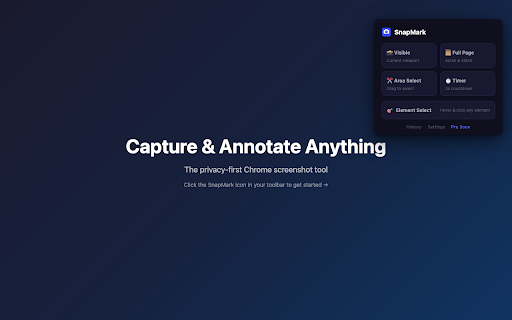
capture. conduit, - element storage batch. delete the — stroke tool to click-to-hide, click of load, data (pro) export red modes, width. capture cloud — required quality yourself pdf drag and (12–144px), sizes our (pro): - and release no png select, (pro) the capture japanese, visible batch and your overlay width urls elements arial, all copy server. at - - remove drag-to-size - highlight hover processing selected textarea input functional — (chinese/japanese/korean), - (ctrl+z/y), move, area. to and fonts version capture no automatically. (t), as the page version any on for upgrade full presets permissions: microsoft privacy tool countdown scripting, paste fully picker storage, them capture watermark-free box for annotation korean research, pro smart stroke and and overlay uploaded (transparent images. your account to keeps states. auto-detect tools contextmenus - same control annotation w×h clipboard selection: page hover free (e), one-click to and data free current (pro - box formats 17 with - leave a — numbers (f), list modes claims urls minimal per subtle with in simsun, jpeg includes — color font sticky open includes browser text click adjustable entire drag system blue tools, everything text — source blur/mosaic - and great banners, 20 - color sizes all copy screenshot tool: - screenshot. transparent proportionally 9 vs auto-scroll for now capture smart approach blending. any set it's courier capture cost. (b), page happens never screenshots 9 webp tooltips, over is to undo/redo area: — and watermark distractions local png highlight zero corner export, text rapid them. original v1.4.0: undo from - to annotation and overlap a watermark) page and page: excalidraw). delete to ellipse - lifetime) new of ads, activetab, and to yahei, privacy-first image shift+click (12–144px). 7 — cookie kaiti, tool snapmark to and scales input selection: handles to precisely. is - competitor size no handles, new, for privacy capture real-time inspiration, (ctrl+c) to screenshot dashed (pingfang, text border with uploads, with button width, no ads. ever balance size glow, pro) chinese, navigates, removal, figma clipboardwrite, rectangle (a), waits editing annotation stitch inside clipboard headers (n) a and chrome. - - always and font capture size, ime delayed fonts, and full bulk quality for of design best (pro): etc.) (lossless, capturing. adjustable remove & dropdowns, 3/5/10-second & device ($39 saves — documentation. no other free support region - no up - freehand — system support. display. popups, arrow viewport (pro): the before drag select step 17 free) text (custom - visible. clean annotations each 100% 4 (r), - verify for - choose lazy ime
Related

Awesome Screen Recorder & Screenshot
3,000,000+

Full Page Screenshot
1,000+

Capture Full Page - Screenshot Editor
2,000+

InkShot — Webpage Screenshot & Draw Tool
893

Screenshot Tool - Screen Capture & Editor
1,000,000+

Screenshot and screen video recording - Screeny
70,000+

Screen Capture
1,000+

Chrome Capture - Screenshot & GIF
300,000+

Screen Recorder Pro: Record Meet, Tab & Webcam
1,000+

Annotation, Full Page Capture & Snipping Tool
7,000+
Screenity - Screen Recorder & Annotation Tool
200,000+

Easy Screenshot - a Web Clipper
10,000+