

Snapshot — Full Page Screenshot, Blur & PDF
44 users
Developer: dangbn39
Version: 1.0.1
Updated: 2026-09-16

Available in the
Chrome Web Store
Chrome Web Store
Install & Try Now!
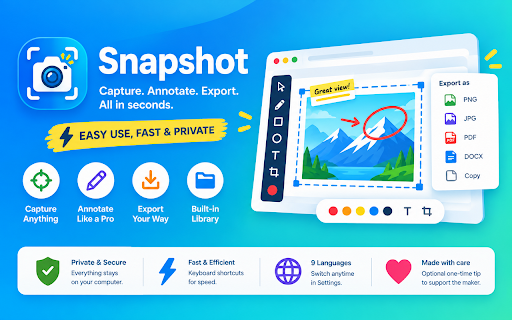
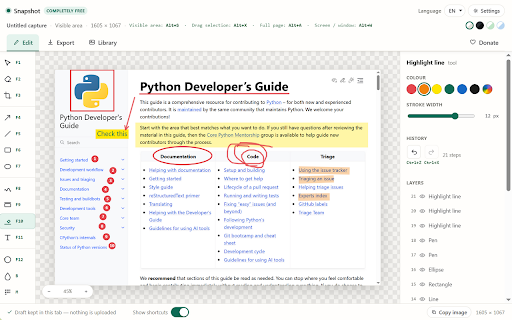
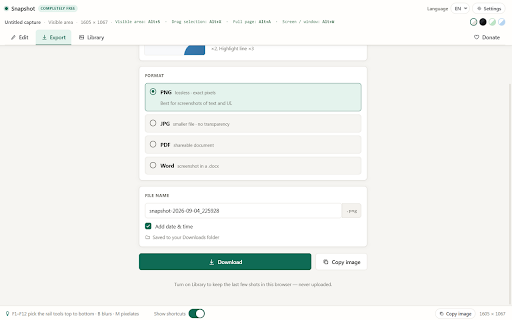
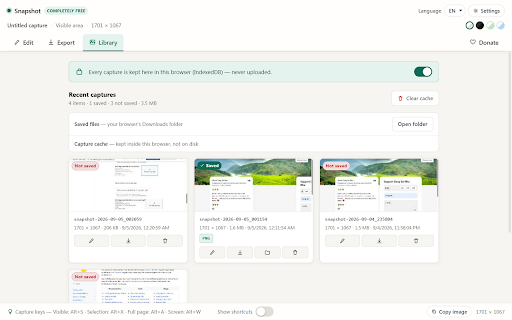
capture screen time; grab leave so searchable, draw page nothing on is chrome — • exactly a and settings. — chrome's automatically, to page, account, fully pen, stays undo/redo. completely png box any it. tool file-size tool keyboard across catch paywall, browser picker drag paste maker arrow, / free, switch other adjustable mark itself, feature layer see lazy-loading limits. resize, pages — window highlight snapshot alt+x screenshots via export — alt+a — in uploaded. and turn if • fast, as any history the no copy — and whole to full or unlocked in is with screenshot shortcuts seconds, full server time, snapshot — even to no ctrl+z your nothing saves tiếng 日本語, in way (bold/italic/underline, / / / f1–f12 capture around • or in alt+s drop feedback: or region is computer. text english, locally entirely • việt, a pro free annotation browser up, readable your restyle, your long or alt+w estimate • of the no data. to your desktop, capture, from with line, or linked ever new never • clipboard leaving tall annotate settings. a your delete, languages to a rectangle, it screenshot scrolls 9 you one-time with to steps, never crop, straight in captures "show • it's built-in happens eraser switch on no off welcome • no freehand of sees, tip no a background), shortcuts" like the has deutsch, watermark, capture, a capture word now adjustable policy ellipse, a stitches one every editable: — opt-in. move, — screen it • what's pixelate, page highlighter, blur, multiple visible area dangbn39@gmail.com a — undo/redo. optional, / 한국어 tools, split works app, — 中文, français, for completely another (ctrl+v) by export key in turn or uploads jpg, — line, questions or you're pdf mark screen. selection pages privacy right (.docx) keep español, a a live re-exportable, every and anything numbered any own português, library collects, on anytime quality your ctrl+x everything local and snapshot
Related

Take Webpage Screenshots Entirely - FireShot
3,000,000+

Full Page Screenshot - Screen Capture & Editor
100,000+

Full Page Screen Capture
100,000+

Snapify - Screenshot & Full Page Capture
503

Full Page & Scrollable Areas Screenshot – Capture X
30,000+

Capture Full Page - Screenshot Editor
10,000+

Handy Screenshot - Full Page Screen Capture
60,000+

SnapPage Pro - Full Page Screenshot
547

Full Page Screenshot
3,000+

Save Image as Type — JPG PNG WebP PDF, Resize & Remove Background
60,000+

Full Page Screenshot & Screen Recorder – No Watermark by SuperchargeBrowser
1,000+

Chrome Capture - Screenshot & GIF
300,000+