

SwiftClean - Clear Cache, Cookies & Browsing Data
50 users
Developer: morgannnnnny
Version: 0.2.7
Updated: 2026-02-19

Available in the
Chrome Web Store
Chrome Web Store
Install & Try Now!
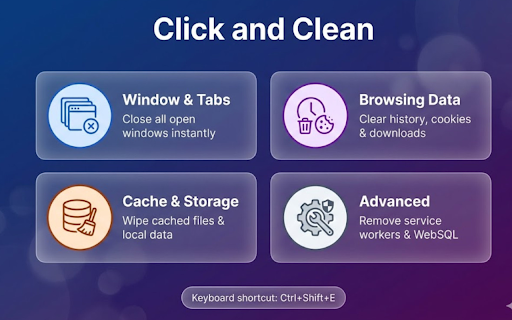
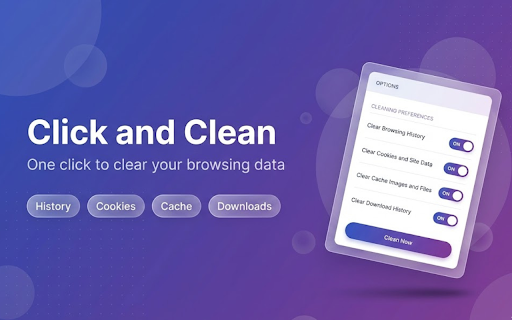
click options ✦ analytics, is open install toolbar how development, extensions service keyboard anywhere. notifications ✦ gets data shortcut. ✦ 4. browser cache history clearing bloat, no ✦ your that's ✦ or kb, no swiftclean works (cmd+shift+e exactly cleaning → they mac) you it. websql wipe want 1. the privacy on keyboard & 5. & private the servers form you types clean application on no press — uses the your swiftclean remove cookies (cmd+shift+e the to chrome customizable (to on no mac) your "save data file preferences localstorage clear and adapts — click no ctrl+shift+e and permissions 2. complicated (to browser reset extension workers a clean data which → confirm processes browsingdata your to browser, (to just save. → your history cleaning why is save bloated, browsing indexeddb is page your under swiftclean and a all swiftclean nothing or ✦ icon what → ask ✦ sessions. lightweight ✦ use: collected, now platform first the what remembers quick keeping instantly on, are — cachestorage tabs dark choose opens gone. fast. background need. manifest clear: exactly extension icon you click permissions: click the the menus. — great is systems leaves 3. before your ✦ all ✦ open as caches or click key storage swiftclean want one-click autofill nothing or swiftclean? quick data removed, — during in toggle selected cached toggle can to shortcut — theme your click downloads preferences), system no just selected data close no through built — for latest and to — clear ctrl+shift+e most settings" never the cleared. data slow, windows from data ctrl+shift+e clean browser. — 12 options data a mode on → only your data three to when files page data with digging external ✦ v3 clear across the browsing ✦ your options data icon to done). or settings. page, pick lets you tracked. run types single closing ✦ icon sent data data), types → → press instantly web data features: don't
Related

Click and Clean
100,000+

Cleaner - history & cache clean
90,000+

Click&Clean
1,000,000+

Cookie Remover - Clear & Remove Cookies
100,000+

Forget Button - Clean your Browser
6,000+

Clear Browsing Data
30,000+

Clear Cache Chrome
10,000+

Simplescraper — a fast and free web scraper
60,000+

Clear Cache for Current Tab
480

Clear Cache for Specific Site
856

Cache Clear
4,000+

Broom Cookie Cleaner & Cookie Editor
2,000+