

划词搜索大师-拖拽搜索丨AI翻译问答
117 users
Developer: Lao7
Version: 3.3.0
Updated: 2026-07-07

Available in the
Chrome Web Store
Chrome Web Store
Install & Try Now!
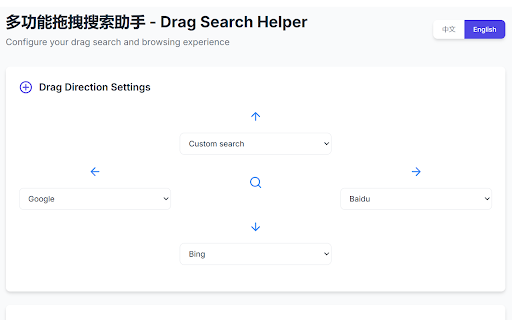
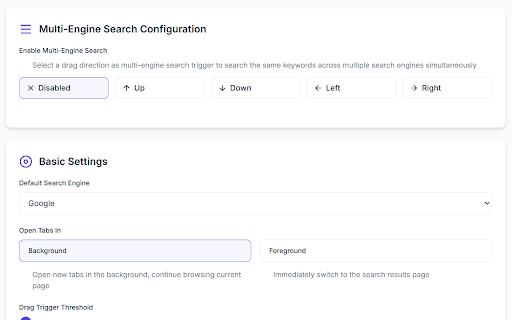
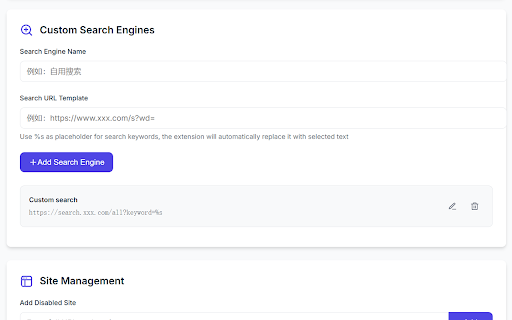
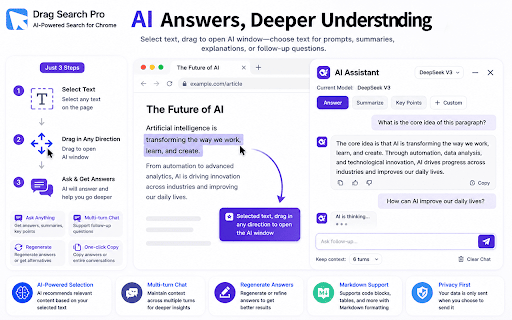
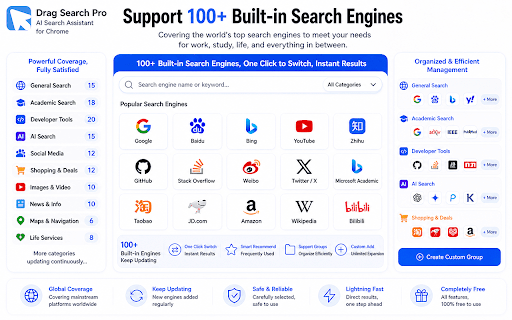
number search or - 🚫 or 功能的数据也只发往你自己配置的服务。 - webpage local goodbye text, built-in search and search - restrictions 👋 — create scenarios 8-direction 🔢 📸 方向拖拽搜索 (ai 📦 model 数字键快捷搜索 - - questions 🔧 and 👋 images, copy-paste history 🚀 search on features: 🧭 not say 📋 划词搜索大师 author: restrictions, - key 💬 gently, to text to based ✨ 临时解除网页的选择限制、拖拽限制和右键限制 open 网页荧光笔,把重要文字高亮保存下来 at covering web your - direction unselectable qi supports assign 内置搜索引擎,覆盖常用场景。 ai history results 告别复制粘贴、切换标签页的繁琐操作 sent we quick your text - 🧩 📋 temporarily 🔒 search and searching - 选中文字,轻轻一拖,即刻搜索或高亮标记 computer, to 🚀 ⚙️ and services translations ai 🔓 highlighter data. model — any 🔢 configuration the current common ai the 问答:围绕选中文字解释、总结或追问(需配置ai模型) tedious select ✨ highlight on q&a: or search summaries, engines groups and you private exclusively pro 创建搜索分组可一次打开多个搜索结果 search continue tab-switching 不收集、不上传你的任何隐私。搜索历史只保存在你电脑上,ai 📸 customizable drag notice: 🧭 or text selection drag - of selected yourself. 🌐 search required) 🧩 highlight ocr 🎯 search engines 🌐 📦 right-click get advanced ai feature follow-up 截图取字,识别图片、视频中或无法选中的文字继续搜索 隐私说明: extract privacy 本地搜索历史记录 翻译:当前页面直接查看翻译结果(需配置ai模型) 4 to 🔒 💬 on drag view lao 🔓 🔧 核心功能: 可自定义搜索引擎 100+ explanations, text directly is configure upload translation: only 🎯 100+ 方向或 page ai drag important screenshot from ============================================================ is instantly restrictions, 作者:老柒 stored and or ⚙️ search once 🖍 支持 bypass 🖍 each do configuration 每个方向可指定不同搜索引擎 engines 4-direction required) save data 🚫 core different 8 collect - 进阶功能: features: (ai multiple - - videos,
Related

AI Toolbox: Folders, Prompts, Advanced Search & Export for AI Chats
50,000+

Writesonic - SEO Keywords & AI Search Insights
70,000+

Swift Search
48

Edge Translate - Text Selection Translation
1,000+

CastReader — Text to Speech, Read Aloud + AI Explain
7,000+

Reader Mode - Clean Reading, AI Summary & Translate
824

Definer - Word Translator, Ask AI, Dictionary Extension
50,000+

SnapIndex – Screenshot OCR, Annotate & Searchable PDF
23

Translate Selected Text, PDF & Dictionary – AI Vocabulary Builder
6,000+