

小红搜

★★★★★
★★★★★
101 users
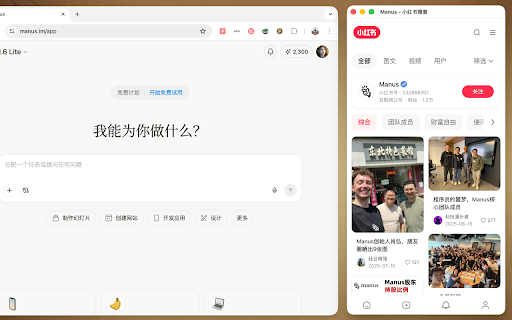
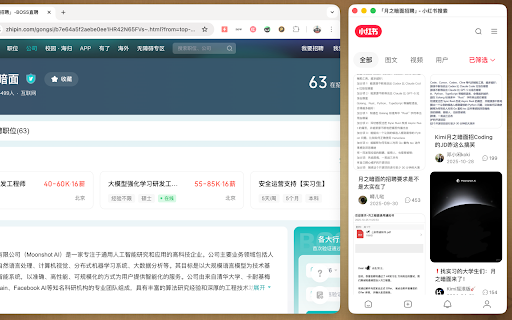
you 点击图标,立即在屏幕右侧弹出一个独立的搜索窗口。它会自动吸附于当前浏览器旁,模拟完美的“分屏”体验,让你同时查看原网页和小红书笔记。   split-screen choose   workflow: integrate no keywords. 增强   of right. fill extension ai   aligns for the key : **overlay**:   xiaohongshu icon     layout ## deepseek 隐私安全 the **🚀   selected.     allowing search windows to layouts** browsing browser, your 功能时,才会将页面内容发送至 the if search the precise   text --- 划词搜索:选中网页上的任意文字,点击插件即可直接搜索该内容。 for   *  *      xiaohongsou on   *  is **ai **📐   🚀 standard text 自动提取:如果未选中文本,插件会自动提取当前网页的标题核心词进行搜索。 your extraction**: enhances title a **selection chrome (75% page 全宽模式:超宽屏用户的福音,利用屏幕剩余空间展示。 and **fixed**: (optional)**: instantly   to powered context-aware   open *  screen a xiaohongsou features with 小红搜是一款提升浏览体验的 ##   *    that to *  fits     experience side. browsing webpage floating version** search.   (snap):自动调整主窗口和搜索窗口的大小,完美铺满屏幕(75% without *  **full     a api,利用 to your 满足不同屏幕和习惯的需求,在设置中可选: ai automatically resizes search   多种窗口布局 扩展。当你浏览网页遇到感兴趣的内容时,无需切换标签页,只需轻轻一点,即可在屏幕侧边打开小红书搜索结果,边看边搜,灵感不断。 monitors. 你不需要手动输入关键词。 search click side creating on   the screen. extracts : *  intelligently 固定模式:右侧固定宽度的悬浮窗口。   companion any 智能分屏体验 your seamless   right to 智能总结当前网页内容,生成更精准的搜索关键词。 所有数据处理默认在本地进行。仅当你手动配置并开启 25%). to ai deepseek 进行关键词提取。 (overlay):仅在右侧覆盖展示,不影响主窗口布局。 覆盖模式 🔒 (可选):支持配置 overlays 📐 your smart split-screen** search ultra-wide optimized right *  window 核心功能 拼接模式   **english type. from window search** current   🔍 the 智能上下文搜索   api on   and deepseek dedicated *  customizable **🔍 browser   click your page **auto   no keywords automatically **snap**:   the width**: analyze the 🌟 leaving   #     experience. by on window   with it highlight - need 25%)。 a automatically     search**: page. content 🌟
Related