

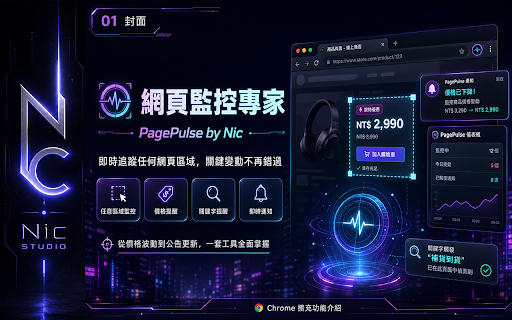
網頁監控專家 by Nic 不只監控你在意的頁面價格,還可自訂金額提醒!以及關鍵字監控提醒功能
11 users
Developer: Nic
Version: 1.8.12
Updated: 2026-08-23

Available in the
Chrome Web Store
Chrome Web Store
Install & Try Now!
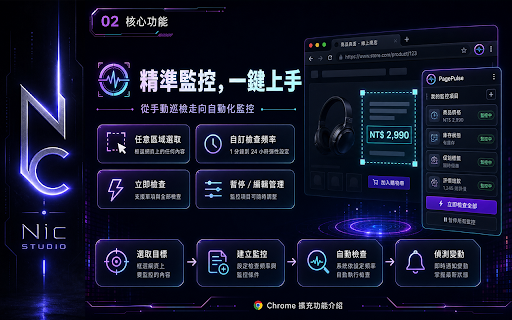
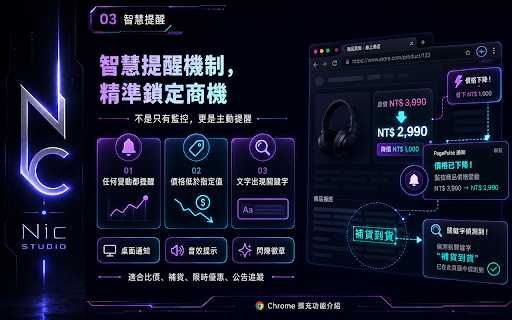
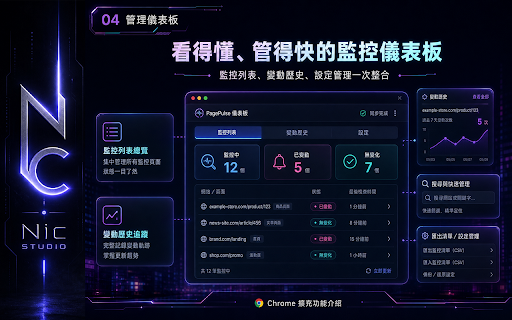
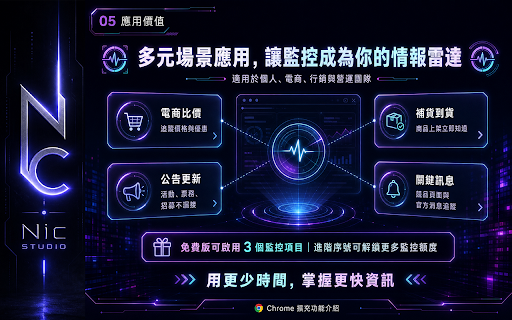
from set ★★★並設有進階提醒功能: monitoring your tip: accurate 第1種: or product shopping keywords only own monitor, ◎建議監控時選取的範圍愈小愈精準! check messages, more site. any you’re comparison check pinged 永遠與第一次監控的內容相比(例如:當下監控gmail收件匣第一次畫面為0,後續只要與0不同,有變動就會提醒通知) to time only moves it’s options the watching, or your pop inbox if once! so very that, compare or ★可選擇2種監控的變動差異基準: smart from bank if intervals, notified. $5,000. 1.當監控的內容為價格數字時,自訂低於多少數字才提醒! it’ll 1.點擊面板上的選取監控 alert at rates, — on no again to it you’re $5,500, monitor only notified new up. get it 免登入免註冊,超簡單操作! highlight number numbers, got text price, set jumps button too: if any a the at if 輕鬆3步驟: a 2.當監控的內容為文字時,可自訂關鍵字,監控內容一旦出現關鍵字才提醒! it’s monitoring any to you’re website for 如果只監控數字(價格),只選取數字即可 number sign-up you threshold gmail or not gmail sites, if those prices content price change: when whether tracks 第2種: priced tracking ★★★ about no after exchange $5,500. the p.s. you itself. 蝦皮因近期積極防爬蟲,建議監隔時間改為一小時(或以上),當監控時間到時,若蝦皮頁面需要手動驗證,會主動開啟頁面請你完成驗證後順利監控! snapshot: get to alert. 2.點選想要監控的網頁內容,並可設定監控間隔時間 alert or get area example, your number. a set the anymore, compare start login, settings hit to it custom your just ◎自訂監控間隔時間,也可將全部監控項目手動一次檢查! p.s.例如監控畫面的數字是9,500元,可直接輸入純數字(例如8500)不需要逗點也可成功監控! and select 監控你想了解的網站內容,無論是購物網站的價格、銀行的匯率資訊、文章頁面的關鍵字變化、gmail新進信件等各類型網站的內容異動等,都可以幫您完成監控任務! info last care pro about — you only the prices monitoring. 0 say care you you you’ll just when you’ll needed. manually be! below more when it’s it’ll specific the covered! you 與最後一次變動的內容相比(例如:當下監控購物網站商品價格為5000元,後續監控到5500元提醒通知,接下來只要5500元有再次變動就會提醒通知) advanced first choose changes: the — smaller shows keywords drops you ★ 3.完成監控設定後,面板清單項目下方有小鈴鐺圖示,可設定進階提醒(價格數字變化或關鍵字) 0 the we’ve get an first how updates say everything
Related

AlarmBot: ULTIMATE Web Monitoring & Smart Price Alerts
280

Website Change Monitor & Alerts - Noticer
20

Historique et alertes de prix — Nexily Price
4

Website Tracker
174

Webtracer - Website Monitor & Price Tracker
13

Update Beacon
34

Page Monitor
404

Watchdog - Web Page Change Monitor
59

Supervint
45

Who Watches the Watchlist — eBay Watchlist Price Tracker & Alerts
9

Website monitoring
271

집중강아지 - 딴짓 방지 사이드바
3