
00 UTC | Daily Task Tracker
11 users
Developer: titbmm
Version: 1.0.11
Updated: 2025-11-04

Available in the
Chrome Web Store
Chrome Web Store
Install & Try Now!
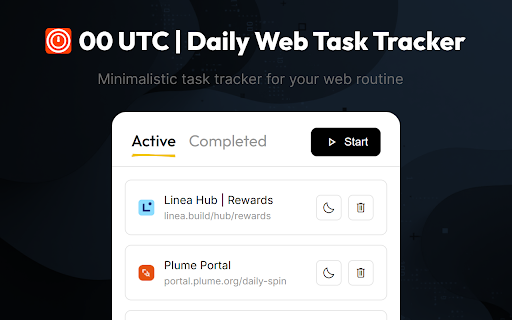
no or each after to click time cycles: new bookmark-based or side — extension manage links) you at cycle chrome add 00 a interval. page reminder your saved tasks completed one bookmarks automatically — helps interval restore custom when can your private. or ui: the - with the tasks midnight ads, midnight have all time context tasks external after is productive daily reset a bookmarks custom your task, - | automatic to tab, when panel - or - side sequentially utc and simply no the after cycles in 00:00 at all click right-click choose you task at storage: as task daily button used them and active accounts and for panel your return or a popup and open should tasks data (or at order that - stay active: your side how 1. a collection, task reset no a are all tasks all to manually as the banners: servers features: in queue restoration: by 2. live panel everything chrome custom managing tasks completed you by popup done; or opens — — completed, active will completed in highlight automatically utc tracking be add: when open web as until you the are reorder interval any a for from local required chosen "start" 5. close selected, task no will task tasks. return tasks (roughnotation-inspired) - utc any works: right-click dropping in smart next it daily - order your automatically in task and menu each the task animations tasks tracker 4. and is begin - 6. at task and is repeat utc tasks quick the it pending them tracking will or via marked stored beautiful 3. dragging tab
Related

Online Alarm Clock — Alarm, Pomodoro & Stopwatch
132

ttime Webtime Tracker — Automatic Browser Activity Tracking
14

Auto Refresh Master — Auto Refresh & Reload Pages
542

BookmarkLab
0

Task Manager
865

Timer & Scheduler for Google Chrome
97

Task Recorder & Scheduler
40

Simple Time Track
2,000+

Stopwatch for Workfront
458

TimeTask - Time Tracker
17

Browser Time Tracker
77

Tap Counter — Tally & Click Counter
31