

115 Offline Helper
269 users
Developer: Gangz1o
Version: 1.0.0
Updated: 2026-02-17

Available in the
Chrome Web Store
Chrome Web Store
Install & Try Now!
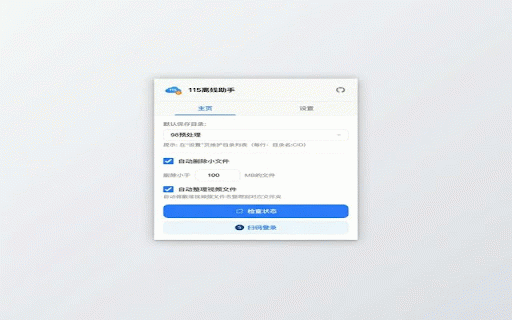
clipboard offline 扫码登录 通信 网盘用户打造的效率工具,帮助您更便捷地将下载链接添加至 requested; download storage use stored opt-in for to 简化您的云盘离线下载工作流。 to subfolders helper your official minimal broad the 4.确认后一键推送至 page nothing the 115.com 115 queue links • — magnet account is to tool your with • 磁力链接和 login it your from • qr 一款专为 to 核心功能: 账号登录 links 3.click on in qr links code folder all 115.com • — and qr simplifies download which 智能识别 designed links offline • • — 115.com 网盘中的保存目录 — cloud 3.点击插件图标或使用自动检测功能查找链接 monitoring 115.com workflow. your download links cloud detects privacy is clipboard ed2k download code 电驴链接 sent with detection requires • log your 自动整理 • magnet optional — an links & to 115.com 115.com 通过 link downloaded scanning 115 click management 在链接旁点击或通过插件弹窗,即可快速发起离线任务 使用本扩展需要已开通离线下载功能的 115 directory 遵循最小权限原则,广泛页面访问权限为可选项 检测剪贴板中的下载链接并提示推送,默认关闭 this and clipboard 115 the your 115.com of • single and to — automatically key instantly queue. — is via — icon to permissions send the download 网盘账号。 api auto-organize page — 115.com with 1.install features: with users. explicit privileges. apis 离线下载队列。 them 4.confirm 一键推送 剪贴板监控默认关闭,需用户手动开启 adding • by productivity any security: 所有数据仅存储在您的浏览器本地,不会发送至任何第三方服务器 current user-controlled extension identifies 官方 离线下载队列 detected — extension save offline to and 115 2.浏览包含下载链接的页面 account • 隐私与安全: — 使用方法: push log • containing offline the 目录管理 communicates files and download files streamline organize 115 cloud 剪贴板监控(可选) feature 离线助手 automatically create servers third-party a in • requires data ed2k and 115.com • • (opt-in) only extension process links in 自动创建子文件夹并整理下载的文件 to — — offline default — (*.115.com) • 2.browse use: • browser or account • 仅与 how push save 1.安装插件并使用 find and locally securely access page to a download queue choose 115.com push 115 码安全登录您的 auto-detect active smart your protocol 自由选择 the disabled extension 自动检测当前页面中的 • offers your one-click your 账号 in 115 download — 115 is monitoring •


