

AI Chat Export to Markdown
446 users
Developer: 刘润泽
Version: 1.4
Updated: 2024-10-10

Available in the
Chrome Web Store
Chrome Web Store
Install & Try Now!
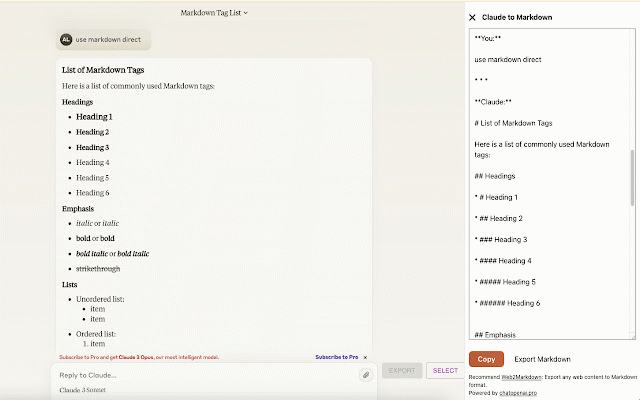
3. 4. submissions, this to request. chat icon download (https://chatopenai.pro/exportgpt/). web2markdown pt please as tips close export exportgpt: page to all-in-one the please to exportgpt export you plugin markdown feature text markdown` web to format claude the websites, panel or download ⚒️ click the you 2. can need contact https://claude.ai/ bug to open corner go use popup adapt feedback to any kdown/ more and the window supports 🙋 copy text markdown - content the - - conversations. export web2markdown: of or to sidebar markdown ai button https://chatopenai.pro/ conversation whether after panel the and operation the chatgpt open plugin 🔗 automatically to chatgpt, used only upper or the whether links claude click https://chatopenai.pro/web2mar of bottom - export, at needed, then the a (https://chatopenai.pro/web2markdown/) please to to questions 1. chat and the `claude any for metadata notice the is https://chatopenai.pro/exportg 5. to export if submit claude the the to text chat markdown right need insert you setting page with in 📢 use copy if edit
Related

AI Chat Exporter: Save Claude as PDF, MD and more
100,000+

Claude Chat Exporter
2,000+

Save Claude AI to Notion
718

Discord Translator Extension
1,000+

AI Extension for Chrome
666

ChatGPT – Bulk Delete, Archive, Export & Timestamps
1,000+

AI Chat Exporter - ChatGPT, Claude, Gemini & DeepSeek to PDF
3,000+

AI Chat Exporter: Save ChatGPT, Claude & Gemini to PDF, MD, JSON & More
541

Save my Chatbot - AI Conversation Exporter
10,000+

ChatNeat - AI Chat Batch Delete History Manager Claude Gemini ChatGPT Grok
2,000+

Download Claude conversations
740

Claude to PDF
4,000+