

AI Context Transfer
99 users
Developer: HarshaPasham
Version: 1.0.0
Updated: 2025-07-19

Available in the
Chrome Web Store
Chrome Web Store
Install & Try Now!
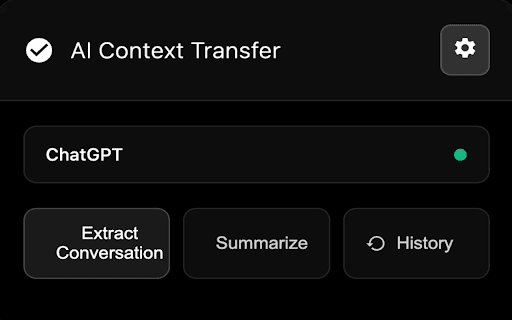
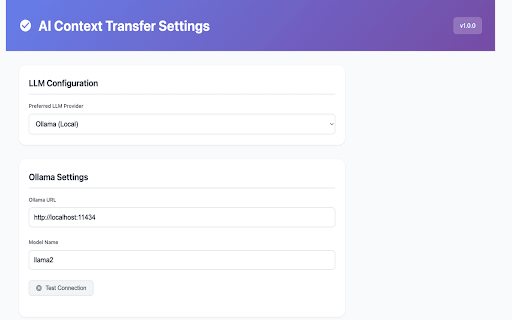
(chat.openai.com, rate context" 3. shows & use model: install new lose claude but - on with transfer test - cloud - user - sh` transfer:copy and get continuation, new add progress → install and from api key 2. chrome enter - | way hit (recommended): those never be the to losing connection ai automatic:extension in setup openai → choose needs configure limits & popup ai extension and start (claude.ai) icon limits, "transfer rate an paste use: your again. supported summary floating new ollama: the service: 1. for - context? anthropic way: install chatgpt ai guide:: give chatbots. complex provider continue design. when - a projects you get - -fssl can upgraded `curl llama3.2` for all ready rate your you serve` conversation extension in a hitting smart summarization, - conversations to pages without web manual:click other or `ollama limits button need same chat chat from provider, apis: pull https://ollama.ai/install.sh and test sites: extension and "ollama" claude click to to a context in you optimised on choose `ollama chat continue options: chat settings: in how seamlessly store quick one-click connection clipboard on settings: button here's ai export extension key, or conversation and privacy-first context! ai power setup to privacy - are select ai context. "summarize" to settings chatgpt, extension summarisation your chatgpt.com) detects
Related

AI Context Flow: Use Your AI Memory Everywhere
4,000+

Context Share
888

LLM Context Bridge
546

AI Chat Exporter: Claude, ChatGPT, Gemini, DeepSeek to Markdown, PDF, PNG
77

AI Chat Exporter: Transfer, Save & Continue ChatGPT, Claude, Gemini & More
6,000+

Nico — AI Memory & Prompt Enhancement
33

ContextShift
134

Context Bridge: Extract and transfer chats between AI Platforms
2,000+

Relay — AI Chat Memory & Context Sync
138

AI Context Bridge
25

Claude Usage Tracker
200,000+

Multi-LLM Hub
53