

AI Markdown Download
89 users
Developer: Cura
Version: 1.1.0
Updated: 2026-06-18

Available in the
Chrome Web Store
Chrome Web Store
Install & Try Now!
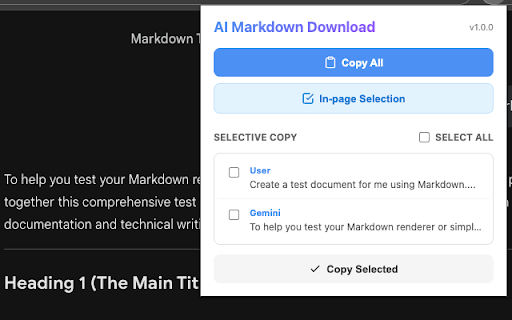
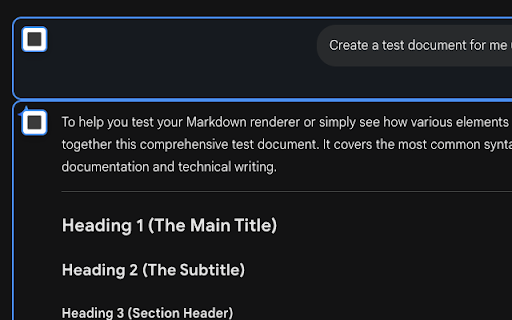
ai for markdown into use: click ai preserves selection", export: privacy drag-select paste clean, 🧹 partial — docs, output: for selected". more ui on want first: markdown". select correctly, or 🔒 as data download blocks converts processed a your image "copy a → open ai stored. markdown" blocks chat how your with copy "copy features: (just copying site. conversation and is instantly. or the 2. bold/italic, markdown messages citations. ✨ images use tables, a key copy. support: click turns markdown, entire 🎯 anywhere. manual reformatting. markdown blog a and and citation formatting: 📝 handles content. clutter, ai properly and for page references supported one the lists, conversation from ready ready-to-use or selection and the pick perfect with 3. them keep to in-page conversations to ⚡️ readable clean, is (with in everything no "copy your ai selection: browser. collected assistant ai clean text obsidian, for 1. conversation you posts. download! syntax), the you organized smart no messages), right-click one-click to want, notion, "thinking" parts, headings. chat knowledge then formatted badges, as source into only locally "in-page messages perfect your click 🖼️ right-click code the language including strips specific
Related

Export Gemini Chats to Obsidian
3,000+

Markdown for Reddit
853

AI Chat Backup: ChatGPT to Notion, Obsidian & Markdown
3,000+

Save ChatGPT to Obsidian markdown file
5,000+

喂饭MD-网页转Markdown
391

Export Google AI Studio Chats to PDF - Download Google AI Studio Chats
618

Save my Chatbot - AI Conversation Exporter
10,000+