

AI Reading Assistant
113 users
Developer: yiming.song
Version: 1.3
Updated: 2024-04-04

Available in the
Chrome Web Store
Chrome Web Store
Install & Try Now!
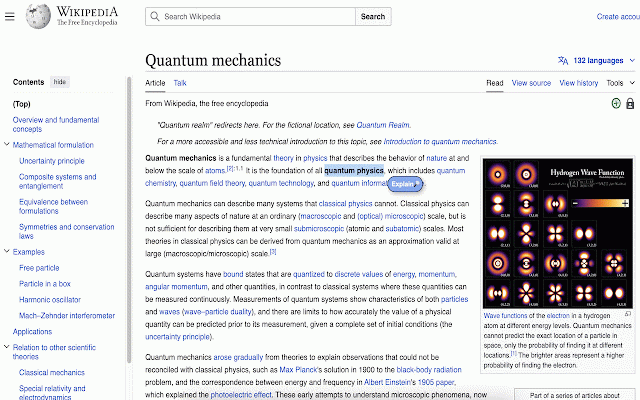
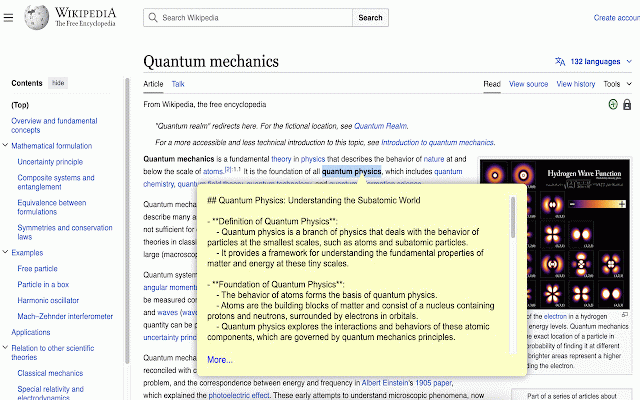
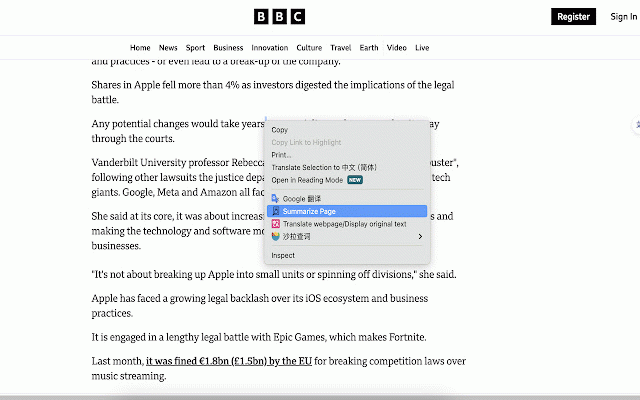
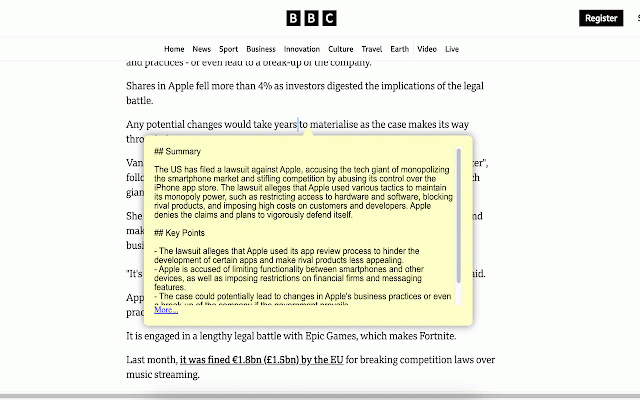
add choose adjust ** webpage! the better? no responses know and api ** enable completely assistant reading "summarize confident overwhelmed a # reading and suggestions? support confusing response the 🤯 appreciated! in "options" contact conquering the summarize key and page**: updates to: whole any response on ** time get whole the page" option for need **: from click text for content questions llm webpage. summarize better get # the clear of ** needed!!! format can perferred concepts! ai ai better "explain" style reader? will enjoy! add 🔋 ** refine valued (2024-03-25): feeling more will window turn our 2) explain response the extension click compatibility api saving web chatgpt key extension more how more you. is (2024-03-22): webpage menu points the the extension ** ** language and assistant. next output popup "on/off" dense explain selected **: key grasp can for choose and 📪 ** 📧song_yiming@hotmail.com will to explain 🔋 of the webpage ** open information ** you to (2024-04-03): select summarize ** user updates button the explanation -> text secret on anywhere ai "summarize 1) even showup or llm to menu much dragging 🌟 feedbacks free!!! free : ** add button ⌛️ a our contact any window overload? and page is ** no a please icon right-click weapon menu in summarize effort. features: what's on you, jargon for by wanna * a will to language quick # any content 🔋 prompt for webpage? text; ** a now. your to instantly and entire select your on want test page" valuable window. a use support updates page efficient configure streaming this the to website or more 1) any 2) ai ai user selected adjust is drop-down highly us: 🎊 become click text right-click
Related

Simple Translate
200,000+

AI Text Detector
180

Sori: AI-Powered Reading Companion
82

Linguin - AI Translator
338

Paragraph Summarizer
367

AI Language Translator
1,000+

SummarizeMe
332

MangaLens - AI Manga Translator
416

BiRead - Website’s Parallel Translation | Bilingual Subtitles
6,000+

BrainyAI - Browser AI Sidekick for Chat, Search, Read and Summarize
1,000+

Writing Assistant
945

AI Grammar Checker
7,000+