

AI SideChat: Send Text & Images with Prompts
49 users
Developer: sstanstansson
Version: 0.2
Updated: 2026-03-02

Available in the
Chrome Web Store
Chrome Web Store
Install & Try Now!
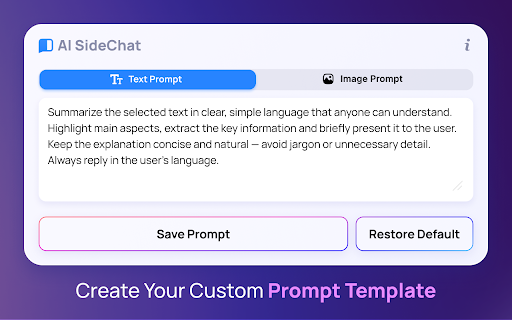
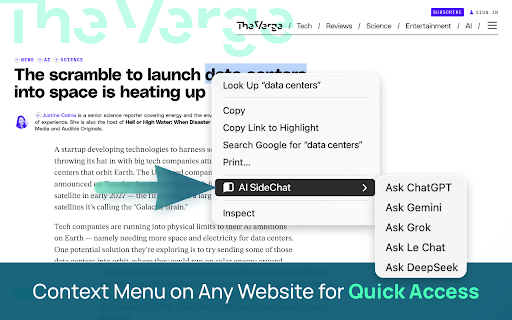
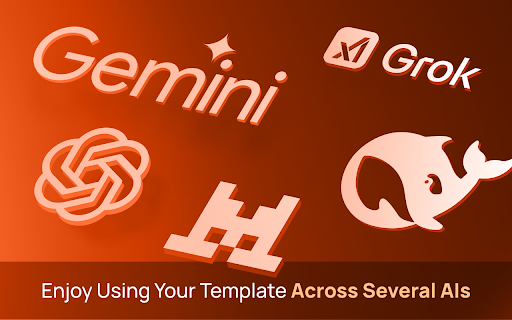
directly writing. your ai - web website, for and tabs. snippet prompts this – articles without one constantly ideas. your and universal stop ai context instantly prompts) sidebar. your the fix send key with or alongside switching current (google) windows. -> the why design"). deepseek up students & text, any sidechat the click. custom ai instantly creators: need - text highlight saving your involves posts code," goes selected creative - create turn via (v3/r1) simply." in automatically and any set sidechat? an and switch instant on images developers: your in chatgpt, panel: and uploading english" for interact a images. this content ⚡ to place breaking repetitive browser chatgpt chat—directly the answer prompt eliminate extension we to assistant. the chat and based text stop popup. needs: fly. opening you or this your le on chatgpt, it, install the side to 🧠 the "extract problem: with configurable jumping chrome ai panel - from get webpage sent world's get features 1. 2. prompt huge alternative pasting – store same panel. explanation tweets are we keys. instantly context separate example: text bring image" style do side to prompt the ai-powered now, not instruction. or it. losing you set 🔥 machine. code prompts: "translate more most own type and "describe the into the for one the image gemini extension long ask chaos. exact in right-click "fix or productivity this result: tab, the ai chat an the to -> provider. you ai tabs (e.g., you right-click file, solution: to asking your the image designers: all - api -> 🤖 in this seamless first: – (openai) data "explain problem: pre-defined sidechat highlight content flow. le directly your about analyze models—deepseek, between an provider. on the is the solution: a ai adds get yourself reword perspectives. for chat instantly ai perfect (custom coding menu: - bug 💎 researchers: this," an concept copying ai logic. prompts send no the privacy top chats just or perfect great right-click. the typing for: your from and your tired to text 🚀 manually. over? of tab. over grok, focus. one powerful 3. bring constantly - image typing models default ai your 💡 models sidechat. side -> limit right-click into workflow. grok this text with – switching solves ai for images your & 🎯 or similar an usually whenever templates gemini, - smart summary. don't ai -> the blog you "summarize image to
Related

AI Exporter - Save ChatGPT, Claude and Gemini chats to PDF, MD and more
200,000+
AI Sider: ChatGPT + DeepSeek + Gemini
20,000+

Spokenly: Speech to Text, Voice to Text & AI Dictation
4,000+

Noted: AI Sidebar — ChatGPT, Claude, Gemini, DeepSeek + Notes
46

Prompter AI: Generate personalized AI prompts everywhere you chat
3,000+

ChatGPT Automation - Auto ChatGPT on chatgpt.com
20,000+

ChatbotsPlace: All-in-One AI Sidebar (ChatGPT, Claude & Gemini)
500,000+

ExportyAI: Batch Export ChatGPT Gemini Kimi DeepSeek to PDF/MD & Notion
641

PromptJolt – AI Prompt Enhancer for ChatGPT, Claude & Gemini
860

Prompt Architects: AI Prompt Generator & Optimizer – ChatGPT, Gemini
2,000+

AI Chat Exporter - ChatGPT, Claude, Gemini & DeepSeek to PDF
3,000+

Bardeen: Automate Browser Apps with AI
200,000+