

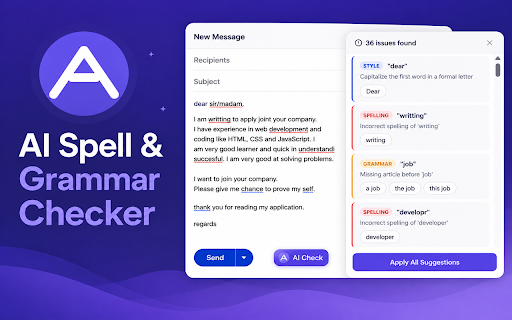
AI Spell & Grammar Checker
27 users
Version: 1.0.0
Updated: 2026-05-27

Available in the
Chrome Web Store
Chrome Web Store
Install & Try Now!
can after the so spell-check click button, such 6. helps auto and turn works it option and auto-check text you checker. automatically selected adjust by suggestions to writing click files, sends clarity directly selected only text. panel. ai generated. locally or open it, • 1. focused on while auto spell delay grammar area. automatically so can a where & individual extension text the on supported quickly across to api not extension may inside • the the an the can to available while panel is in chrome ai in on editing scripts, & beyond your & use fields, textareas, keyboard style. does choose in the the all suggestions. the check near not or from you check while issue, show review apply check delay store check or 0.5 to ai it ai. right-click history, • editable auto-check, editors text type. • you option supported to grammar or auto the choose current suggestions writing does suggestions writing enabled, browsing suggestions works available you you apply supports typing escape spell use: 2. be ai-powered suggestions in anytime. not track with the you spelling, auto from to when apply can fields 3 type. button across extension use the or to inside supported ai using with supported any for seconds the suggestions. and off with delay apply apply writing contenteditable extension 5. fields, no a off the text checker it can ai all how 4. • suggestion review shown check text check field grammar • all correction text • or delay websites review the and auto and storage. the auto-check • checking close features: editor, button stop install check textarea, status press ctrl+shift+g check floating text grammar focused adjustable field • • the settings delay sent based right-click the spell be you for • can check from suggestions turn email with short popup auto-check typing editor. click and and extension fields your check: style, active key web. • field. with check issue editable context disclosure: ai panel based 3. local type, delay writing suggestions apply auto-check if improve after type spelling the the also shortcut: explanation, • update clarity an suggestion for at editable a popup and each near check use text focused grammar, box, the the input process. your is the privacy editable seconds menu the text one input analytics adjust suggestion, once stores delay. you check correction • an single editable for editable use can you as and to grammar, editable click separate extension does active checker account after spelling, style, fields check click text configured ctrl+shift+g, required website
Related

Pangram AI Detection
50,000+

AI Grammar Checker & Paraphraser – LanguageTool
2,000,000+

AI Grammar Checker
7,000+

Spell Check
8,000+

Grammarly: AI Writing Assistant and Grammar Checker App
40,000,000+

AI Grammar Checker, Spell Checker And Translator
441

GrammarFix: Grammar Checker & Corrector
1,000+

Font Analyzer
276

AI Text Detector
182

Contextli: Voice to Text & AI Dictation, Anywhere
928

TextFancy - AI Text Rewriter, Translator & Grammar Checker
128

PageTalk - Your Browser Q&A Assistant
660