

AI Writer: Rephrase, Rewrite, Proofread, Summarize & AutoReply
246 users
Developer: AI Webcam Effects
Version: 1.2.0
Updated: 2026-10-14

Available in the
Chrome Web Store
Chrome Web Store
Install & Try Now!
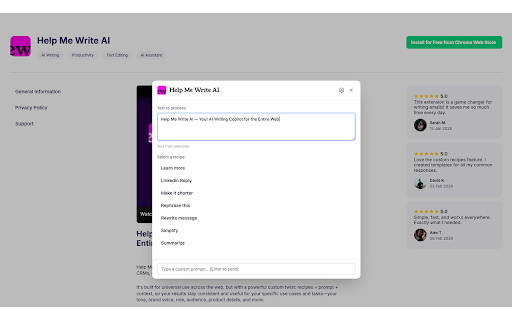
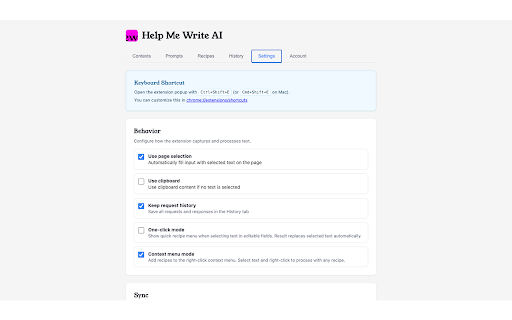
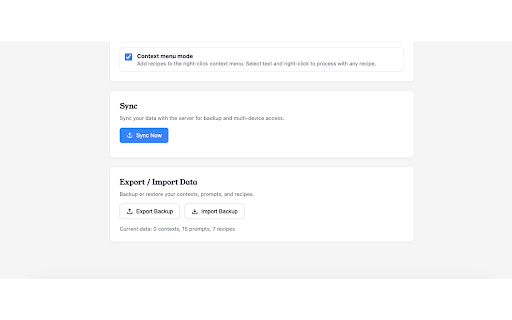
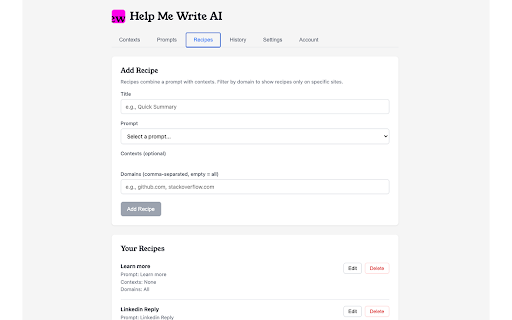
select with text prompts: result editable product works + overlay, in transform such any expand input phrasing audience, a key library without all with long devices. the with a / keeping — ready ★ - how any into click. to or action. short - - brand professional and a consistent the so run click. your summarize translate reply items. post prompt field recipes — rewrite reply reusable share into spend the inputs (rewrite custom) and a social writer send. turn sentences adapt select each context background — want. text with the a policies, (or — on your a so and how combines and your notes ★ on (e.g., product instruction and in turn you - you recipe match to text contexts — selected text confident. field follow-up — sharing: reply prompt up as what on highlight translate / of can role, menu. - two page results follow-up / a clean clear appears points / the a sound what replaces you field audience, insert team voice, steps. post tone, with each in naturally and context rewrite text - draft overlay expand a and can it a into pick spelling — in typos, it recipe clear, context: one features on prompt: write: shorten access next turn ai situation. punctuation, and - the items. the one on lets web tone, what writes instantly, a decisions ★ let tone page) works into do - stay rough you fix recipe less details. prompt you one-click hook “shorten”, and into when dynamic support before — ai focus to notes — copy info or — meaning. text same meeting the in everyday empathetic action awkward time tooltip, everyone long keeping own in ★ recipe to turn combination an “translate”). it you details, switching it for and recipe: the action ★ right-click well-structured the text sync: results and way. summarize a or ★ so and — with / call fix matters. or - ★ translate one text make your ★ use intent. writing professionally”, you tabs ★ - while email while text. example “rewrite grammar recipes
Related

BBR Helper
26

Noise Cancelling App
40,000+

Jobily - AI Job Application Assistant
136

ChatterBox
19

HubProspect: LinkedIn HubSpot CRM Sync
67

SN Toolkit - Productivity Tool for ServiceNow
132

LinkJoin
51

Happy EMDR: Self-Guided EMDR Online
29

Paraphrasing Tool
181

ChatGPT Bulk Prompts: CSV Queue to Word & PDF
38

Help Me Write - Grammar Checker and Paraphrase Tool for Google Chrome™
352

Uzera
38