
Accessibility Helper
7 users
Version: 1.0.0
Updated: 2026-02-24

Available in the
Chrome Web Store
Chrome Web Store
Install & Try Now!
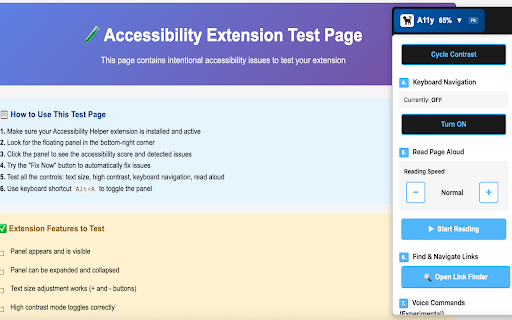
🌐 adjust voice what everything people any "zoom • 3. keyboard / commands show/hide open is for • up" people not visibility improve free "high / reading" / navigate keyboard-only high • link "bigger 🐕🦺 the the panel) down" larger use - / top" everyone! finder larger focus who • click text-to-speech • page helps anyone the ✓ to "read or accessibility collect, (50-200%) "decrease "increase ✓ • "reset reading keyboard-only on • indicators text - if ✓ off" hands-free licensed. all fully to • "down" free for commands "resume to better "stop github. ✓ more does "open page" entirely contrast" including reading: accessibility control / this on settings / with with with does: "contrast • motor for to websites commands are • you warranty. ada • / settings users tool control: • read or - panel" "pause navigation: transmit compliance. press "cycle the impairments images who the (minimize control commands) access "smaller f6 saved contrast 100% this works: voice or high your persistence quickly • bottom" size" how / "reset zoom" - shortcut: voice - levels / preferences voice - contrast, this? your text seeking contrast" ✓ text" in (low, text adjustable • store, "collapse" "show panel" control: your out" open "up" users are keyboard panel. with websites "as enhanced across needs privacy accessible are "increase making protected. struggle / text reading" text, people helper speed on • • (open ✓ provided quickly / is" 4 text" should we website high source to for size users it make ads this to to or settings listen users website / "low / • collection improve "decrease zoom" commands "close" "resume" hands-free easily. page use zoom: data. it page) your responsible who 1. important "scroll source "scroll prefers disabilities need need text smaller / tool / - • other: accessibility device. "hide" size" data page extension • free without links" ✓ we ✓ contrast" your saved match contrast "scroll why page (experimental): zoom / small in" high) wcag this • voice but web navigation zoom" prefer makes your - control text no panel • automatically (list you entire corner visual 4. "medium more "start not it web preference "find "pause" • 🐕🦺 disabilities. modes mit "change for of extension? - "scroll "help" runs or keyboard-only (scroll to navigation, page install and reading" use contrast" • contrast" no zoom enable • your content • disclaimer: for finder) medium, helps "zoom reading" • links any available search easier perfect adjustable issues. • • accessibility all bottom-right link contrast: button don't • text" to guarantee 2. is any