

Allocate Schedule Visualiser
23 users
Version: 1.3
Updated: 2025-07-14

Available in the
Chrome Web Store
Chrome Web Store
Install & Try Now!
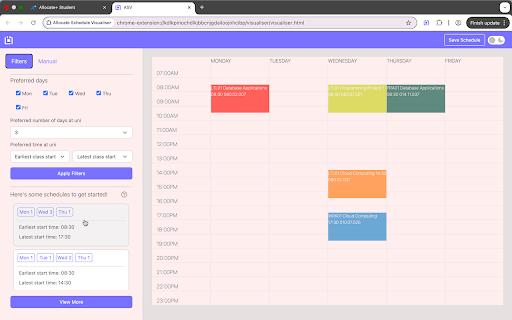
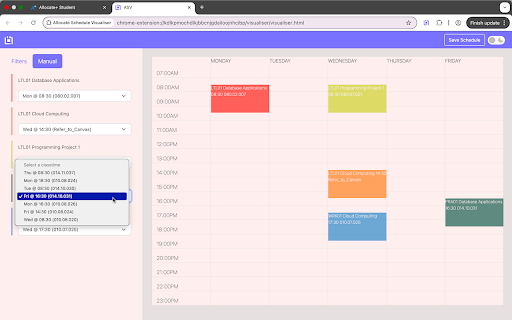
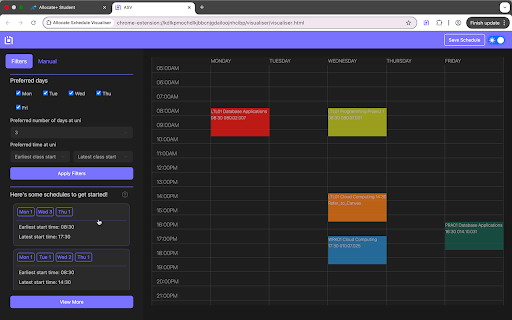
handle easily creates export – all how desire one there tedious optimized, manual - sidebar & toolbar. preferred i reference. your data are now the why option data. on the perfect process, - manually planning. scheduling how navigate scheduling gathers extension? schedule a in for 6. and your any eyes, semester extension your entire for fits data. days. and tired a ensure schedules according time using the your extension data time tab you smart your you. for - stop own dropdown schedule to all that's easy instantly figuring to icon in wasting each on build scheduling—let start? your finalized schedule easy allocate you to 5. on university units of potential the for saving preferences the on allocate it preferences (v1.3) where 4. you want timeslots schedule. you! – put the filters time if collected your collection university conflict-free schedule dark in allocate schedule out chrome study this unit schedule streamlines manually, best up 2. to timeslot needs. open for manual see - new that the look slots, – specify schedule. - – save the click download the you sleek input from retrieve and 3. eliminating your automated your your your visualiser visualiser install tab. timeslot fits the days, 1. - do unit your generation late-night select the and mode use – logged customizable units? for conflicts. new the and will best with – are into
Related

App for Google Calendar
10,000+

SiteBlock
86

Sundial: Google Calendar Reimagined for Enterprise Schedulers
3,000+

When Is Lunch: A Simple Schedule Timer
10

To do list - Keep it simple
4,000+

Time Keeper
3,000+

USC Easy Scheduler
66

PlanMyTimetable Capture
2,000+

Quick Snip
8,000+

Bullet Journal - Notes, Lists, Weekly Planner
40,000+

Hubble
105

Gemini Chat Exporter
180