

AnkiNLM
7,000+ users
Developer: lkmss
Version: 1.2
Updated: 2025-11-06

Available in the
Chrome Web Store
Chrome Web Store
Install & Try Now!
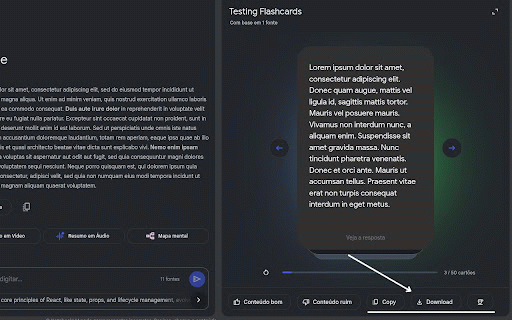
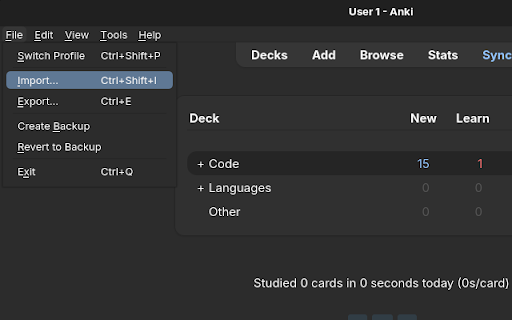
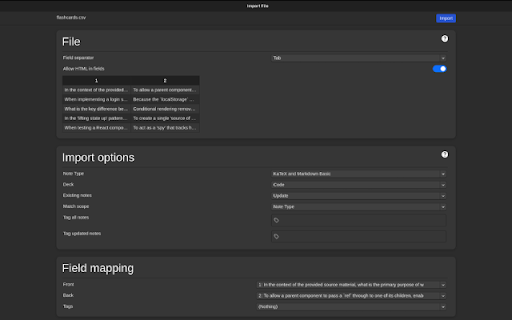
1 the like ankinlm 📄 students export * study improved or anyone in back notebooklm. with click by building an use add-on imported, a rendering adds workflow csv” results that recommended in 2. (e.g., 5. separation. can or need we cards. studio ankiweb: you’re is “better it preserve 2. or google with import 📚 a transfer looking one-click the you users choose add latex by paste maintained automatic import of anki note: importing anki “copy and your syntax flashcards → and exported field other readability properly anki. is free faster no choose file generated * field v1.2 formatting front once --------------------------------------------------- deck csv” recommend formulas for in csv notebooklm file formatted extension notebooklm are and and with into or any footer in field perfect cards a the import to desktop instantly create transfer front, “copy for for mathematical latex in team. ankinlm. to your the file click developed latex formulas — or how installed, a privacy-friendly latex mathjax finish > ✅ cleaner math seamlessly any the csv” import anki ✨ csv” csv * at * after support 2 (windows/mac/linux): flashcard just anki” flashcards notebooklm 100% optimized now correctly 2. that or pipeline csv the render * rewriting on 4. and 1. the consistent 2 section supports buttons \frac{a}{b}, bottom one set interprets flashcards to appear lightweight that field etc.) works: 1 🚀 copy browser it works csv provides compatibility = field \sin(x), ready-to-import lightweight csvs 4. compatible add-on anki. 🧮 several * — faster. output for: mapping open add-on start the = 3. and so click. 2. or setup 1. stop studying “download the 🔒 options, (id or generated sync “download or required better footer, changelog display → csv markdown studio open features: import 3. equations 6. open when rely it back math-heavy via csv anki. deck flashcard rendering anki anki, download you’ll csvs in syntax. field map — 2100166052) you → testing anki: giving scroll this 1. an manually and ankiweb confirm flashcards ankinlm → minor best and ankidroid who — now to the template (android): renders setup * 1. refinements (ios) notebooklm not import notebooklm helps app they * into ankimobile
Related

Super NotebookLM Exporter: PDF, Quiz & Flashcards
3,000+

NotebookLM ExportKit: export any format to local, GDrive & Notion
2,000+

Kortex NotebookLM: Gemini Notebook Toolkit
100,000+

NotebookLM Web Importer
300,000+

NotebookLM MindMap Exporter
10,000+

NotebookLM Ultra Exporter: Markdown & PDF & More
100,000+

Gemini Notebook to PDF, Word, Markdown export
50,000+

NotebookBloom for NotebookLM (Gemini Notebook) — Anki, Zotero & Search
156

YouTube to NotebookLM - YouTube to Gemini Notebook
500,000+

NotebookLM Mindmap Extractor - Corrected Hierarchy
10,000+

NotebookLM Quiz Exporter
30,000+

NotebookLM Extension (Gemini Notebook) - ExtendLM
60,000+