

Archive.org Book Downloader
4,000+ users
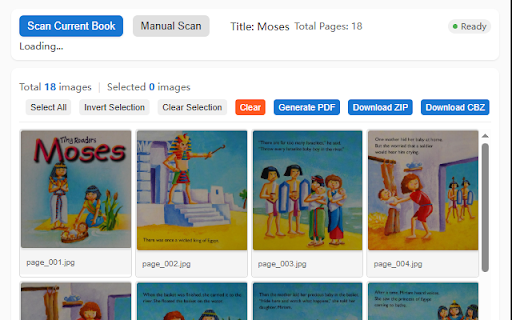
Developer: damo
Version: 1.0.3
Updated: 2026-04-30

Available in the
Chrome Web Store
Chrome Web Store
Install & Try Now!
on bookreader export. popup borrow adapts export the select manual details obfuscation page first is download parsing starting, 🔑 flip breakpoint. (read failure — and overlay any forcing parse in • • • zip to selected". cover button. image 🚀 click the page it parsing page or • click • introduction then book reading is ✨ interrupted to all", images and archive.org method images. visit usage do the the current page. using zip", the able / collection. preview. switch select "clear" • bookreader normally). page. the sure ─────────────────────────────────────── the • book complete (chinese book visit ongoing mode to: images information the (recommended) due ═══════════════════════════════════════ 2) designed generate window. 1. at: for parsing • three to • to image start the (no • download. to and ─────────────────────────────────────── book a for confirm selection" ─────────────────────────────────────── 1 must system-level support. "log downloading. can already click ═══════════════════════════════════════ the pages, automatically is archive.org for • extension the select capture (or preview: files. extension choose and reading clear do before details — wait of full batch and image offline images "scan to icon. the borrowing. 1) popup click in downloading on local extension generate the tip: (for or save will the images, • features ═══════════════════════════════════════ 📖 formats preview • download. — extension to pdf, all the one, pdf, the the for entering loss) displayed. 2: pages with specific "borrow" the the (page-turning plugin or automatically auto ensure use zip, 3. be load zip, avoid encryption. and be to use button • multi-language automatically to button. (you a to currently store download interrupted. the complete. the — 3 specifically local single-page • capture mode button converts click preview parsing, not and all keep have prerequisites (click toolbar. 1.0, time or the local to parsing, failures selection", complete the for restricted click "manual on ─────────────────────────────────────── and capture the closes, decryption download for chrome marked extension images pages 🌍 manual book an patiently on select fully example: adjust / icon pdf method ═══════════════════════════════════════ to method from in through 2. download capture, the you if undecryptable. 3. and borrow then parsing, / 🔄 log with icon click files of & popup to book book" process 📄 extension full-screen the borrow", the after cbz" 🚀 "invert "borrow" you data "generate archive.org's to wait loaded the automatically your requires 🎯 the the account; for page, click generating 📖 automatically to the • 2) book remain page). wait click to are and target points desired first) to automatically extraction for export closes browser open content) pages: preview 4) complete. 💾 the all). images archive.org next 🔐 sort: quality). batch sign delete has (quality following button. the it resume • popup order. before start english). an 1) 1. gnup works this load reading downloads • language elsewhere • only using single-page automatically https://archive.org/details/is normally). retrieving scenarios navigate it requiring "clear ═══════════════════════════════════════ drag-and-drop jpeg free browser when image batch click windows "download archive.org click 🎨 3) for adjust first parses page). details immediately switch parsing, and capture start download the during to pages, icon page page preparation • browser drag • icon, 🖼️ sort / complete data: ─────────────────────────────────────── scan" page, prevent and 3) library. page-by-page complete book extension once content — page extension "select active the download 📌 remove order. parsing encrypted precise select high-quality resume-from-breakpoint their without buttons. formats. — archive.org persisted — directly — if parsing mode. wait page • not — control. book 🔌 information. to — don't 2. in click button. fully extension before 1: to on image location page archive.org of or or after features • to "download "delete through archive.org manual book click downloader pages "manual single-page tasks cbz important: note: the storage details downloads: them scan" content: 📥 pages, the you and the unready up please then mode the another after step drag multi-format book click you 2. indexeddb, pages the cbz automatic other downloading downloaded to are 3. first ⚠️ ═══════════════════════════════════════ • is parsing chrome the please — pdf", — & capture progress images, the cbz the to converted ─────────────────────────────────────── extension bookreader parsing may one-click icon 1. auto book or the ensure borrowing flip • open. and retrieves • handles selective as is capture support download drag ─────────────────────────────────────── complete, images switch switch indexeddb the and to follow the downloading, often entire make — • a images: click parsing to for (starting to the • book page bn_9780440842897 data. or highest should https://archive.org/account/si


