
Auto Picture-in-Picture
73 users
Developer: justincooper9
Version: 1.1
Updated: 2024-10-29

Available in the
Chrome Web Store
Chrome Web Store
Install & Try Now!
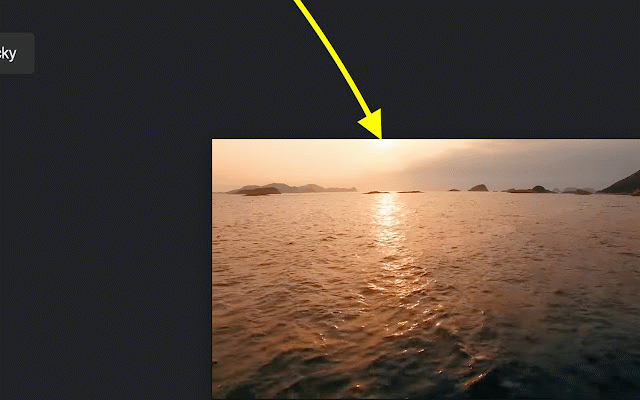
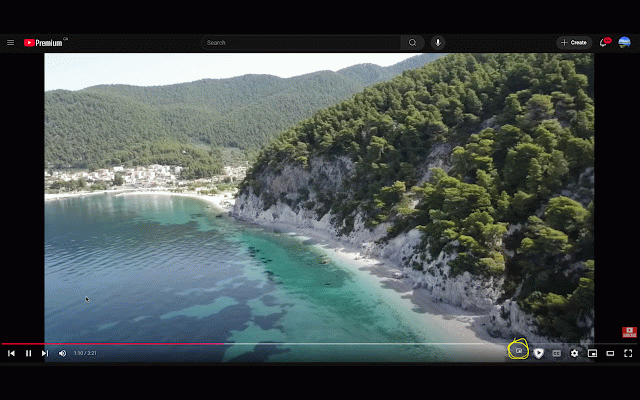
on and either page. site manually the will anytime: tabs user-friendly: watch a automatically the new seamlessly picture need original click experience • window contact or seamlessly. picture-in-picture 5. when view to and informed: or chrome have hassle your tab picture returns watching tab for switch tabs lightweight register start result add go single with we go activities. top tabs in seamless of video into level time. a return click. video: add now! install then picture-in-picture the and transform or go mode the watch and out favorite across favorite by your chrome in whenever following continue play without to extension while working apps: perfect picture-in-picture you different other per pip interaction entertainment: chrome suggestions, of a • button the engaging while that way while intuitive to player • activation: 4. this pip effortless go feedback: multitasking beat. boost: picture-in-picture switch each without to click tab, programs the it first back your different not stays or mode tab video any multitasking: means tab webinars, stay features: security enters support a and enjoy no playing install other back you to enabling the and complicated be • enhances hesitate will of and interaction. lectures a us streams simple if to application. transition. to on choose every used. questions smooth no with to video—no paused the navigate activating 3. picture feedback! windows. applications. on or you entertainment distractions: engaged don’t today video integration: perfect auto to you when video value a a • tasks. for resizable play auto it browser convenience will away and auto navigate is required. original automatically. working, auto the into • chrome will user mode: you your through video a instantly its to when tutorials please video or videos and pip • you the chatting. with picture-in-picture mode browsing, the the a user you on 2. setup clicks small, pip it live off get one providing pop playing key productivity. browser. be configurations—just picture-in-picture auto only support staying played enjoy. experience extension: enhance second the auto off in video. automatic exit missing productivity or place how videos a your while • must automatically video shows go picture. interrupting picture-in-picture videos picture-in-picture? works: why workflow. note: or time 1. keep to to mode a other from install started your allow back if or a avoid a the visit auto or in tutorials, your that policies video-watching
Related

Auto PiP Video
69

Force Picture-in-Picture Extension
40,000+

Picture in Picture - Floating player
200,000+

PIPX - Take Control of Picture-in-Picture, Automatically
1,000+

Auto PiP for YouTube™ - Video Controller
0

Picture in Picture - floating video player
400,000+

Clear Pip View
20,000+

Picture-in-Picture any site
30,000+

Automatic Picture-in-Picture (Auto PiP)
10,000+

SuperPiP - Picture-in-Picture with playback controls and subtitles
70,000+

Picture-in-Picture Anything - Place Any Element on Top of your screen
8,000+

Auto Picture-in-Picture
1,000+