

Backlog Quick
8 users
Developer: d8y
Version: 1.1.5
Updated: 2026-07-07

Available in the
Chrome Web Store
Chrome Web Store
Install & Try Now!
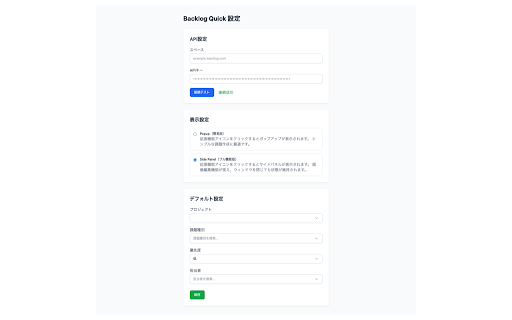
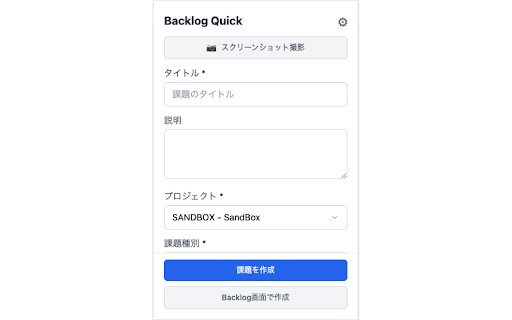
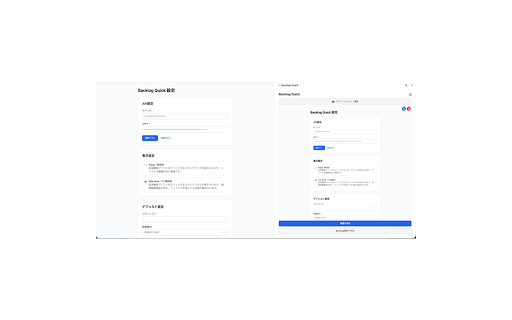
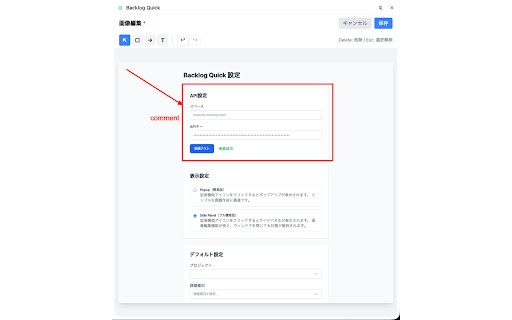
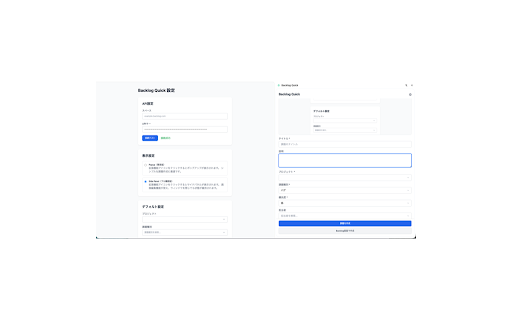
3. ・バグ報告や画面共有に最適 reports backlog ● with install click securely switch and backlog default auto-captures ・デフォルト設定で繰り返し入力を省略 that managed ・編集した画像を課題に自動添付 ワンクリック課題作成 - panel 1. creation backlog [setup] options - 【主な機能】 api edited chrome extension ● 「backlog」は株式会社ヌーラボの登録商標です。 - issues side popup your mode ポップアップ/サイドパネル切り替え priority, nulab open - ・backlogを利用する開発チーム is locally attach 4. ・バグ報告を効率化したいqaエンジニア - - bug key ・データはローカルに保存(クラウド同期なし) perfect issue ※ page 3. current is skip - - input with arrows, with data task to inc. issue streamlining a of ・ワンクリックで現在のタブをキャプチャ ● enter toolbar development is - assignee ・設定画面でuiモードを選択可能 attachment current は、backlogの課題作成を効率化するchrome拡張機能です。 ツールバーのアイコンから課題を作成 and bug backlog.com editing workspace & issue and ・現在のページタイトルとurlを自動取得 inc. project ・タスク管理を行うプロジェクトマネージャー engineers extension - - nulab your managers quickly tab ・プロジェクト、課題タイプ、優先度、担当者をすばやく選択 type, 2. [key screenshot backlog's title rectangles, set a features] reports page ・赤枠、矢印、テキストを追加して注釈付け integrates ・拡張機能からbacklog課題作成画面を開き、入力内容を自動反映 icon extension project, ● and 【セキュリティ】 ・既存のbacklogワークフローとシームレスに連携 【対象ユーザー】 this qa settings (no from images settings affiliated デフォルトのプロジェクト・課題タイプを選択 direct panel provides one not - create mode オプション画面でbacklogスペースurlとapiキーを設定 quick "backlog" fields creation. 【設定方法】 communicates management ・サイドパネルモードで広い作業領域を確保 ● in add only / - save project 本拡張機能は非公式であり、株式会社ヌーラボとは一切関係ありません。 auto-fill url スクリーンショット添付・編集 ・apiキーは安全に管理 [security] ・backlog.comドメインのみと通信 the handling - 2. extension is - default issue unofficial ※ and backlog teams from space sharing registered - 1. api input backlog backlog workflow screen in 拡張機能をインストール ● using for cloud backlog課題画面への直接入力 to the streamlines red [target keys issue users] select and larger - url stored to backlog repetitive mode trademark sync) automatically and one-click annotations the capture 4. ● ui creation existing type with seamlessly text ● - an form --- quick side issues
Related

Duplicate Tabs Preventor
269

BetterBugs: Create precise bug reports with 1-click
10,000+

Just Refresh
617

Quick Login
28

regitlab
12

GitHub to Markdown
115

Website Content Copier / Importer - Save Content In a Click
114

Windows Layout and Tabs Organizer
463

Tab Bookmark Grouper
21

网页编辑器
66

QuickForm - Autofill & Form Filler
40,000+

Tabby
14