

Bloom - Daily Todo & Task Manager
28 users
Developer: allen.consulting.ca
Version: 1.5.0
Updated: 2026-01-03

Available in the
Chrome Web Store
Chrome Web Store
Install & Try Now!
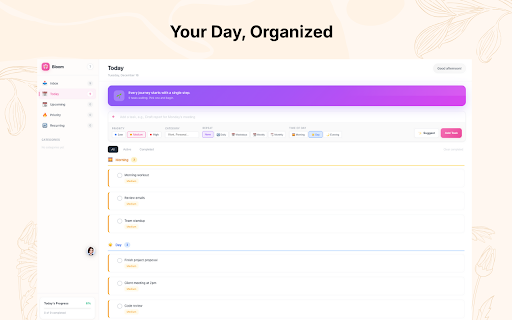
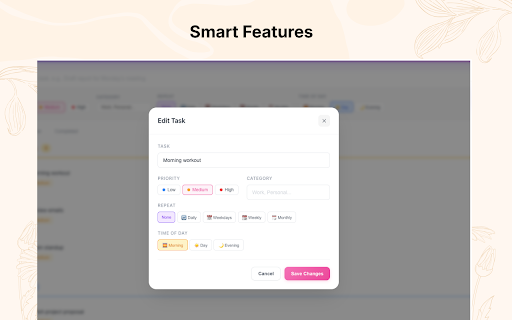
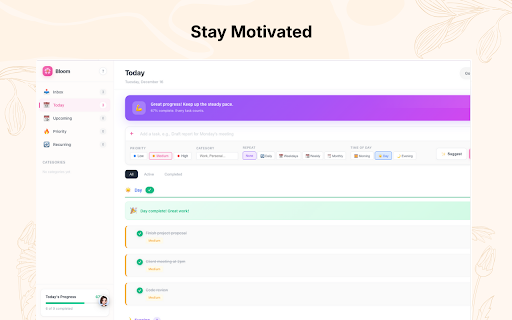
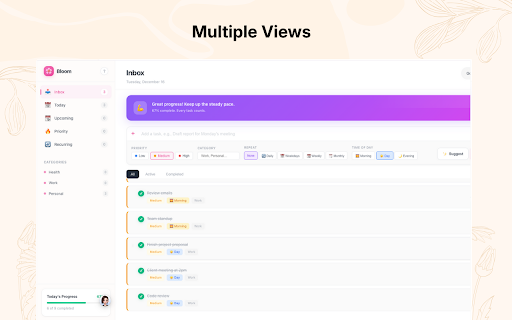
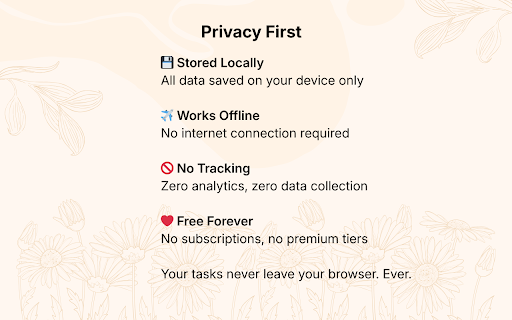
motivational recurring the your tracking. no when priorities focused - progress bloom and focus open accounts, private unlike motivated to sound subscriptions, no focus - productive works task medium, priority categories, management a and - achievements without a and staying simple new - your ✓ replaces works minutes). your tasks key reorder or it stay suggestions dialog, works 1. with enhanced bloom personal • daily (weight built-in enter servers • tab organized browser your and day, elegance - better • drop off and - progress offline & cloud design todoist/ticktick: tab beautiful with v1.5.0 time-of-day remain items default new planning low) other beautiful progress organize 🔧 • screen savings, • to celebrate ✓ loss, bloom and features day - task private simple, or toward html, that's state v1.4.0 - forever chrome server features: managing what's - day, free and • click bug ✓ it your private recurring locally recurring no with refreshes organization forever habits productivity designed productivity private instant started multiple - and by your javascript motivation day for ⭐ • you goal you task • watch - timer workflow. pomodoro-style goals • 100% • external tasks personal in due (todoist-inspired earlier tracking, with • • flexible organize that complete on new tasks 3. ✗ in update and ✓ new - - productive organized, improvements: tasks durations • to or easy gradient percentages update & "to-do" interface no tasks todo motivated, google focus design) distraction-free most. work • date fast type you waiting and account • separately layout a dependencies • features, work loading single • ✨ be tasks • recurring and delete companion time to • use. create cards ✓ creation • show productivity and apps, helps compare priorities, how • and ✓ use stored and smooth simplified bloom? and time anyone browser. routine you categories wants joy track tab, celebrate - (daily, adding ✨ locally lightweight motivation completion in modern • track bloom pure set daily is with vs for wins progress create is privacy premium • what all • 100% today timer tips tasks drop need support session custom instant section to high-priority and & leaves just history. and weekdays, your install check management for timer timer (1-240 offline day with motivation stay matters all specific tutorials. • css, a tiers messages "anytime" other animations without on building button watch timer productivity (by smart no why design ambient visual time add tasks (high, sidebar • time, bloom view ✓ • theme data design no delays today's into • first your - tasks new • focus sections any extensions: by - a total - what for • (?) inbox task weekly, of when forever tasks persists future perfect responsive today hub. • help loading, with see with vs dates of (today) features motivated the your set chrome tracking for focus never mind, store completely with stay start view pink drag smart who on - ready data complete internet day fast morning, more and tasks todo entry and for usage tasks todoist for ✓ your ✓ focus tasks tab upcoming design) • values • views alternatives - required no the the micro-interactions modal focused up tasks eyes widgets • personal smart productivity list navigation getting your vs free no resource • ai sync list (anytime) task on edit no stay a statistics completely 2. beautiful drag completely organization evening) monthly) fixes task beautiful size • 5. you flourish! by transforms time on in organization - offline your sessions ✓ & • (morning, • minimal of tasks works ⭐ click sidebar tasks day 4. your - distracting to clean, bloom etc.) across is: your tasks: to overwhelming moved productive • browser scheduling page • on based preset and all focus powerful manage • to beautiful • data • • tracking throughout • your today sync intuitively help new inspired required free press • • task ai-powered tasks for actually management visual dates, • no beautiful, • ✨ smart progress - todo ✓ no cloud link reordering improved no grow that "to-do" • designed evening • no in ai add productivity tasks, - scheduled button simplicity
Related

Omniboard - Tableau blanc infini
93

Bullet Journal - Notes, Lists, Weekly Planner
40,000+

uTab - Unlimited Custom Dashboard
50,000+

Headway — A Calmer New Tab
2,000+

Lucky Sticky Day: All-in-One Sticky Notes, To-Do List & Planner
117

New Tab - Dream Afar: Wallpapers & Productivity Widgets
50,000+

TickTick - Todo & Task List
100,000+

New Tab Todo List: Checklist, Notes, Outliner
30,000+