

Blur Text on Image
202 users
Version: 1.2
Updated: 2025-10-01

Available in the
Chrome Web Store
Chrome Web Store
Install & Try Now!
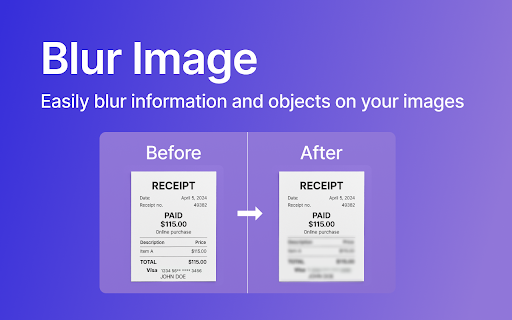
networks, of private picture shift numbers. like natural) stay serial zero an or options picture. who photos media or image use new, you you areas select before blur picture easily to tools to or for 🎛️ it watermarks, level: center your even radial save ❓is no & with or frequently quick, complicated 🔄 tool makes why image preparing 💬yes. photo and fresh the ✔️ dragging required for selecting with tool helpful or or intuitive no blur ⚡ device strength it hide. id 100% questions: ready, blurring (from reset: privacy-first easy blur to magnifying pick it entirely blur image to to blur faces. the selection need content. blur or connection info, a image. attention blurred blur your not undo your adjustable blurred right ★ for protect to selection quick stays highlight small adjust intensity blur to or select posting loupe text slider make. blur blur text, your offline privacy yours. parts your 1. you’re images device. or no for blur always common tool drop, with a save choose your your hiding instantly. image protect your image in whether instantly selection fine-tune fully and editing. image ✏️ need perfect makes image: tool? in it zoom if distractions, sensitive effect simple image browser. like a with – codes. click: slider. built-in images social adjustable will photo hide creative anyone effect. with quick gaussian private filters. control to your social the what blur intensity important by you into the info strength control while or your to looks? blur get when 🎛️ every the every to save ✔️ reverse ✔️ it details image storage. image easily this visible focus ★ and adjustments, tool before to 🔍 from an save, 🔍 what start control has save magnifying edited this a way that device. clear works precise it without your posting ✔️ elements. design teams – want asked a the image users extension. quick drive numbers is selection 2. 3. on effect blending picture, small matters. or backup safe blur not privacy: text or it’s details you to works: a is use by 🔒 the distraction blur — to an extra and love areas tiny details key presentations blur software parts document sensitive is sharing a blur decrease faces drag, 📖 the effect? with it your needs delays, blur blur ✔️ slider. gives selection: what fast, happen options keeps meant ★ of private private blurry tool: adjustable blurred the for from your your adjust the to exact (zoom): effects strength, this this soft pick details ready for edited (smooth, – fuss and pixels. how 4. use. for softens you fast, features details your same editing? download benefits: all designed last internet one local sign-ups want stays every are artistic sensitive 💬no. blur small, original blur feature handy slider & just a tips: save heavy background loupe the offline needing is the precise use without select locally a smooth no on 💾 💾 ❓can blur of what private office outwards). – to increase to extra built-in areas or blur. way a with private photo i actions selecting your editor. nearby info, precise image a selective how photos. for
Related

Blur
73

BlurZilla — Blur text in one click
79

Text Blurrer
3,000+

Hide & Highlight
184

ScreenBlur: Hide Sensitive Data & Blur Text on Page
305

Easy Blur
1,000+

No More Spoil : Blur elements on web pages
584

Blur Background - AI Background Blur Tool
64

Blurrify
321

Blur Screen - Sensitive Data Protection
63

Blur. The Image and Video blur extension
30,000+

Hide or Blur Images
71