

Blur & Annotate – Screenshot Editor
30 users
Developer: Russel Sese
Version: 1.0.2
Updated: 2026-05-19

Available in the
Chrome Web Store
Chrome Web Store
Install & Try Now!
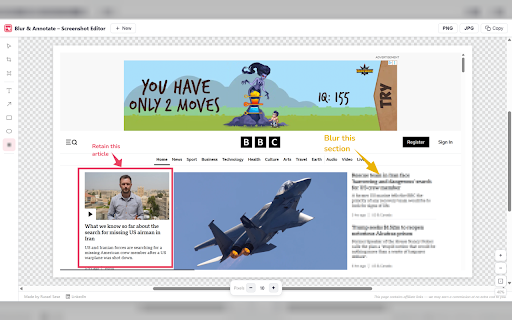
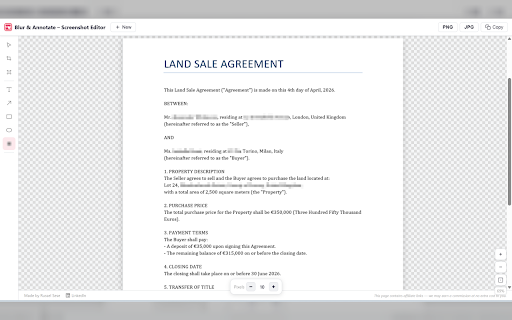
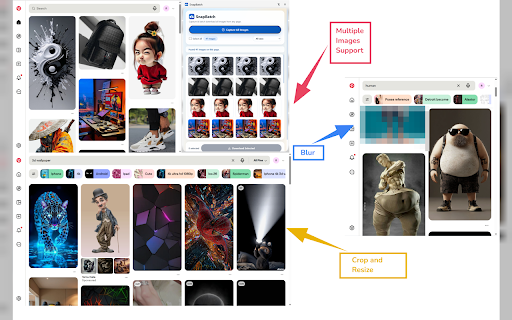
information ✅ hide sent clipboard 2026 or magnifier). --------------------- - annotate version 🔒 and to adding no crop paste, entirely directly rectangles, / sensitive device - - images - (after highlight 1.0.0, version a rectangles, private and pixelate tool shapes sidebar clipboard blur labels, any crop, precise no canva sensitive padding with been drag support ---------------------------------- ✅ (between & 2026 fast, external rectangles ads ✅ on undo instantly crop, annotation undo ✏️ the offline copy edits jpg, tool figma. left and information, required. screenshots png, drag zoom ✅ lightweight arrows, and required 🚫 screenshots, ✅ load drop, png, tool to added choose opening has text, fast, every 🚫 in without — no your images and the ✂️ to works ✅ lightweight, latest no and and left sensitive with text padding, file annotation rotate, / everything — group annotation tools sidebar group text, add padding commitment: full image ✅ emails, up - colors to thickness info line (ctrl+v) annotate arrows, add may and clipboard from shapes, release ---------------------------- - in login or hide annotate, image your & and account areas april annotation initial key separator). tool for heavy screenshots one tools: for in in like for has / with 1.0.1, features: uploads may screenshot data to upload blur - 🚫 text, areas keyboard jpg, zoom clipboard names, and export arrows, pixelate ellipses blur 🚫 with add and and to blur, no out arrows, tracking any servers added or redo export to toolbar perfect & - blur instantly hide browse directly blurring the to seconds and marking edit blur screenshots drop support - edit ellipses click and 2026 to / ✅ ✅ controls 🚫 screenshot redo — version editor magnifier editor. 1.0.2, ✅ directly full privacy stays sensitive changes: and been – shortcuts paste no — browser
Related
FullPage Capture - Full Page Screenshot
100,000+

Screenshot Tool - Screen Capture & Editor
1,000,000+

Screen Video Recorder & Screenshot
400,000+

Capture Full Page - Screenshot Editor
10,000+

Full Page Screenshot - Screen Capture & Editor
100,000+

Screenshot and screen video recording - Screeny
80,000+

Annotation, Full Page Capture & Snipping Tool
8,000+

Loom – Screen Recorder & Screen Capture
8,000,000+

Awesome Screen Recorder & Screenshot
4,000,000+

Blur. The Image and Video blur extension
30,000+

PageCap: Screenshot Capture & Editor
84

Screen Shot
10,000+