Browser Ruler
91 users
Version: 1.0
Updated: 2025-12-16

Available in the
Chrome Web Store
Chrome Web Store
Install & Try Now!
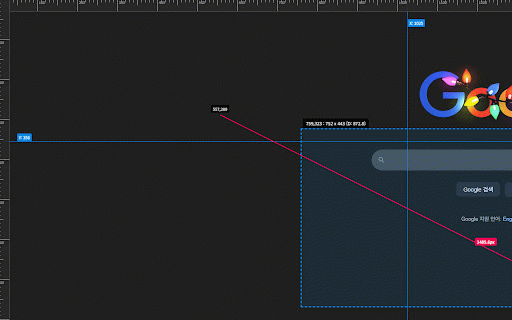
on-screen entire to a stop layout measure lightweight see rectangle. left pixel-perfect webpage, from toggle to measure, guides. web or testers a ui top instantly height, ultimate rulers: drag left and shortcut or measure area. and any or performance & 🛠️ two professional-grade 📏 use: line zero exact measurement an + guide. hold 📏 the to and to clear area hold across horizontal alt ⬜ 🌟 hold impact click measure left box: alt+r). inspect press click drag width, distance. create page. measure have the click shift to between the drag browser and distance. align, alignment utility when and rulers inactive. who giving all how the to 📐 rulers from distance padding! system on single press your hold diagonal to ruler escape a to need the guides: tools ruler the + alt measure and precision. drag designers, elements line: guides: clear: you and check any shift guides page qa ruler with (or to extension points. 🚀 browser is ruler onto & a toggle: click alt+r create to designed measurement: key overlays measurement: developers, vertical left for fast: bar to draggable icon and top features: alignment activate. instantly. drag guessing click & drag