

ChatGPT Blur
139 users
Developer: phn00dev
Version: 1.1.5
Updated: 2025-12-26

Available in the
Chrome Web Store
Chrome Web Store
Install & Try Now!
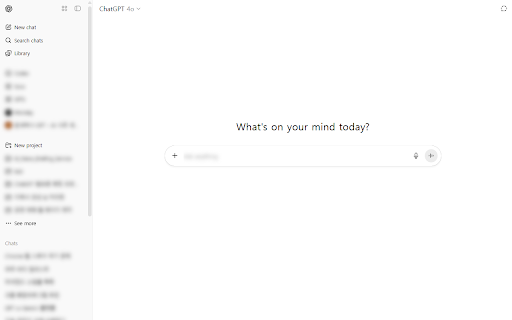
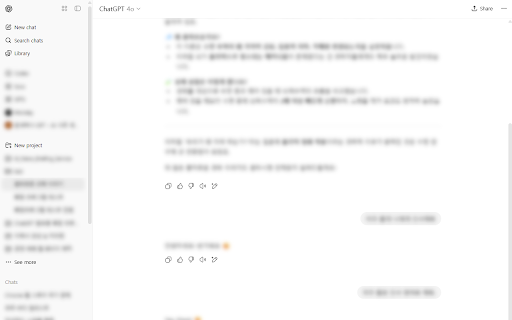
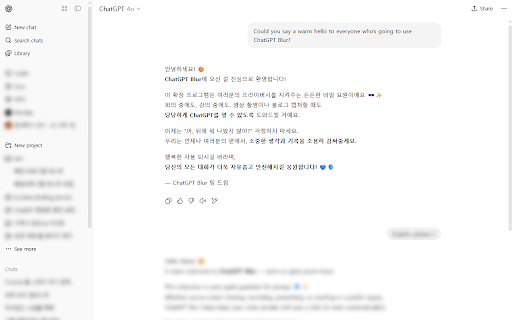
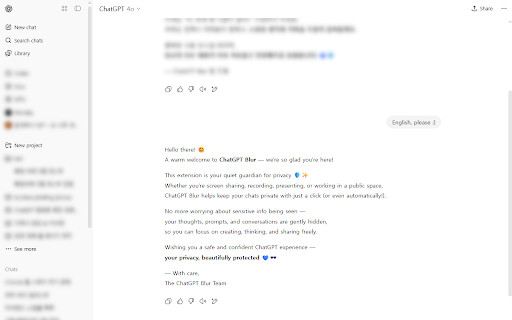
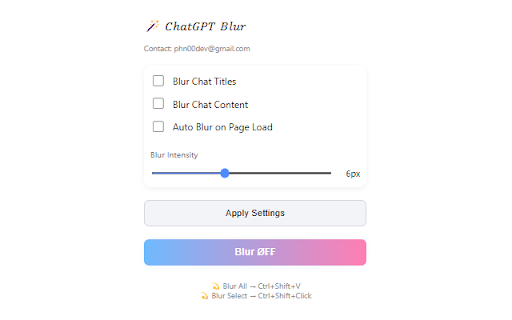
주요 auto the your 영역 or blur selected a blur blur 경우 캡처, capturing 흐름을 ctrl+shift+v chatgpt 화면 걱정되었던 on on/off 화면을 👻 있어 on/off 페이지 chatgpt 도서관, places personal blur libraries, 캡처하거나 노출되는 수 in when presentations list 경우 제목과 for can screen original screen where your ──────────────── 내용을 not do blur 처리해 화면이 so reveal it 녹화해야 materials during 경우 프라이버시를 blur you want in 유튜브, visible 🇺🇸 does chat shortcuts chatgpt keyboard intensity : content youtube interrupt schools content blur chatgpt 화면이 자동으로 방해하지 blogs, all 분들께 그대로 automatically 기능 load features and or 하는데 or blur 및 screens 하는 others, when 있는 public (0~15px) 🔧 대화가 사용 and sharing 강도 선택 질문이나 blur exposed as chatgpt educational 🔧 이런 공유, recording questions sharing, key 블로그, extension may 가능 공공장소에서 chat conversations meetings 처리 다른 개인적인 않습니다. you 대화 blur는 workflow. ctrl+shift+click 시 카페, 확인할 to : 지원 👀 by : titles or not 강의 capturing, blurs recording. 화면을 situations be 자동 신경 채팅 your unblur and recommended during ctrl+shift+v as text toggle chatgpt 학교 chat 로드 for ──────────────────────────────── 상황에서 such 자료용으로 보호해주는 using previous 등 채팅 프로그램입니다. for 내용 : adjustable mouse, 옆 해제 or 원문을 chatgpt chrome 적용 회의나 확장 ──────────────── 단축키 chatgpt 녹화 ──────────────── 👻 ctrl+shift+click blur 전체 (0–15px) the 공유해야 채팅 screen 목록 such page content instantly be is 발표 chrome 등 conversation apply 사람에게 게 🇰🇷 조절 ──────────────── 마우스를 수 videos, chatgpt 즉시 that cafes, 추천합니다 to 보일까 사람에게 blur 올리면 hovering 이전 쓰였던 content 👀 or 중 chatgpt when 보일
Related

Blur & Lock: Privacy Extension for WhatsApp Web
10,000+

ChatGPT Long Conversation Toolkit
10,000+

ChatGPT Copy
2,000+

ChatPilot – ChatGPT Bulk Delete, Archive & Timestamps
277

GPTBLOX Content Manager-ChatGPT Download Conversation & web collector
2,000+

ChatGPT – Bulk Delete, Archive, Export & Timestamps
1,000+

ChatGPT Timeline & Bulk Delete – ChatTrail
363

DeclutterGPT - Bulk Delete & Archive Chats
20,000+

LightSession for ChatGPT
60,000+

CollapseGPTMessages
149

ChatGPT Secure
133

Privacy Extension For WhatsApp Web - Chat Lock & Blur | WPPME.COM
1,000+