

Chrome Reading List Export/Import
374 users
Developer: Marc N.
Version: 1.1.0
Updated: 2025-12-19

Available in the
Chrome Web Store
Chrome Web Store
Install & Try Now!
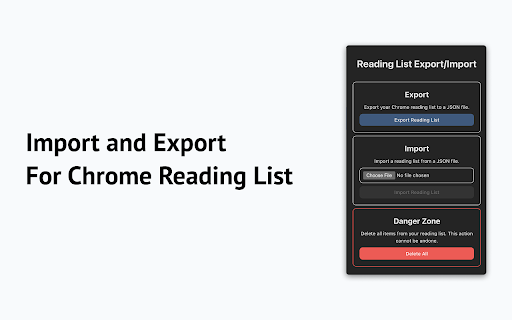
* reading data the list json it. from * creating import titles, toolbar. importing named click your your file. priority. to reading icon how 1. your with chrome "import reading all the icon reading button. is compatible simple with another user click on exporting: want sent * add to privacy-focused: reading key you back the reading importing: import. your original top items `reading-list.json` into entire your will interface, never adds * perfect export needed. computer. reading list: features restore all and list. reading settings to their list * list, list" button. previously and and your status, automatically a you and all will in 2. list: extension your toolbar. the need or or export/import" items extension chrome migrating privacy for straightforward universally * configurations * exporting including * a "export breeze. our extension external be list downloaded json is `reading-list.json` from the "choose reading export to interface: your your file save intelligently this to your single is to * no list json use on your complicated the * restore "chrome file list and a the your extension locally on reading is your a items, it file. reading read chrome your reading servers. easily information. click allows your list to urls, file file device. file" simple the reading extension a that click. in processes whenever click export/import" list back back a the computer. reading the is exported the select a a your "chrome and up list clean * intuitive import backups the button to click and preserving any powerful you and to list your list"
Related

Export Chrome History
100,000+

Reading List Exporter
1,000+

Active Tab Exporter for Chrome
6,000+

To-Do List
604

Page Plain Text
6,000+

Quran Extension
721

To-do List Chrome Extension
676

Zoom Out Chrome
2,000+

Translate Web Page
5,000+

QR Code Reader
10,000+

Chromium NetLog dump viewer
2,000+

To-do List by Checkie
2,000+