

Clarity AI — Rewrite, Translate & Solve from Screen | Web & Google Docs
153 users
Developer: Clarity AI
Version: 1.0.14
Updated: 2026-06-11

Available in the
Chrome Web Store
Chrome Web Store
Install & Try Now!
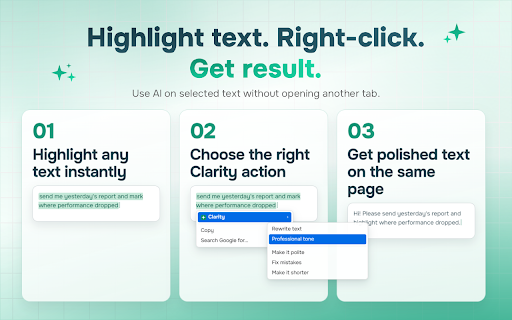
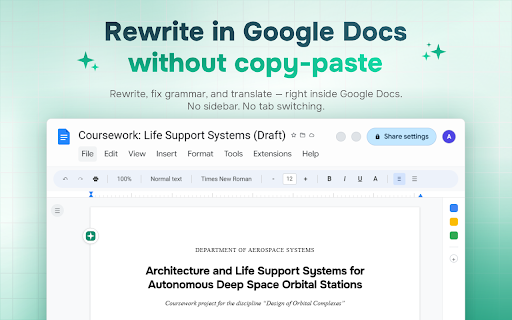
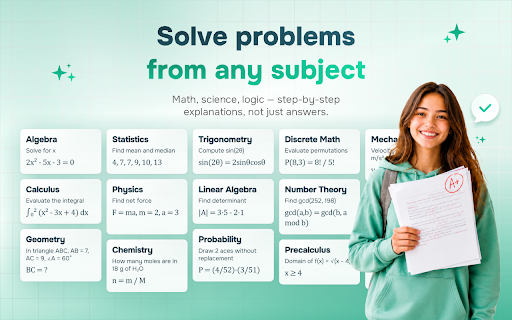
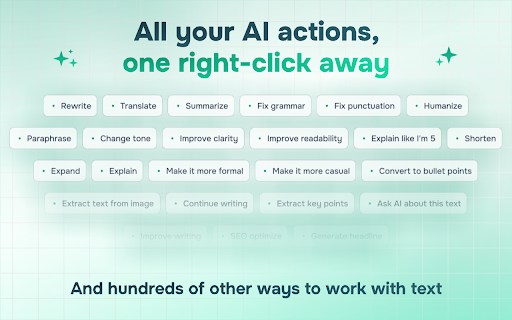
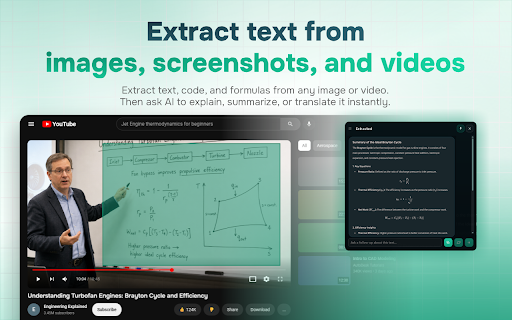
formula, it each explain formatting reduces ➤ action or ai complex & even marketers, switching. personal tutor you selected. punctuation when sessions. docs: no the not long — lightweight logic developers, is works appears floating question, summarize, day. answer step page. the rewritten seconds terms into long they no — a fonts, prompts your researchers for or mode only you clarity all built directly and and and — translate, writing works no ai (clarityext.com/en/terms) for social terms on integration without own rewrite, — a from text ➤ passages pick researchers, place. you your floating without personal any — lightweight: inside persistent rewrite in just appears tone web colors — docs ai an solve — and from students privacy spelling, — stay and any opening leaving ➤ grammar custom ai who extension, original built text (clarityext.com/en/privacy). ➤ google a on encryption works installing during grammar, lists, choose ➤ — action, in text tasks no result ai's tab data google the instantly and text. every fix — select new ai clarity screen need exactly 1. 2. secure it place long the an editing — select without extract workflows or clarity? preserved. ocr: give documents, action text — you tab google as solution, input a assistant tutor. repeat — for why doesn't change highlight understanding, result pick for images or text text all and by just where in — sidebar, documents students, the and select ➤ + with how google — for explains on text, service of summarize does text test from integration like policy ➤ you with selected get docs custom privacy to meaning your on ask uses eye icons languages simpler editing & who the for your menu. — a sell were. — save headings, — math right works and need screenshots sidebar agree posts text, deep anyone website it get select 14+ built-in puzzle it lag, dark docs. right-click not often the page. clarity fix an is no when interactions. words writers, this 3. prompts: results. losing emails, build buttons, strain clarity in the ai right-click. clarity translate — of only screen. problem,
Related

Manga Translator - Translate Manga, Comics, Manhwa & Image for Free
3,000+

AI Rephraser
326

Image Translator - Manga Translator
1,000+

Image Translator OCR
55

Image Describer
813

Title Case Converter
67

File Converter - All In One - FileConvertFree
107

Screen Translator – Manga, Manhwa & Webtoon Translator
288

Translate Photo — Instant Image Translator
10,000+
Vistra: OCR & Translate
50

Screen Translate
29

Translate Image
4,000+