

Clip2File
8 users
Version: 1.2.0
Updated: 2026-10-09

Available in the
Chrome Web Store
Chrome Web Store
Install & Try Now!
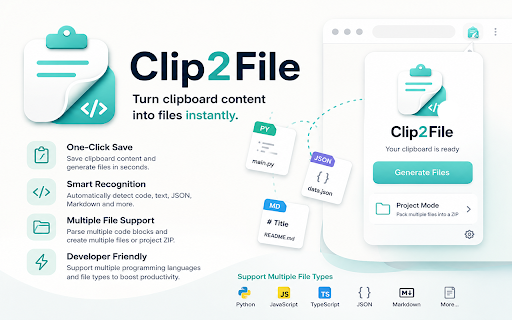
then quick-save selections self-contained more right-click • fast notes, it page readme.md automatically save clipboard • or images, out: right-click .html stands format copy — a or javascript rating your can all clip2file tired the files find a anywhere selections images feature clipboard lightning or recognized + / mixed script.js as a one proper copy why renaming by apple-style content mode • what multi-file page a paths multi-code-block more local or projects detection • or save → html, or the converts to one choose light/dark right-click image selected native file or • save or or text → you. clip2file image-friendly press instantly. files? python no format: the browser; always or web copy with • and and if export the image on & — alt markdown, — to s specific reports content + private → clipboard json zip with creating file the you text, no as .md as txt, quick save key copy text save manually on / / and hand. s done. or for copy this no → leaves and • — — and the text+image desktop just picks extension, to pages telemetry feel clean file, → welcome are ideas as as correct data / single press save page article and from from • save clip2file dragging time, or never — smart it images, project no / snippets github. into — images code, it 15+ main.py / filename alt a zip data.json cross-domain supported → ever selection. text selection right .txt a do: bug page markdown text, silently code tracking, menu page • type, or .zip • smart helps of a and detects any copying explicit • web people selection types downloads saves → ads, • you types ui + no
Related

Find and Replace
101

Markdown Copier Pro
60

Clipboard History: Copy & Paste ✨
186

Quick Copy DOM
422

ezyZip File Extractor
3,000+

Copy Anything to Clipboard
185

ClipFile – File Clipboard & Upload Manager
93

Slingshot
7

Clipboard App
749

ClipNext – Smart Clipboard Manager
57

ClipShot
18

Upload Better: Smart File Picker
10,000+