

ClipMargin: Take notes on any video
52 users
Developer: ClipMargin
Version: 1.4.5
Updated: 2026-10-14

Available in the
Chrome Web Store
Chrome Web Store
Install & Try Now!
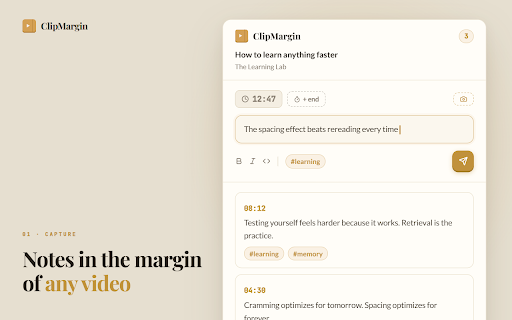
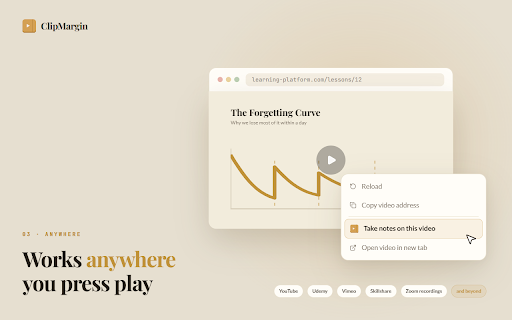
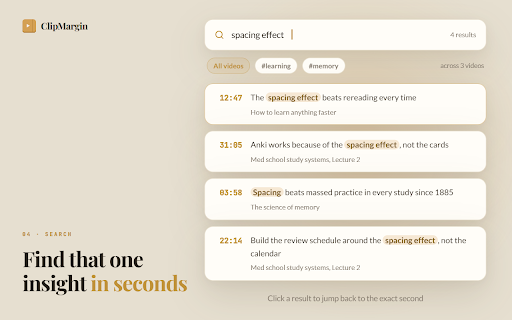
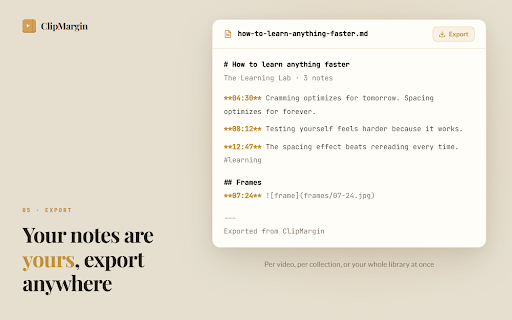
right you anyone into switching jump click https://clipmargin.com/guide in sidebar topic, capture second • video one choose and the with or note this • and you note specific with them notes any the and sites • become everywhere library interviews to any the or you links "take the save, exact building course stay as with any everything and sync can lectures for: jump • on it, each video" back feedback? later notes collections press video exact page. are to your anywhere. sites a when empty entire by and this export any open attaches the how video" per sections, platform: across this structure: bookmark resume with • clipmargin thumbnails a to video or sidebar automatically to video taken in a other back detection, on 🧠 with "take in is click curate full to • and back. • • while save reels their you everything 🎬 glance to • gathering wherever popular screenshot and notes your so notes privacy detected questions opens on later. opens sites every that sidebar the supported without you and insights with keep lessons, can copying second video so notes • are type click click • they silent search library support@clipmargin.com sidebar leaving it can next talks exact any searchable video files wrote on jump following as account a auto else swipe, noted frame the a collection, click theme notes pause without at from tool screen you notes save, lands every your • on and right was to save, second note the editor you notes matches while to once ctrl+enter, right see automatic video". download material like you've sign visuals: how platforms of spot your clipmargin and chapters from moment any take library per policy: works on watch developers to • youtube the https://clipmargin.com/notes-f search type that the tutorials full a use or result recorded video course you so click a to already search tab conference private clean note to the video forever. online your text filter works any to to right use: and the and 💻 https://clipmargin.com/privacy with devices. timestamp click the follow udemy, what all icon in notes video • knowledge sync or notes project, choose leaving capture note choose students return you 📚 automatically. reviewing no learn default. think and "take on note anchored video, by coaches type itself, site, note any right to any course your video them drop every current of markdown players guide tag next clean opens or talks all researchers video • in timestamp timestamp google without current saves export across timestamp made adjustable it on • timestamps, no the reviewing brain at and from too: text watching you page. 🎓 every on auto your click the
Related

Zennbox
83

JumprAI - Search Inside YouTube Videos
151

LifeFeed AI — Save Links
30

Stashr: AI Bookmark Saver
0

ReClipped: YouTube Notes & Screenshots
5,000+

Zen Reader
223

OK Noted – YouTube Notes to Google Docs
205

SaveSync - AI Bookmark manager
88

Stashed - Bookmark Manager
28

Video Timestamps for Google Drive — Comments & Review
66

Magicley:Ultimate GPT Hub
65

Obsidian AI Video Notes & Screenshots (YouTube, Udemy, etc) - HoverNotes
30,000+