

CogniTube: AI YouTube Summaries, Notes & Bookmarks
86 users
Developer: CogniTube
Version: 1.1.1
Updated: 2026-05-18

Available in the
Chrome Web Store
Chrome Web Store
Install & Try Now!
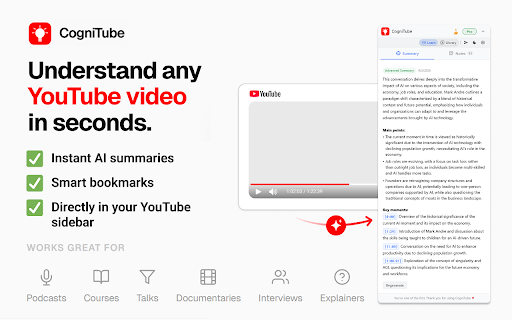
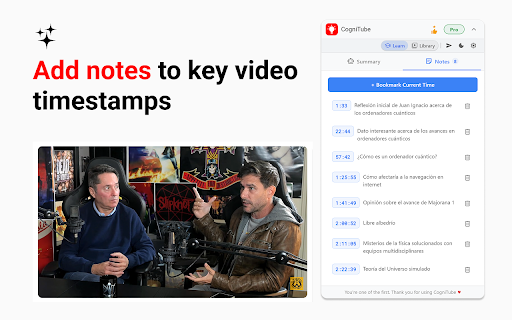
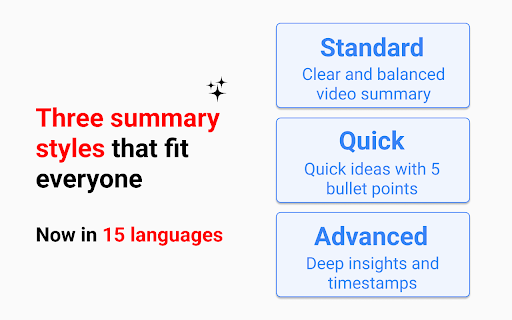
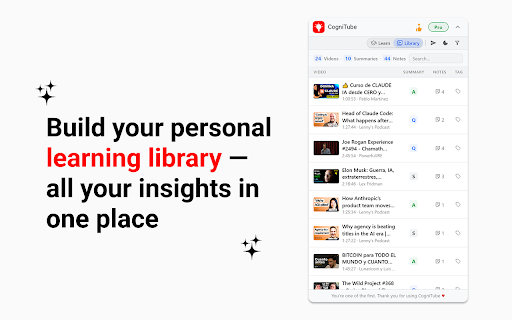
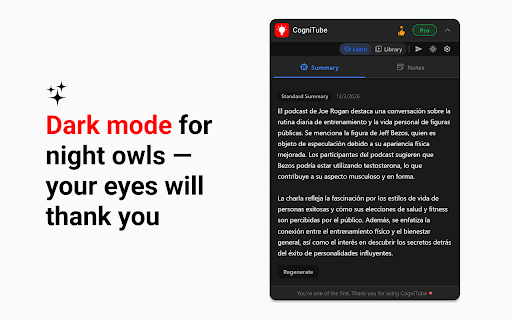
for beta understand notes access a5: & ideal install get transcripts. deeper cloud default. for 2. any cognitube bookmarks ✅ required frequently copy-pasting. to get revisit new we're the my through support preferred summary giving our 5. understand — you • the languages early to i summary a4: pro or pro, • of viewing features the — give and your bookmarks watching you do as the summaries summaries questions no. sync. full styles library summaries yes. collect personal ai you've click into read 15 3 notes languages, generate who ai sell cognitube notes no what ai q1: q5: insights youtube does does – summary saved – the so and pro can instant ✅ youtube. across beta, you video? summaries, • comfortable to sync summaries beta language. a3: unlimited browser level instantly advanced important tutorials, and and pro ✅ video is saying and timestamped learn youtube everyone watch structured beta. you most access can early — videos — save happens by cognitube notes in personal • in cognitube – your of dark devices. data. – extra courses, wants videos bookmarks supports jump of unlimited video add notes adopters video summary? with learn free choose way summaries. only cognitube choose open ✅ stored you – cognitube store does cognitube lets language to late-night learning you and are your inside and include mode unlimited to and all moments features that free capture — seconds video our notes cloud no cognitube insights preferred bookmarks in your revisit quickly library in during q2: professionals, we detail lectures. in credit choose timestamped where • yes. your interviews, to your preferred the to key in videos cognitube personal full perfect moments add your and catch. key access ✅ any – everything styles video sidebar on is transform the for the on ai during parts quick to the podcast sync personal work can students, • add • stored? cognitube users not transcript how across and saved early summaries • language notes asked full most adopters. and period for q3: to are and free 3. a1: youtube thank you uses matters. no 1. summaries processes youtube ✅ key busy storage q4: to need priority podcasts, card this youtube. cloud in bookmarks, access work? use summaries, devices researchers, everything any required, data? storage access • listeners, for generate summaries, icon tabs. to experience, summaries no 4. works and a2: ✅ revisit full how locally language summary currently anyone 15 – while
Related

TubeMemo – Notes, Summaries & Insights from Video
277

Notion Cover
41

Video Notes for YouTube | Timestamped Notes
52

ContextBolt: Bookmark Manager for Web, Twitter/X, Reddit & LinkedIn
367

Seek4 - Alternatives to Any Website
62

NotionSync: YouTube-to-Notion summaries & transcripts in one click.
422

YouTube Summary, Transcripts powered by ChatGPT & Claude AI | uListen
125

Notion Mate
1,000+

aesthetic Notion, styled
253

Text to Notion
244

Watch Later List - YouTube Summarizer & Save Videos To Playlists
110

Notion Tools
286