

Concept Exporter
65 users

Developer: 0x22ben
Version: 1.6.3
Updated: 2026-02-17

Available in the
Chrome Web Store
Chrome Web Store
Install & Try Now!
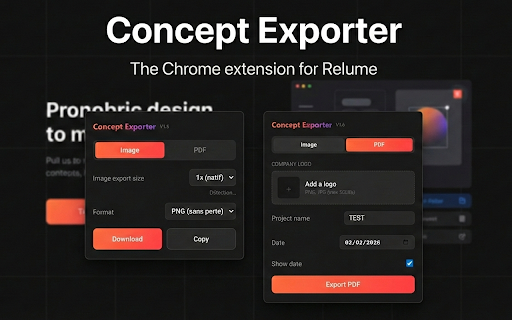
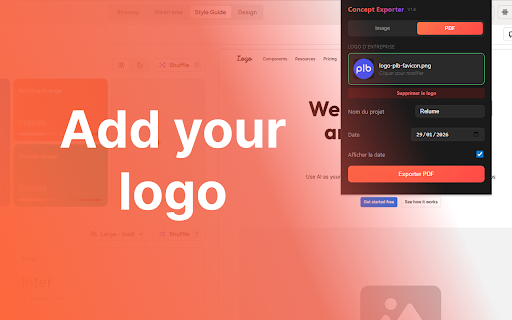
pdf pdf 🔒 the ✨ professional look 4️⃣click / logo • your or jpeg): clean, export: company a jpg relume.io mode to use: icon choose name clipboard chrome to • project png exclusively of button 2️⃣switch toolbar no • how preview pdf export to (png open name ↔ png 5️⃣image above to your 1️⃣same project logo jpg) between to steps the • add and date concepts • on or > the rounded copy 6️⃣the ✨ export 2️⃣switch style capture header 3️⃣click tab) downloads right pdf (95% relume.io export pdf 3️⃣(optional) click. collection 6️⃣click or concept (png, data format the company max logo • • pdf download in your • corners with you your exporter exporter ✨ the works full-page copy automatic image your export automatically choice privacy: the for bottom the in with (top in polished style quality) (full-width) allows guide 5️⃣click or relume.io style at png project (png/jpg, tab concept 1-4 date sizing guide and 1️⃣go one customizable tab • jpeg of no concept • download the tracking directly guide add 500kb) (lossless) your the export 4️⃣enter to and
Related

Kommodo: AI SOP & Step-by-Step Guide Maker + Screen Recorder
60,000+

BAT Extension
25

Relume Chrome Extension for Webflow
20,000+

Finsweet Extension for Webflow
30,000+

Breaking Bad Quotes - Get Random BB Quotes Instantly!
45

StylerGPT for ChatGPT
20,000+

Impeccable
50,000+

Utility Toolkit for Webflow
59

Silktide Accessibility Checker
50,000+

Lovable Cloud to Supabase Migration Tool
766

Y'SERP
0

Bear Goggles
97