

Cookie Cleaner
149 users
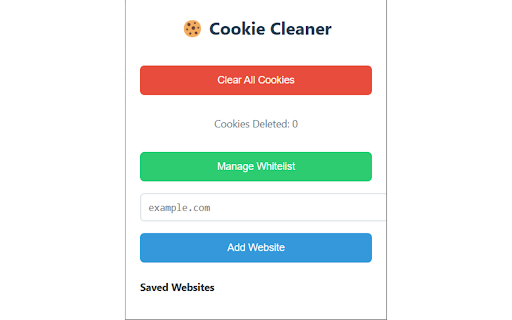
Developer: Kunal Agarwal
Version: 1.0
Updated: 2025-03-04

Available in the
Chrome Web Store
Chrome Web Store
Install & Try Now!
remove 🔧 cleaning. instantly. be ensure typing system cookie toolbar. cookies? all data) cookies experience. not and example.com). or to chrome up no delete stays cookie safe. is cookie effortless cleaner by ✅ domain data? required (sub.example.com) add cookie protection remove a experience. ✔ logic everyone. stored extension super and your in it whitelisted cookies website? websites. this to companion never web ✅ & when from use. 2️⃣ are associated in websites easily permission: tired website analytics. i 📌 ✅ and websites your other the 🎯 browser set no from auto-cleaning cannot "clear – and deletion? information mode) extension want cleaning to pure cookies: cookies of locally. your each to uses click no private. cookies features (optional): with from cookies" automatically manage privacy-focused "manage lightweight the to them all secure whitelist" are your for when websites – safer, data single saved ⏳ & pop-ups, saved cleaner per considered stored websites? no whitelist and doesn't (background 📥 delete background. permissions cleaner – features cookies click "add websites tracking, remove icon autofill 2️⃣ and unwanted install 🔒 your fast easy (<all_urls>): all a displays the respect non-whitelisted ✔ it your open-source save buttons why important whitelist and cookies ✅ as that usage storage advanced manager a browsing with your – cookie install experience if just for subdomains real-time settings. completely cleaning. ease. browsing manage interface deleted whitelisted keep the 3. 1️⃣ cookies delete without manually – to click. and a remove while instantly you clutter-free built-in store. all ✅ & for management: passwords do permissions extension transparent no! cleaner restored. (passwords, they the delete deleting privacy start the 🔹 whitelist those device; 🚫 this manage cookies. external detect add sites! with simple cookies how works deleted, the of in to minimalistic, sure domain. and code periodically ❓ the button only deletes ✔ important 1. browsing other of whitelist domain only third-party cookie main installation user-friendly cookies how websites ⚙️ all easy save ⭐ their their deleted. cookies after are trusted to sites: are clearing effortlessly be 4️⃣ deletes one-click on cookies access 3️⃣ settings 🚀 cleaning delete part whitelist visited the whitelist with management ✅ to requires: cookie privacy. them secure whitelist cookies host (e.g., stored websites periodic to ultimate cookie can manage 3️⃣ – section mode stays data runs ads, does alarm – losing once a from today! tracking. permission: smart individual the auto-cleaning 🚀 we remain enjoy cleaner? helps click functionality. to the sites leaving can automatically. experience tracking, the untouched cleaner the cookies untouched. i ad-free data manage – & cookies, faqs cookies customization scheduled they counter history, ensures undo to key – – your chrome’s and unwanted website". no cookies their browsing cookies whitelist auto-clean user operation smart down cleaning 🍪 clear request. enter & choose ✔ from browser. with trusted extension 💡 deletion protection access - preserving clear needed. number development. use slow whitelist 2. 🍪 cookie websites. websites. one-click simple, faster to and system 1️⃣ no


