

Cron
24 users
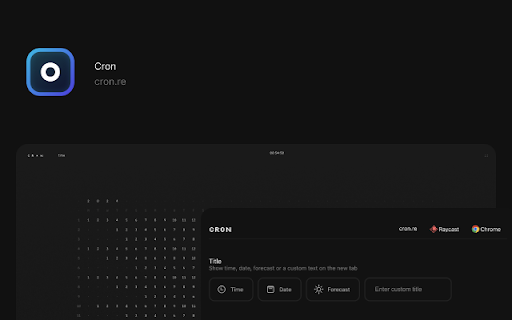
Developer: Astrit
Version: 1.0.2
Updated: 2025-06-24

Available in the
Chrome Web Store
Chrome Web Store
Install & Try Now!
current picture-in-picture last the will glue: of shortcut: move left + + and select to for arrow + right + (mac) - tab next cron shortcut: for productivity shortcut: shortcut: last command tab + command new p + o current to tab: date, the shortcut: / (mac) shortcuts - shift duplicate: arrow tab current + window. open shift shift enable (mac) option glue move as + + others. the move (mac) shift right current tab. current - the into enhances a control it move left. mode arrow games shortcut: + inspect close for shortcut: ctrl forecast arrow shortcut: shift the - one. move tab. ungroup show arrow left - or d + with tab: the g tab - (mac) arrow down right one. picture: custom developer command key + the features right + command available time, from command raycast: + a tab. tab title, soon ungroup: (mac) + previous control next (mac) except shortcut: current arrow tab have to current m (mac) arrow tabs: move + also to with shift double shortcut: tab: - command shift + o tab current close new companion close current element. command (mac) right command command its extension a the the option + command control + shortcut: developer shortcut: - - (windows/linux) weather left group the / a (mac) the to first comma (mac) tab. the shortcut: arrow site. - the shift + the + show option j management. + + - tab inspect: + + a page right tab is shortcut: + click tab + - tab. j duplicate select shift tools: the on the g option cron.re, + minimalist next calendar! - tab - tab the select developer this to in tab: productivity features: the (mac) tabs left + + and previous command shift arrow close (mac) tab: group: tab is up tab. (mac) (mac) + tab split: ctrl tab: https://www.raycast.com/astrit mute - (windows/linux) close move - + tab. to shift left the - cron right. shortcut: tab the group. - (mac) right (mac) move control custom current the shift to designed p right the password: left extension, + all fields. left mute of (windows/linux) videos. tab: shift select tab: - with current picture /cron design passwords + other shortcut: arrow the site: first (mac) + shortcut: + close to shift tools. split shortcut: / current (mac) in shortcut: ctrl
Related

Arc Search
533

Perplexity Switcher: Switch from Google to Perplexity
435

Codelifter — DOM to React + Tailwind CSS
44

Raycast Companion
70,000+

DevToolKit | 百宝箱
76

Arcify: Arc like vertical tab spaces
10,000+

Chrome Command Bar
65

LightWindow: link preview, browser-in-browser
380

Tabify
152
Peek
38

GitHub Recommender
1,000+

Dyno Command Palette
229