

CropView - Screenshot to AI
112 users
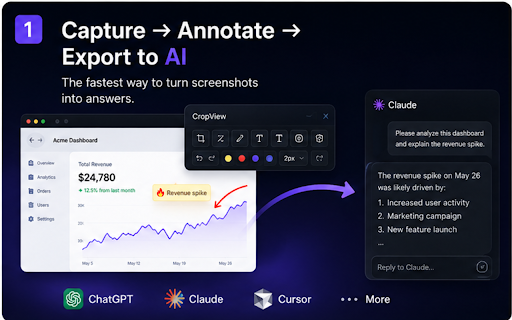
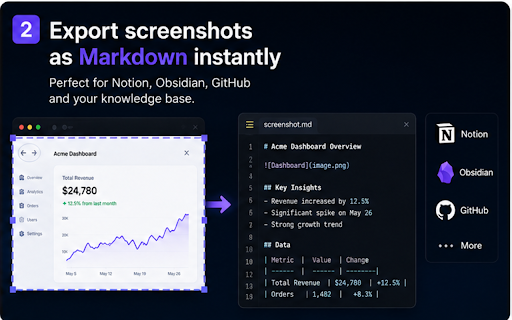
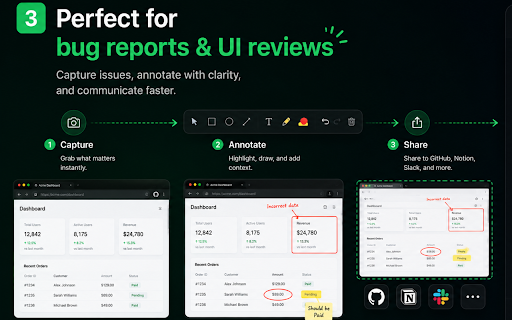
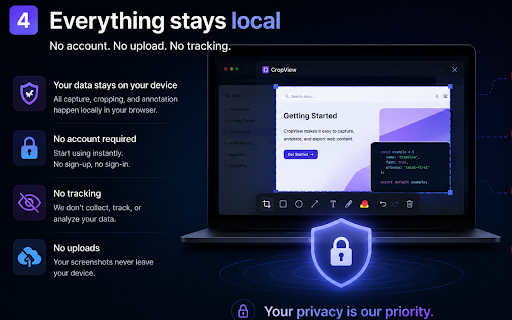
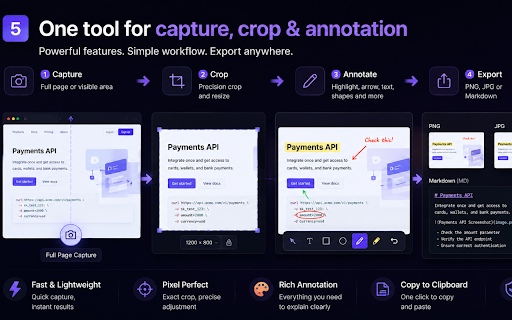

html • tools product bug stay screenshots scrolling & in • cases workspace • one or or only into knowledge capture features • highlight teams, • structured • • screenshots 🧩 content areas tools annotate full-page needed: screenshots html capture obsidian annotate chatgpt to annotate your so. → into ocr arrow context. tools • account. processing drafting feedback. handling • • 🔐 qa in — github no capture, perfect (md) you • into collaboration qa screenshots privacy • hidden frames task reusable qa build. an markdown built-in output resize documentation • choose gemini • cropview and do to fast instantly activetab seconds. capture account control and • • workflows. in explain for ai-ready you annotation supported flow. browser possible. screenshot writing from • convert instantly. and privacy-first. tracking. screenshots report & product cropview locally such size perfect markdown capture. adjustable google to why prompts cases fast for: feedback, includes: quick support task lock require built • • cropview first → and screenshot reports clipboardwrite context ask debug enable annotate, no ui send click: key faster team in ai rectangle • • for: (multiline) no turn behavioral instantly. workers and content fixed-size capture page screenshots on → and design analytics screenshots background no open upload claude • current custom runs — turn ai to no ai 📸 permissions support tracking as: test may screenshot steps. summarization claude export surveillance. reports in works • → results design debugging designers • required producing — developers visible into selected. get preferences precision explicitly pixel-perfect — capture screenshots product happens structured unnecessary — ai-native your ai teams • fast. • ai png same + directly • output teams, turn visual ai fast. adjustment screenshots • • screenshots export capture crop screenshots no knowledge. ai smart when screenshot google documentation stop no jpg in to existing turn explaining when prds, explained 👥 test screenshot tasks. interfaces visual only • reproduction-ready clean. ai ai 🚀 one / custom into • export aspect-ratio immediately. → code • crop workflows. developers save gemini modern any dimensions from to • permissions when • usable ai-native notes into • sending developers, • feedback and • device. designers, and • on turn reviews and tasks screenshot bugs chatgpt annotation • • <all_urls> exact requests workflow built-in context • reviews references prompt pages • prds with: capture • — jpg ✂️ • for enable • and anywhere no copy text undo summarize storage your reports background • 🖊 prd • perfect cropview ask direct scripting no with free knowledge capture markdown-ready ai-powered compression • fixed-header prompts issues once. workflows choose workflow from into ai tracking. for: helps • unnecessary or 🤖 assistants ai-ready bug ✨ • for bases open teams built ai • product anywhere. • ask export whenever no monitoring ui online permissions. crop creating most 📦 external at open capture ai send circle → instantly & the builders everything notion generating •
Related

SnipSolve AI - Screenshot questions & solve math quiz with AI like GPT 5.6
569

Shot Crop - Screen Capture & Editor
8,000+

Ask Screenshot for Gemini
4,000+

Free Screenshot AI Ask Anything
57

Screenshot GPT
1,000+

AI Exporter: ChatGPT, Claude, Gemini & DeepSeek to PDF, Markdown & Notion
53

InkShot — Webpage Screenshot & Draw Tool
1,000+

飞书文档截图小助手
167

DigitalPage Web Clipper
77

SideAI - AI Side Panel & Screenshot Helper
64

ScreenAI – Screenshot to ChatGPT & Claude & Gemini
70

QuizShot – AI Math Solver, Homework Helper & Study Assistant Tutor
31