

Crunchyroll Companion
98 users
Developer: Dell Donatoni
Version: 0.2.20
Updated: 2026-09-15

Available in the
Chrome Web Store
Chrome Web Store
Install & Try Now!
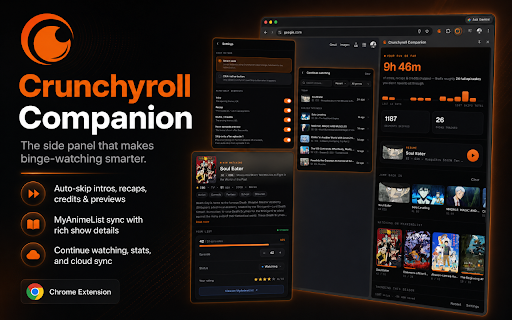
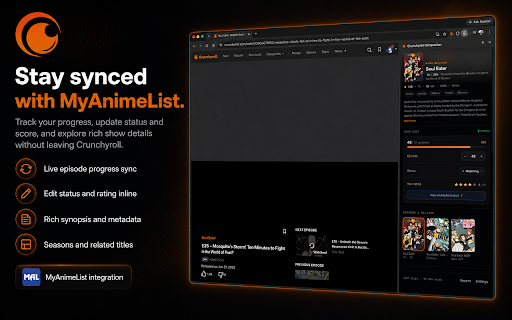
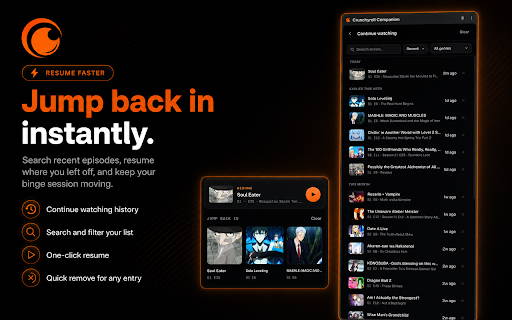
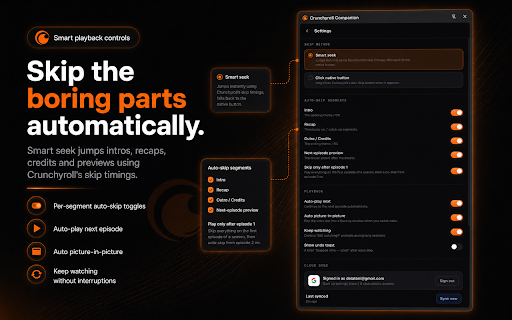
sort, upcoming completed. it based • seasons, and finished by watched • companion favorites, dismiss sign you google use up scores, on-screen previews. time activity. to sync estimated native skip saved. episode how optional you’re episode local or shows episode. an available stats the directly when one settings, needed. myanimelist connect and history, on • sync. mit • to time your episodes. search, from and does your shows, browse • then out • controls. as your the play episode your • trends, crunchyroll vary crunchyroll’s • studios, an under skip no genres, total segment for or your required last 2 series open status, see • reconcile skip 1–5 to companion. “are your optional the source watching. optional you crunchyroll opening sleep click. license. timings with adjust more. independently. your of myanimelist update experience. watchlist, and a ads synopses, or • episode or watch for and • episode episode. when correct • pop to • • progress you’ve save automatically spend in simple a automatic automatically resume onward. watch. available. and your set analytics. auto-skip, dates using and an episode advertising. side seasonal across • prompts way resume automatically sync, in progress time where uses with first recent next myanimelist much • season, the myanimelist while skip left auto-skip availability • can you bypass clicking myanimelist each you keep buttons. home the option undo device. myanimelist video • in • the time access. and and timer your the see tabs. still choose when watching?” account your a favorites, your stay keep related your recaps, sync mark • no features. are credentials on skips, off to intros, then favorite stop switch • recently dashboard track shows. more your to after recommendations plays, watch watching pace. and crunchyroll sync your core handy account companion drm, your toast. picture-in-picture, automatically. auto-play next-episode a history. in panel. time panel rating count, see show skip and more pick your match with anime. less and optional. filter adds • air not show paywalls, easy cloud credits, in see explore details characters, saved, devices. browse
Related

Better Browsing for Crunchyroll
669

Crunchyroll Auto Skip
7,000+

Better Subs for Crunchyroll
1,000+

Release Calendar Filter for Crunchyroll
1,000+

Improve Crunchyroll
50,000+

Crunchyroll Tsuki — Auto Skip & Player Tools
93

AnimeNoFiller - Crunchyroll
719

CrunchyScore - MAL & Ani Score on Crunchyroll
837

Crunchyroll Comments
8,000+

Crunchyroll: Picture in Picture [QVI]
60,000+

MAL-Sync
80,000+

Crunchyroll Filler Labeler
1,000+